Pools
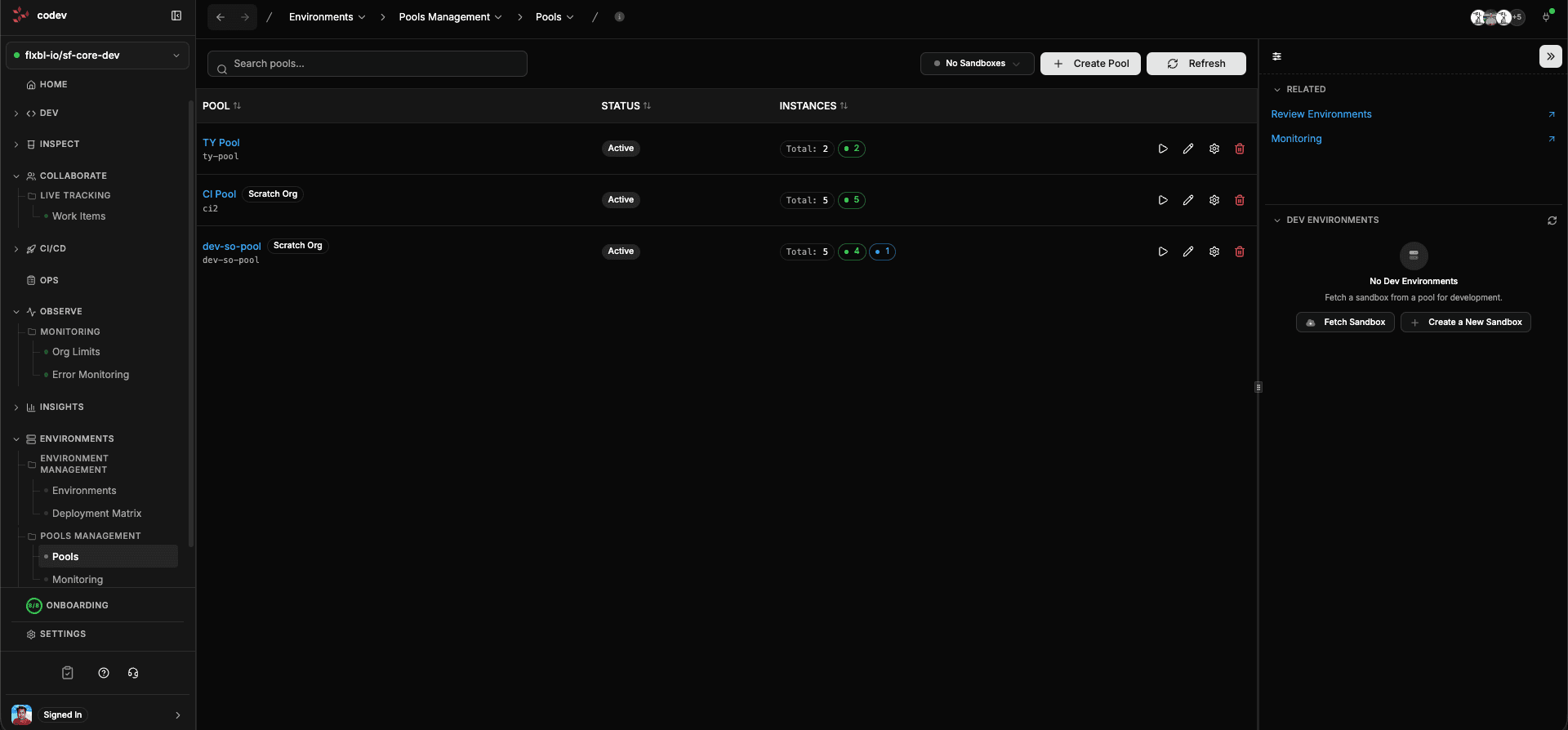
Every Salesforce developer knows the pain of setting up an environment from scratch — creating the org, installing managed packages, deploying metadata, importing data, configuring users. It can take hours before any real work begins.
Pools solve this by maintaining a collection of pre-built, ready-to-use environments. When a developer needs an org, they grab one from the pool — fully set up, packages installed, ready in seconds. When they are done, the environment expires and the pool replenishes itself.
codev makes this entire pattern available out of the box. You define a pool, and codev handles provisioning, monitoring, expiration, cleanup, and replenishment automatically through its workflow engine. No cron jobs to set up, no scripts to maintain.
Pool types
Sandbox pools
Sandbox pools maintain a set of pre-created Salesforce sandboxes cloned from your production org or a source sandbox. Each sandbox has a managed lifecycle — it is created, made available, assigned when fetched, and automatically expired and cleaned up when no longer needed.
Use sandbox pools when you need environments that start from your production data and configuration.
Scratch org pools
Scratch org pools maintain a set of pre-built scratch orgs created from your DevHub. During provisioning, codev clones your repository, installs all managed package dependencies, deploys all your packages, and enables source tracking — so the scratch org is ready for development the moment it is fetched.
Use scratch org pools when you need clean, isolated environments for feature development or CI validation.
Lifecycle
Both pool types follow the same pattern — environments are ephemeral with a managed lifecycle:
- Provisioned — codev creates the environment and installs everything it needs
- Available — ready to be fetched by a developer
- Assigned — a developer is using it
- Expired — the lease has run out, and the environment is cleaned up or refreshed
codev monitors each pool on a recurring schedule and automatically replenishes it when available instances drop below the configured minimum. You never have to think about pool maintenance.
Getting started
Further reading
For advanced pool configuration — custom scratch org definitions, artifact fetching from registries, source tracking details, managed package keys, DevHub setup — see the sfp pool documentation:
Pools and review environments
Pools also serve as the foundation for review environments — a feature in the Inspect section that automatically assigns a pool environment to each pull request for validation. If your team wants per-PR environments, review environments build on top of pools with assignment rules that map branch patterns and domains to specific pools.