Data Packages
Data packages are a sfpowerscripts construct that utilise the SFDMU plugin to create a versioned artifact of Salesforce object records in csv format, which can be deployed to the a Salesforce org using the sfpowerscripts package installation command.
The Data Package offers a seamless method of integrating Salesforce data into your CICD pipelines , and is primarily intended for record-based configuration of managed package such as CPQ and nCino.
Data packages are a wrapper around SFDMU that provide a few key benefits:
- Ability to skip the package if already installed: By keeping a record of the version of the package installed in the target org with the support of an unlocked package, sfpowerscripts can skip installation of data packages if it is already installed in the org
- Versioned Artifact: Aligned with sfpowerscripts principle of traceability, every deployment is traceable to a versioned artifact, which is difficult to achieve when you are using a folder to deploy
- Orchestration: Data package creation and installation can be orchestrated by sfpowerscripts, which means less scripting
sfp v51 and later bundle SFDMU. You no longer install the SFDMU plugin to build or deploy data packages — sfp ships SFDMU and runs it for you.
On sfp v50, install the SFDMU plugin as before. See SFDMU's documentation for plugin installation.
Defining a Data package
Simply add an entry in the package directories, providing the package's name, path, version number and type (data). Your editor may complain that the 'type' property is not allowed, but this can be safely ignored.
  {
    "path": "path--to--data--package",
    "package": "name--of-the-data package", //mandatory, when used with sfpowerscripts
    "versionNumber": "X.Y.Z.0 // 0 will be replaced by the build number passed",
    "<a data-footnote-ref href="#user-content-fn-1">type": "data"</a>, // required
  }
Generating the contents of the data package
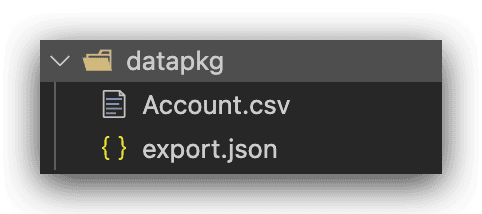
A data package is an SFDMU export: an export.json that describes the objects and queries, alongside the exported .csv files. For how to write an export.json and export records to csv, refer to Plugin Basic > Basic Usage in SFDMU's documentation.
On sfp v50 you generate these csv files with the installed SFDMU plugin (sf sfdmu run ...). On sfp v51 you can run the bundled SFDMU with sfp sfdmu run ..., or pull records straight into a package with sfp pull -p <data-package> -o <org>.
Options with Data Packages
Data packages support the following options, through the sfdx-project.json.
  {
    "path": "path--to--package",
    "package": "name--of-the-package", //mandatory, when used with sfpowerscripts
    "versionNumber": "X.Y.Z.[NEXT/BUILDNUMBER]",
    "type": "data", // required
    "aliasfy": <boolean>, // Only for source packages, allows to deploy a subfolder whose name matches the alias of the org when using deploy command
    "assignPermSetsPreDeployment: ["","",],
    "assignPermSetsPostDeployment: ["","",],
    "preDeploymentScript":<path>, //All Packages
    "postDeploymentScript":<path> // All packages
  }
Per-record format (beta)
From sfp v51, a data package can opt into a per-record layout that stores each record as its own file instead of a single flat .csv. This gives clean, reviewable git diffs and lets several people edit different records without merge conflicts. See Per-record data packages.
Adding Pre/Post Deployment Scripts to Data Packages
Refer to this link for more details on how to add a pre/post script to data package
# $1 package name
# $2 org
# $3 alias
# $4 working directory
# $5 package directory

sfdx force:apex:execute -f scripts/datascript.apex -u $2
Running SFDMU from a script on sfp v51: the bundled SFDMU is not installed as an sf/sfdx plugin. If a pre/post deployment script (or any custom script) called SFDMU directly with sf sfdmu run ..., switch it to sfp sfdmu run .... Other sf commands — such as sf force:apex:execute above — are unaffected.