Claude on Amazon Bedrock
Configure the AI provider that powers codev's AI features — architecture analysis, validation error analysis, and reviews — using Claude on Amazon Bedrock.
codev's AI features — architecture analysis, validation error analysis, and AI-assisted reviews — run through an AI provider you connect once, in the codev UI. You don't edit config files or set environment variables by hand; you add the provider under Settings → Integrations and codev wires it into the analysis engine for you.
This page covers connecting Claude on Amazon Bedrock, for organizations that run their model traffic and billing through AWS.
Connect an AI provider in codev
- In codev, open Settings → Integrations.
- Find the AI Providers section.
- Pick a provider card and click Connect.
- Follow the in-dialog instructions to paste your credential, then Save.
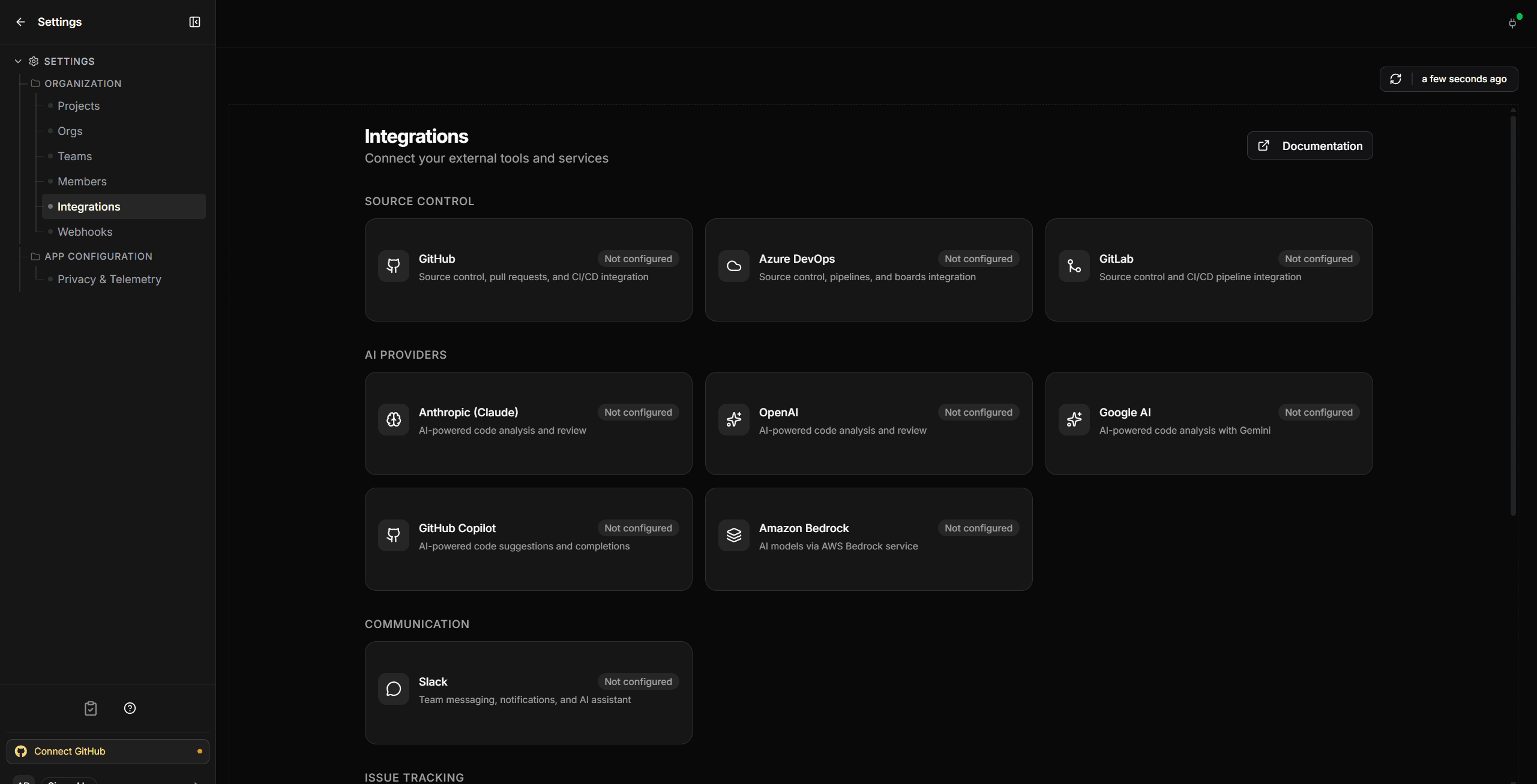
That's it — the next AI command (for example an architecture analysis from the Analysis page) uses the connected provider. To confirm it works, run an analysis and check that a real result comes back.
If you already have a direct Anthropic API key, the Anthropic (Claude) card is the fastest way to use Claude — connect it and you're done. The Bedrock path below is for organizations that have licensed Claude through AWS and want model traffic and billing to stay inside their AWS account.
Claude on Amazon Bedrock
There are two parts: first you enable Claude in your AWS account (one-time AWS-side setup), then you connect it in codev.
Step 1 — Get Claude working in your AWS account
1a. Submit the one-time Anthropic use-case form.
- In the AWS Console, open Amazon Bedrock and go to the Model catalog.
- Open a Claude model and follow the prompt to submit Anthropic's use-case form (your company name, website, use case). Anthropic reviews access requests, so this information is shared with Anthropic to approve your account. This is a one-time step per account.
1b. Generate a Bedrock API key.
- In the Amazon Bedrock console, go to API keys and generate a long-term API key.
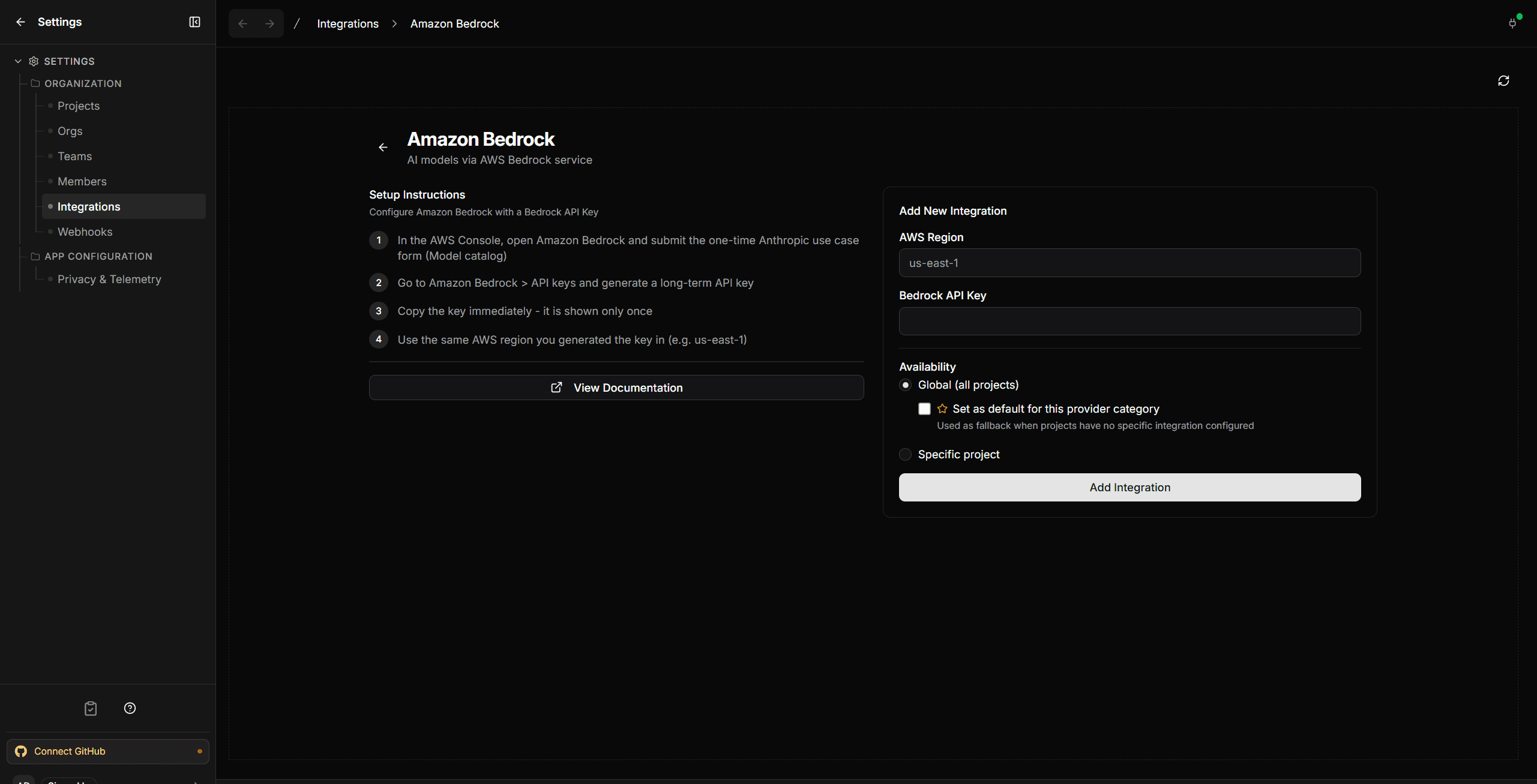
- Copy the key immediately — it is shown only once. This is the credential codev needs (
AWS_BEARER_TOKEN_BEDROCK), not an access-key/secret pair.
Use the latest Claude Sonnet via a cross-region inference profile — codev selects us.anthropic.claude-sonnet-4-6 (region prefix us.) automatically. The bare anthropic.claude-sonnet-4-6 model id fails for on-demand/serverless invocation ("on-demand throughput isn't supported"); the inference profile is required. Generate the key in us-east-1 unless you have a specific reason to use another region.
A region showing "Anthropic (0)" serverless models is expected, not an error — some regions only reach Sonnet through the us./global. cross-region inference profile, which the catalog count doesn't include. Anthropic's own Claude on Amazon Bedrock guide is the authoritative reference for which models and regions are available.
Step 2 — Connect it in codev
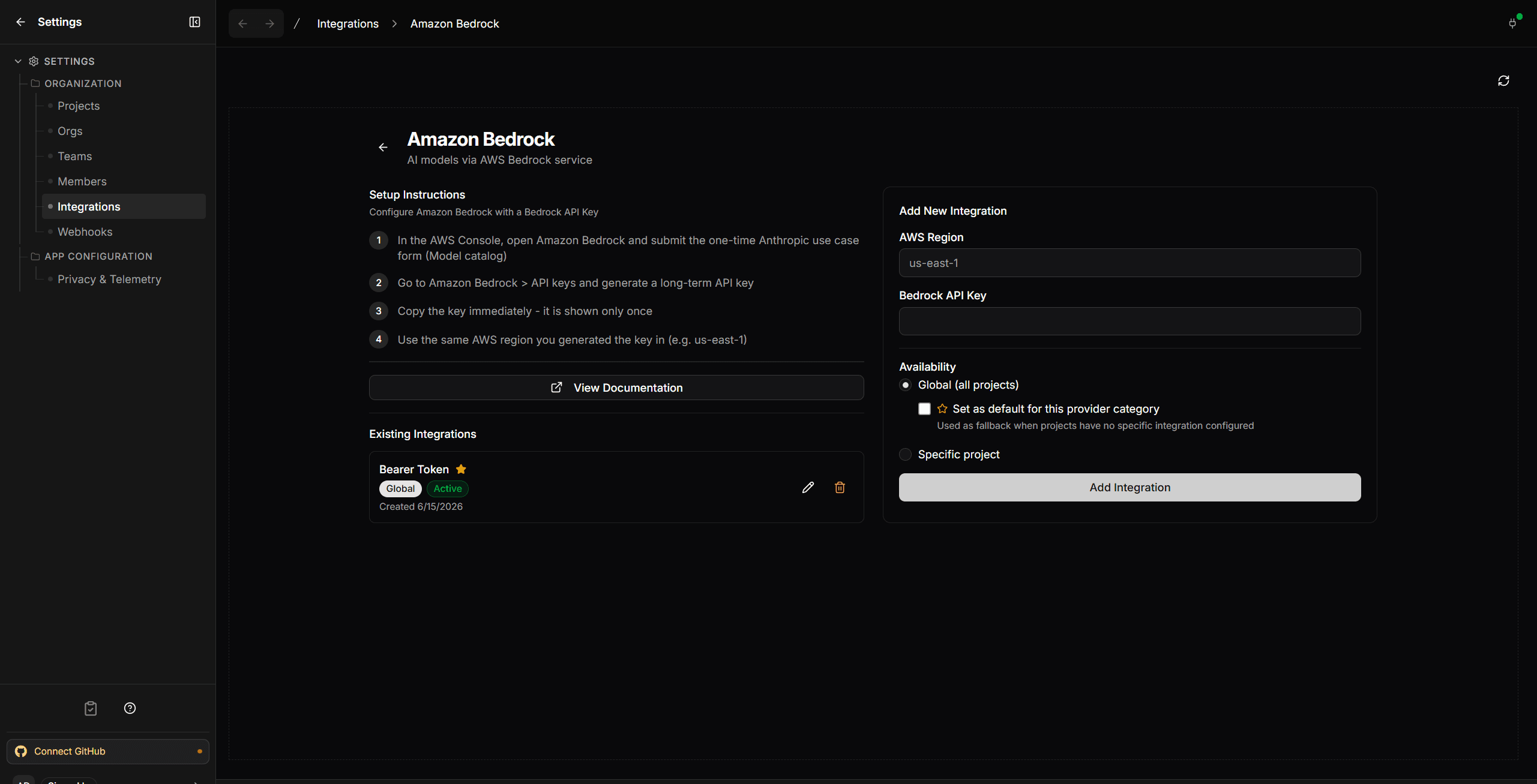
Once Claude is enabled and you have a Bedrock API key, connect it like any other provider: open Settings → Integrations → AI Providers, pick the Amazon Bedrock card, then enter your AWS region (for example us-east-1) and your Bedrock API key, and Add Integration. To make it the provider codev uses by default, leave Set as default for this provider category checked.
Once saved, the integration shows as Active under Existing Integrations.
Verify
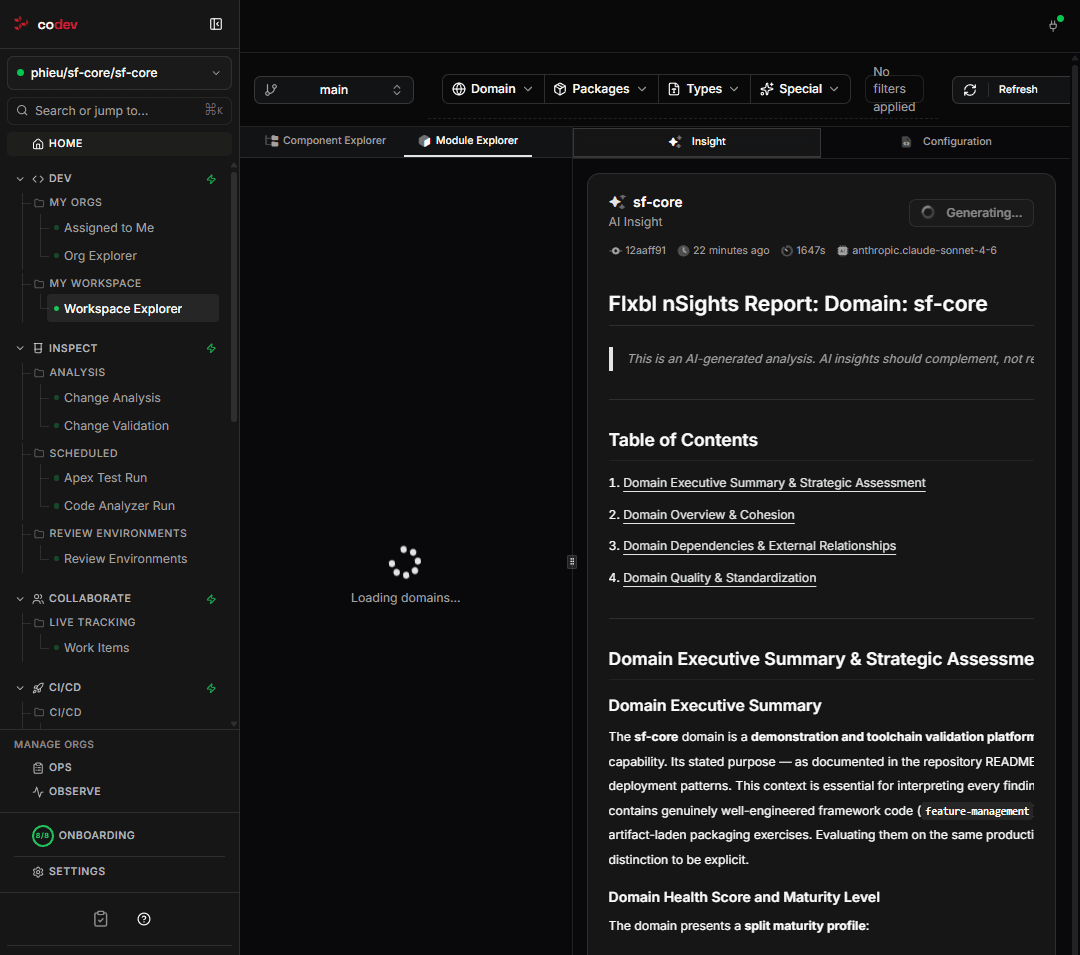
Once an AI provider is connected, run any AI command that uses it — a domain insight from the Workspace Explorer is a good check — and confirm a real model response comes back. For Bedrock specifically, a successful round-trip confirms the region, API key, model id, and your account's Claude access are all correct.