Setting up your Salesforce Org for Scratch Org Pools
sfp pro (v50 and below) uses tracked pool state on the Dev Hub itself, in four custom fields on the standard ScratchOrgInfo object (Pooltag__c, Password__c, SfdxAuthUrl__c, Allocation_status__c), delivered by the Scratch Org Pooling unlocked package. This section applies only to those releases — the tell-tale is prepare failing with Required Prerequisite values in ScratchOrgInfo is missing in the DevHub.
On such a release, install the package in the Dev Hub:
sf package install -p 04t1P000000katQQAQ -o <Your_DevHub_Username> -r -a package -s AdminsOnly -w 30Pools created by an earlier release keep working after upgrading sfp — every pooled org is also registered with the server at provisioning, so no migration is needed. The package can stay installed; current releases neither read nor write its fields.
Direct Dev Hub access (legacy path)
sfp scratch login -v <devhub> queries ScratchOrgInfo.SfdxAuthUrl__c in the Dev Hub directly, without the server. It requires the fields above to exist and the developer's own Salesforce user to be able to read those records. Set up the sharing below only if developers use this path against a pool created by an earlier release.
Public groups and sharing rules
The scratch orgs are owned by the CI service user that ran prepare, so a sharing rule is needed to expose those ScratchOrgInfo records to developers.
-
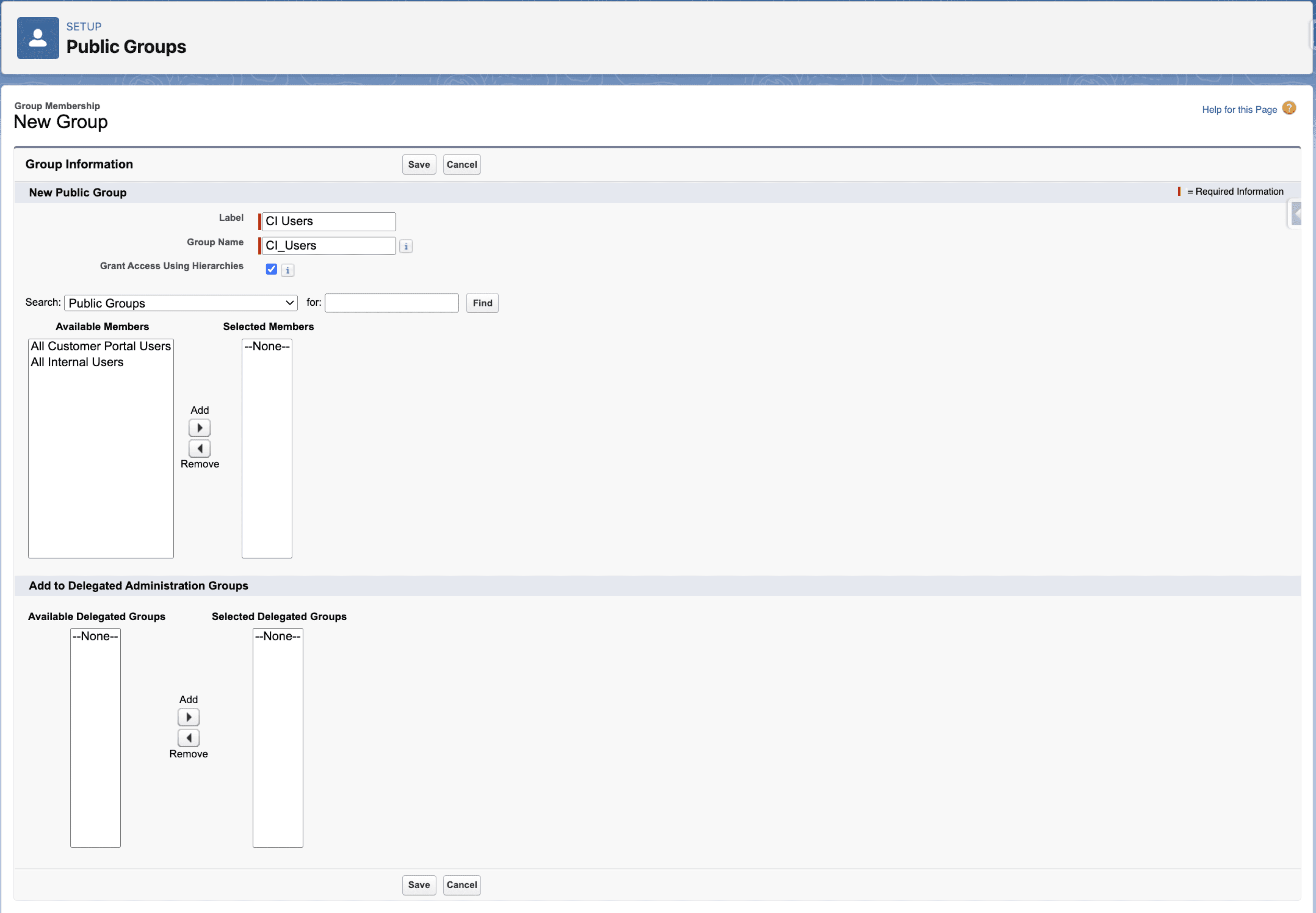
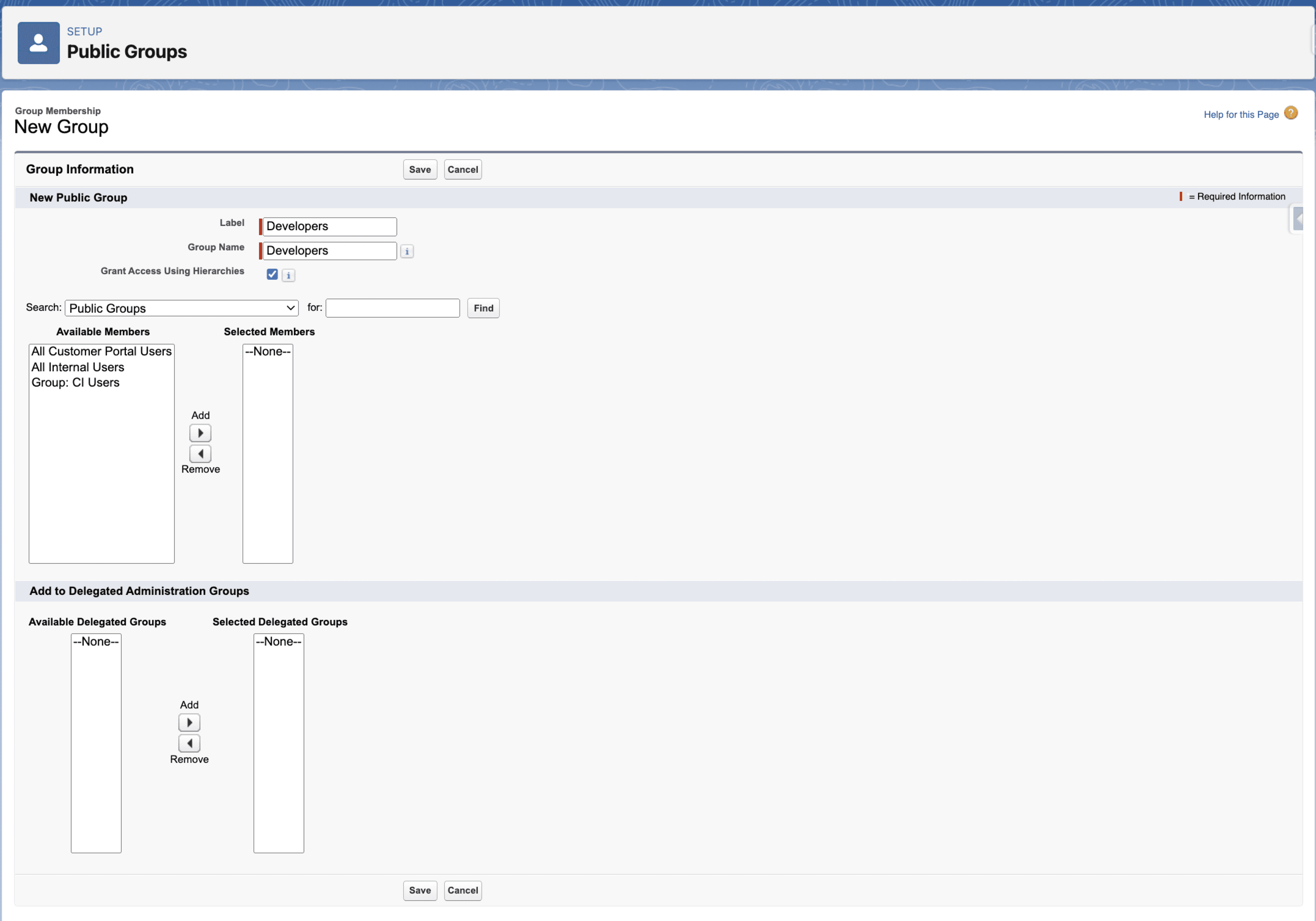
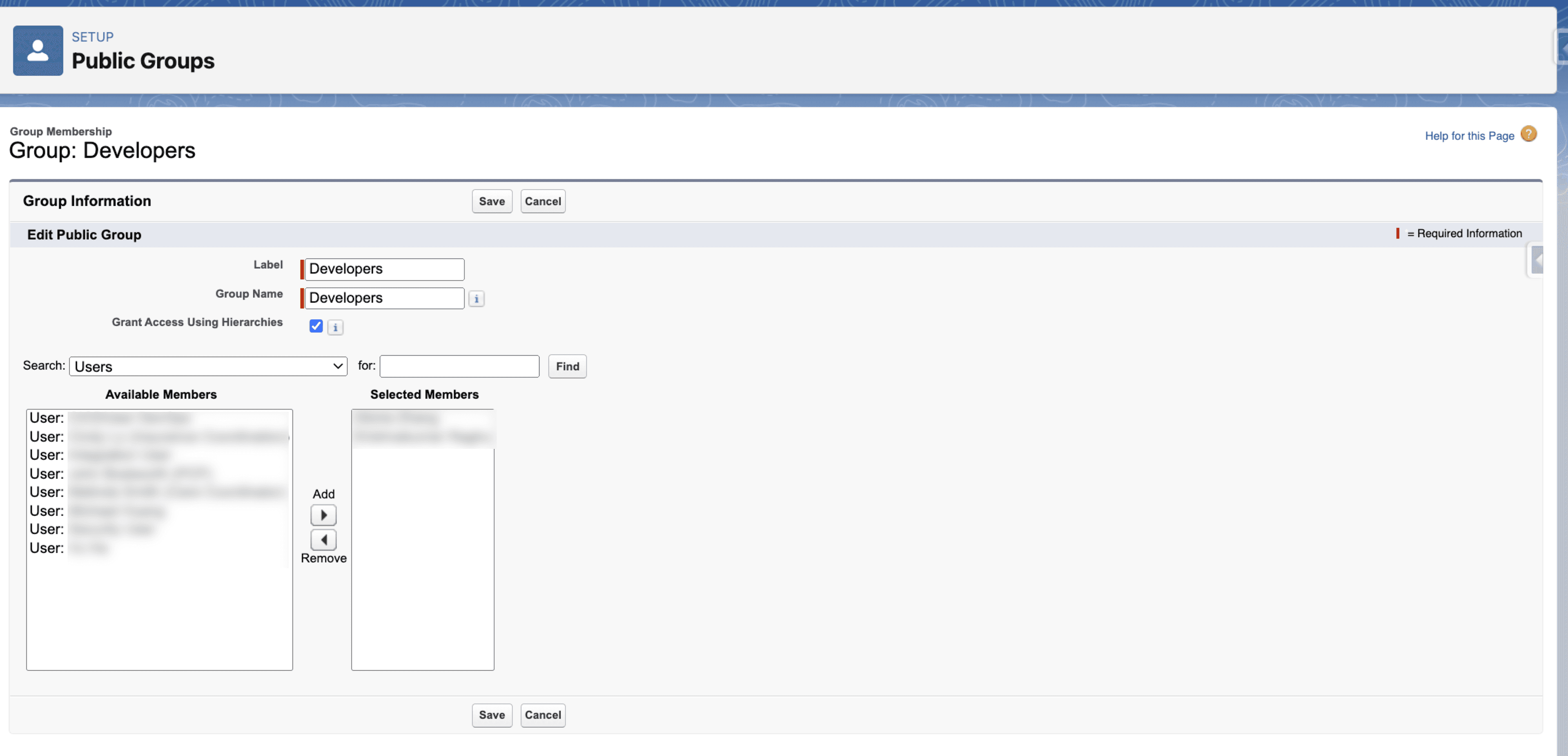
Create Public Groups (Setup > Users > Public Groups)
- CI Users (admin/CI users who create scratch orgs in the pool)
- Developers (developers who are allowed to fetch scratch orgs from the pool)
-
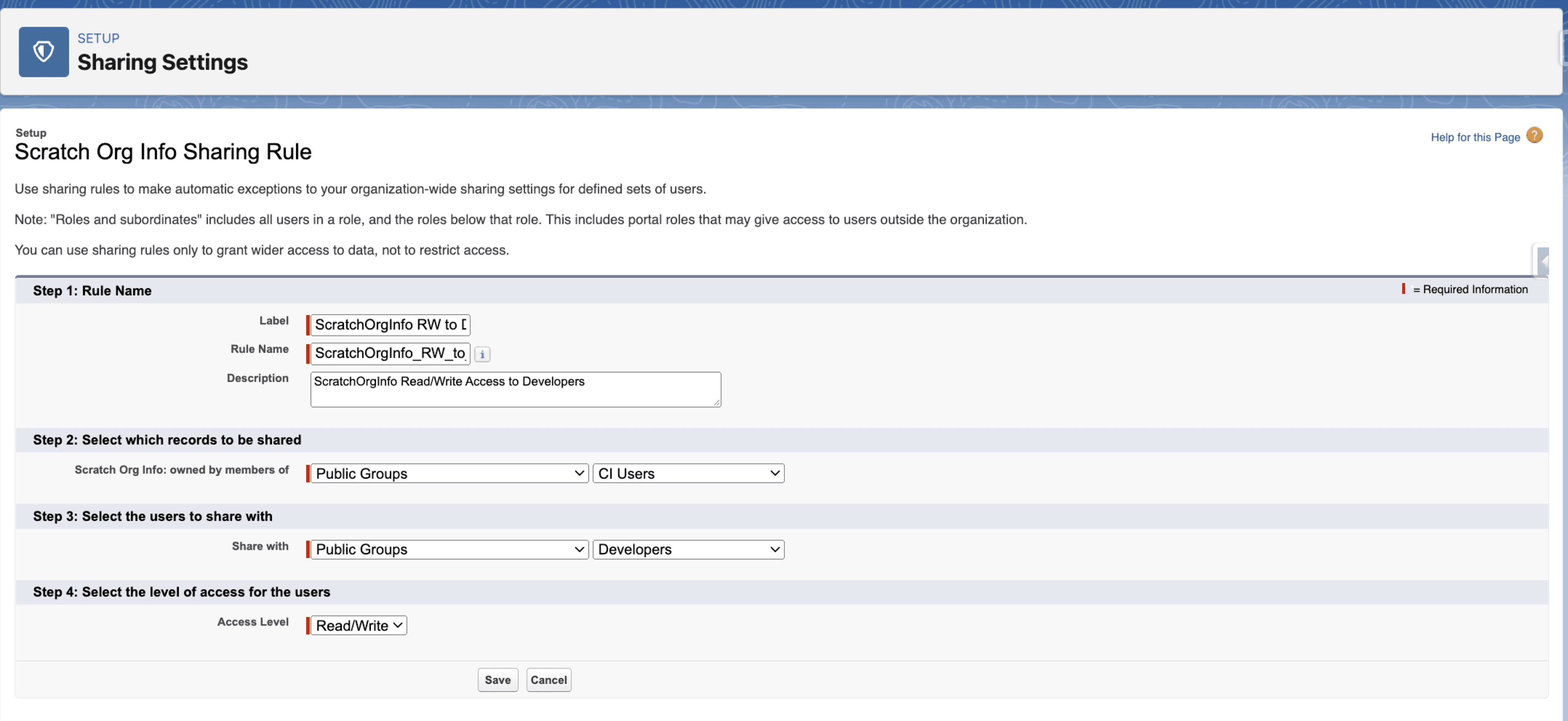
Create Sharing Rule "ScratchOrgInfo RW to Developers" (Setup > Security > Sharing Settings)
- Grant Read/Write access to the ScratchOrgInfo records owned by the CI Users to Developers
- Assign users to the public groups (Setup > Security > Sharing Settings)
- CI Users
- Developers
Permission set
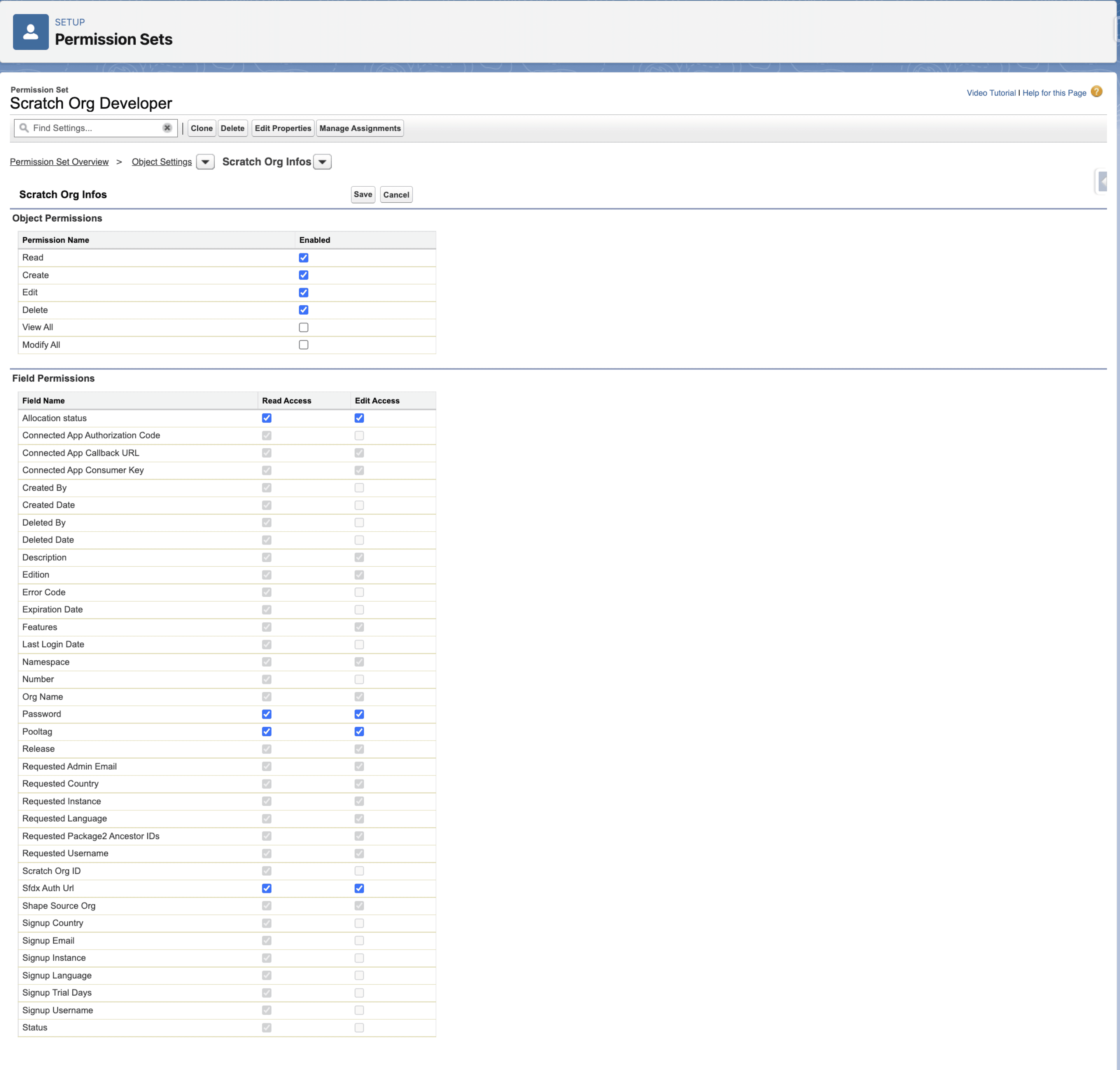
Developers also need object-level and field-level permissions on the ScratchOrgInfo object.
Permission Set Name: "Scratch Org Developer"
Object: Scratch Org Info
- Object Permissions
- Read, Create, Edit and Delete
- Field Permissions
-
Read, Edit for the custom fields
Allocation_status__cPassword__cPooltag__cSfdxAuthUrl__c
-
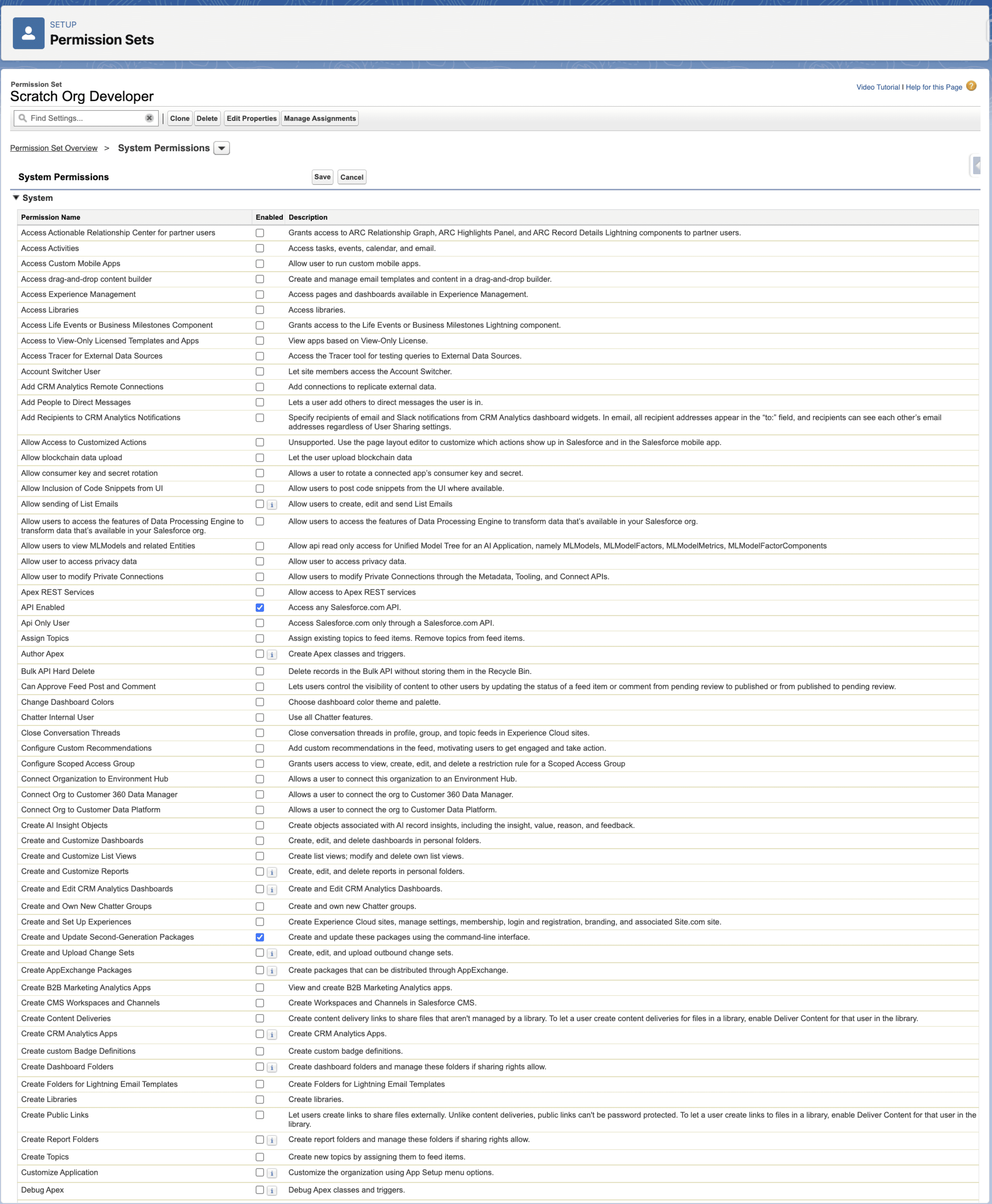
System Permissions:
- API Enabled = True
- API Only User = False
- Create and Update Second-Generation Packages = True