# Access Operations

Access IssueOps provide self-service management of user permissions and access controls across Salesforce environments.
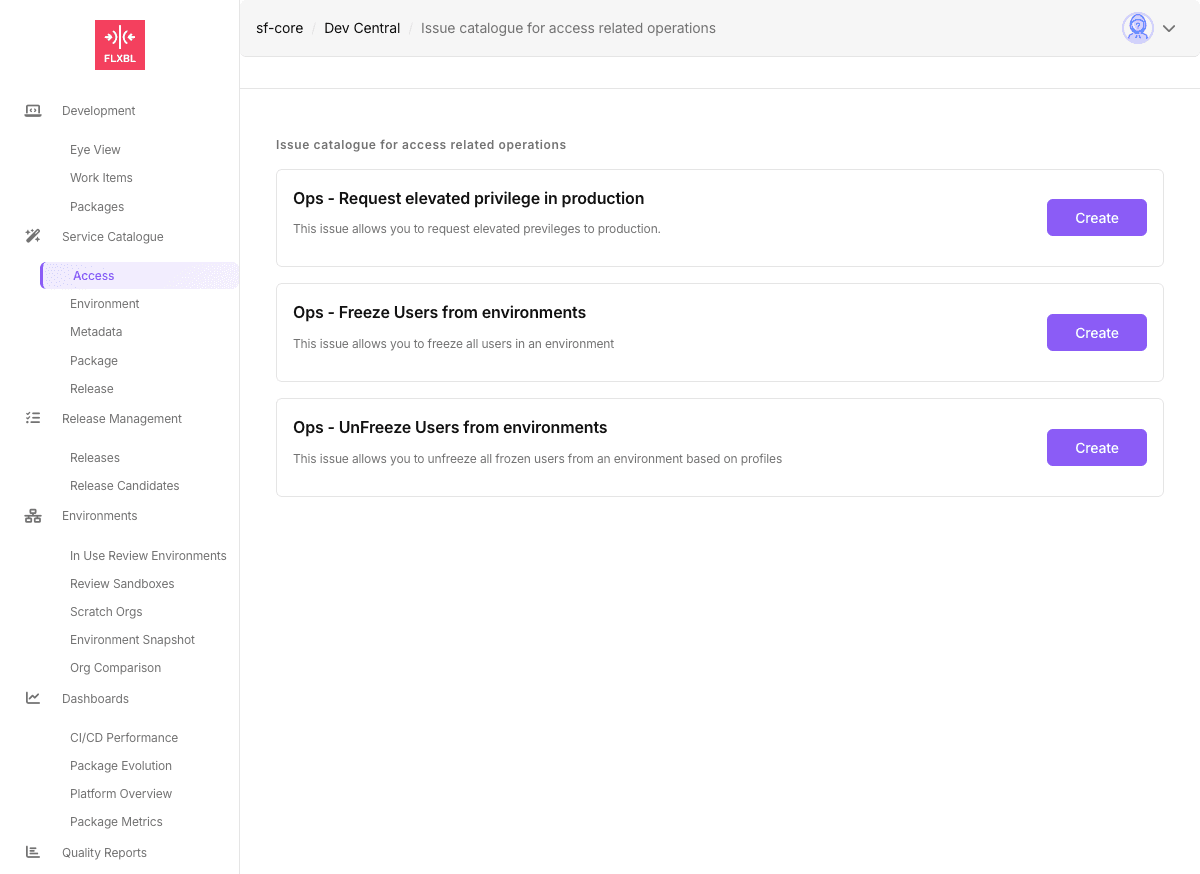
![Access IssueOps Catalog](/files/baUCwWwICTPD1Sy0v24C)

## Available Operations

| Operation                   | Issue ID                      | Description                                                           |
| --------------------------- | ----------------------------- | --------------------------------------------------------------------- |
| Request Elevated Privileges | `request-elevated-previleges` | Grant temporary elevated access to production with auto de-escalation |
| Freeze Users                | `request-freeze-users`        | Freeze users by profile in specified environments                     |
| Unfreeze Users              | `request-unfreeze-users`      | Unfreeze previously frozen users based on profiles                    |

## Required Configuration

### Secrets

* `PROD_SFDX_AUTH_URL` - For production access operations

### Variables

* `SFOPSBOT_APP_ID` - GitHub App ID

## Usage

These operations are enabled by default in sfops. Users can submit requests through:

* **DevCentral**: Navigate to Service Catalogue → Access
* **Direct Issue**: Create an issue with the appropriate JSON payload

## Related Documentation

* [Available IssueOps](/flxbl/sfops/issueops/available-issueops.md)
* [Building Custom IssueOps](/flxbl/sfops/issueops/building-custom-issueops.md)
* [Request Elevated Privileges](/flxbl/sfops/issueops/access/request-elevated-previlege-in-production.md)


---

# Agent Instructions: Querying This Documentation

If you need additional information that is not directly available in this page, you can query the documentation dynamically by asking a question.

Perform an HTTP GET request on the current page URL with the `ask` query parameter:

```
GET https://docs.flxbl.io/flxbl/sfops/issueops/access.md?ask=<question>
```

The question should be specific, self-contained, and written in natural language.
The response will contain a direct answer to the question and relevant excerpts and sources from the documentation.

Use this mechanism when the answer is not explicitly present in the current page, you need clarification or additional context, or you want to retrieve related documentation sections.
