# Environment Operations

Environment IssueOps provide self-service provisioning and management of development environments.
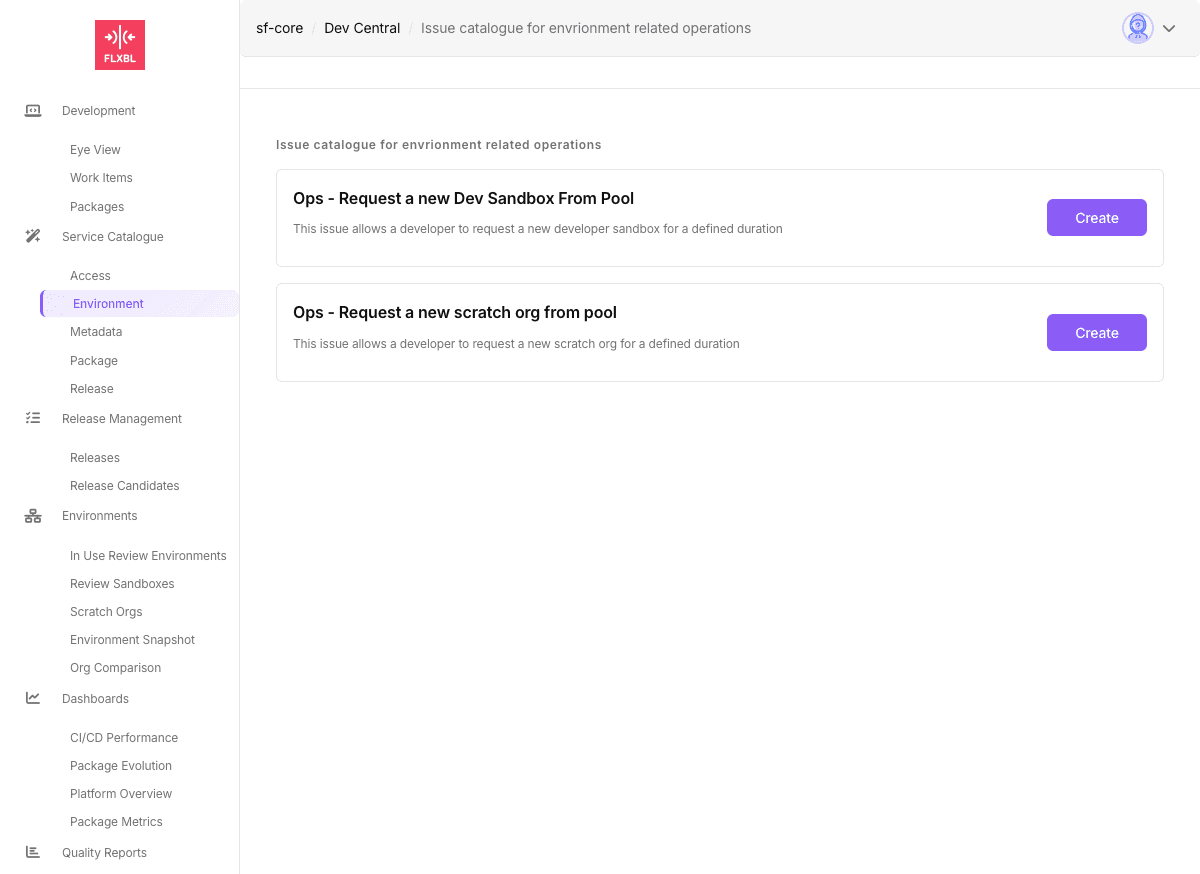
![Environment IssueOps Catalog](/files/PPrC1nPxIH9vOMicq5yd)

## Available Operations

| Operation                  | Issue ID              | Description                                            |
| -------------------------- | --------------------- | ------------------------------------------------------ |
| Request Scratch Org        | `request-scratchorg`  | Get a scratch org from pool for specified duration     |
| Request Dev Sandbox        | `request-dev-sandbox` | Provision a developer sandbox from pool or create new  |
| Request GitHub Environment | `request-an-env`      | Create GitHub environment with variables and approvals |
| Delete Environment         | `request-delete-env`  | Remove GitHub environment                              |
| Request from SBX Pool      | `request-sbx-pool`    | Get sandbox from SFP Server pool                       |
| Unassign from SBX Pool     | `unassign-sbx-pool`   | Return sandbox to pool                                 |

## Required Configuration

### Secrets

* `DEVHUB_SFDX_AUTH_URL` - For scratch org operations
* `SFP_SERVER_URL` - For sandbox pool operations (optional)
* `SFP_SERVER_TOKEN` - SFP Server API token (optional)

### Variables

* `SFOPSBOT_APP_ID` - GitHub App ID
* `DEFAULT_DEVHUB_USERNAME` - DevHub username

## Usage

These operations are enabled by default in sfops. Users can submit requests through:

* **DevCentral**: Navigate to Service Catalogue → Environment
* **Direct Issue**: Create an issue with the appropriate JSON payload

## Related Documentation

* [Available IssueOps](/flxbl/sfops/issueops/available-issueops.md)
* [Building Custom IssueOps](/flxbl/sfops/issueops/building-custom-issueops.md)


---

# Agent Instructions: Querying This Documentation

If you need additional information that is not directly available in this page, you can query the documentation dynamically by asking a question.

Perform an HTTP GET request on the current page URL with the `ask` query parameter:

```
GET https://docs.flxbl.io/flxbl/sfops/issueops/environment.md?ask=<question>
```

The question should be specific, self-contained, and written in natural language.
The response will contain a direct answer to the question and relevant excerpts and sources from the documentation.

Use this mechanism when the answer is not explicitly present in the current page, you need clarification or additional context, or you want to retrieve related documentation sections.
