
SF CLI vs. SFP
Salesforce CLI
The Salesforce CLI is a command-line interface that simplifies development and build automation when working with your Salesforce org. There are numerous of commands that the sf cli provides natively that is beyond the scope of this site and can be found on the official Salesforce Documentation Site.
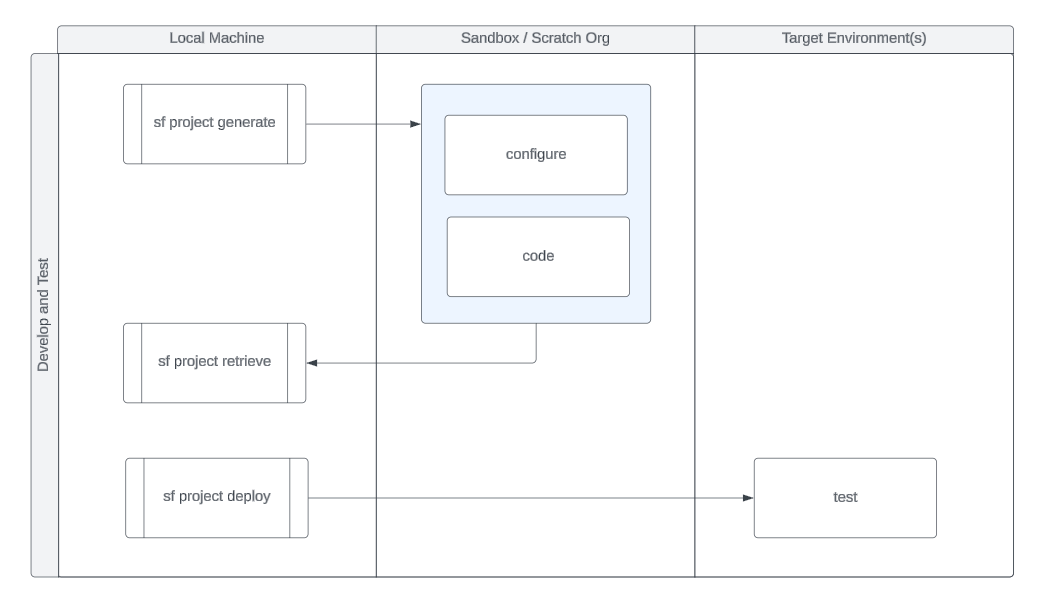
From a build, test, and deployment perspective, the following diagram depicts the bare minimum commands necessary to get up and running in setting up your sf project, retrieving and deploying code to the target environments.
SFP
sfp is built on the Open CLI Framework and leverages the same core Salesforce node libraries and APIs as the @salesforce/cli. sfp is a standalone CLI — it is not a Salesforce CLI plugin. sfp releases are independently managed, and core npm libraries are updated as needed to ensure no breaking changes are introduced.
sfp works in conjunction with the sfp server to provide a complete Salesforce DevOps platform. Many sfp commands communicate with the server for operations like environment management, credential retrieval, pool orchestration, and task execution. The server handles long-running operations asynchronously, allowing the CLI to remain responsive.
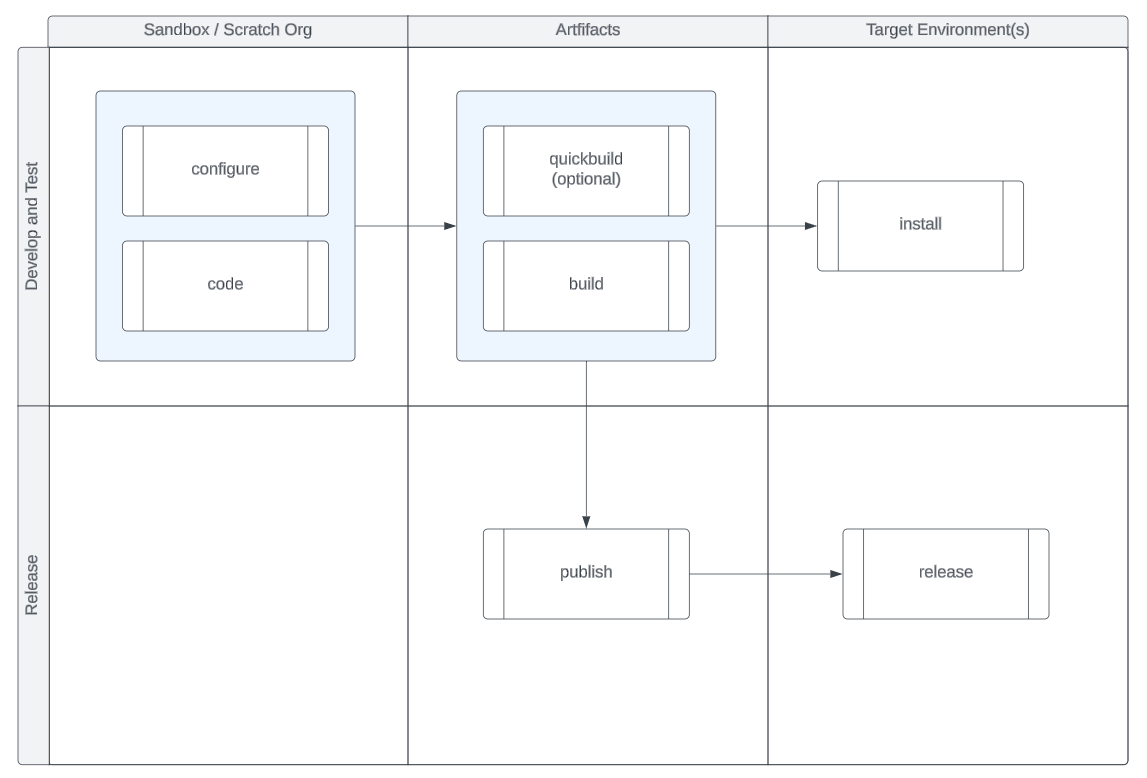
The diagram below depicts the basic flow of the development and test process, building artifacts, and deploying to target environments.
Once you have mastered the basic workflow, you can progress to publishing artifacts to a NPM Repository that will store immutable, versions of the metadata and code used to drive the release of your packages across Salesforce Environments.
References
The list below is a curated list of core sf cli and Salesforce DX developer guides for your reference.
Last updated