
AI-Assisted Error Analysis
sfp provides intelligent AI-assisted error analysis to help developers quickly understand and resolve validation failures. When enabled through the errorAnalysis configuration in ai-assist.yaml, the system automatically analyzes error patterns and provides actionable insights.
AI-assisted error analysis requires:
The
errorAnalysis.enabledflag set totrueinconfig/ai-assist.yamlA configured LLM provider (OpenAI, Anthropic, etc.)
LLM providers are configured through your sfp server integrations.
Quick Setup
Create
config/ai-assist.yamlin your project root:mkdir -p config touch config/ai-assist.yamlAdd the minimal configuration:
# config/ai-assist.yaml
errorAnalysis:
  enabled: true
Set your LLM provider credentials (e.g., in CI/CD secrets)
That's it! AI error analysis will automatically activate during validation failures.
How It Works
1. Change Significance Analysis
Before triggering AI analysis, sfp evaluates if changes are significant enough to warrant review:
Metadata Type Detection: Uses Salesforce ComponentSet for accurate identification
Smart Thresholds: Different thresholds per file type (Apex: 3 lines, Flows: 1 line, LWC: 10 lines)
Automatic Exclusions: Skips non-critical metadata (CustomLabels, StaticResources, Translations)
2. Error Analysis
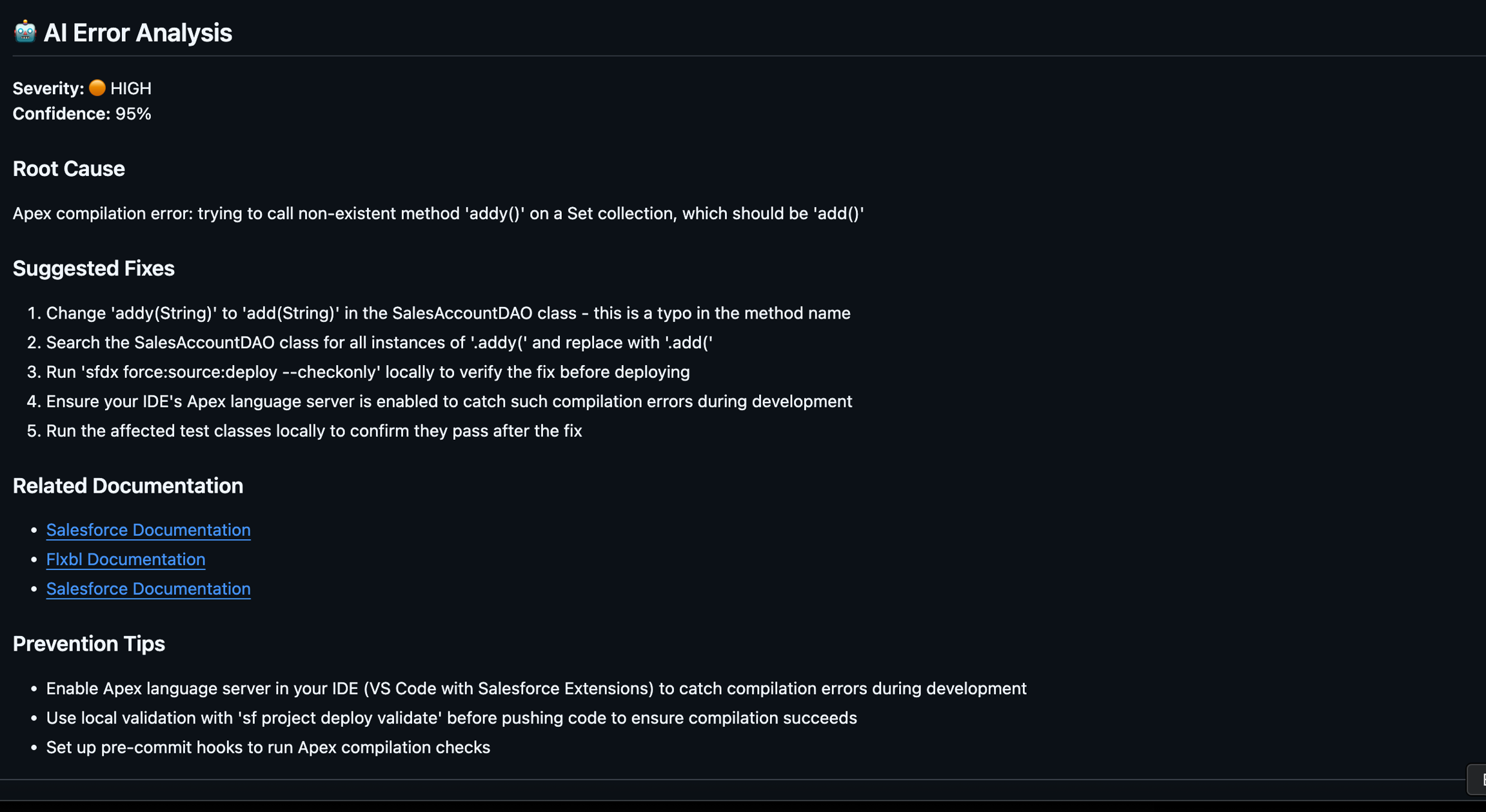
When validation fails and changes are significant, AI provides:
Root Cause Analysis: Understanding why the error occurred
Quick Fix Suggestions: Immediate actions to resolve issues
Related Components: Other files that might be involved
Documentation Links: References to relevant Salesforce docs
Configuration
Configure AI assistance through config/ai-assist.yaml:
Usage
AI error analysis is automatically enabled when:
A
config/ai-assist.yamlfile exists in your projectThe
errorAnalysis.enabledflag is set totrueValid LLM provider credentials are available
No additional CLI flags are required - sfp automatically detects and uses the configuration.
Last updated