Release a Domain
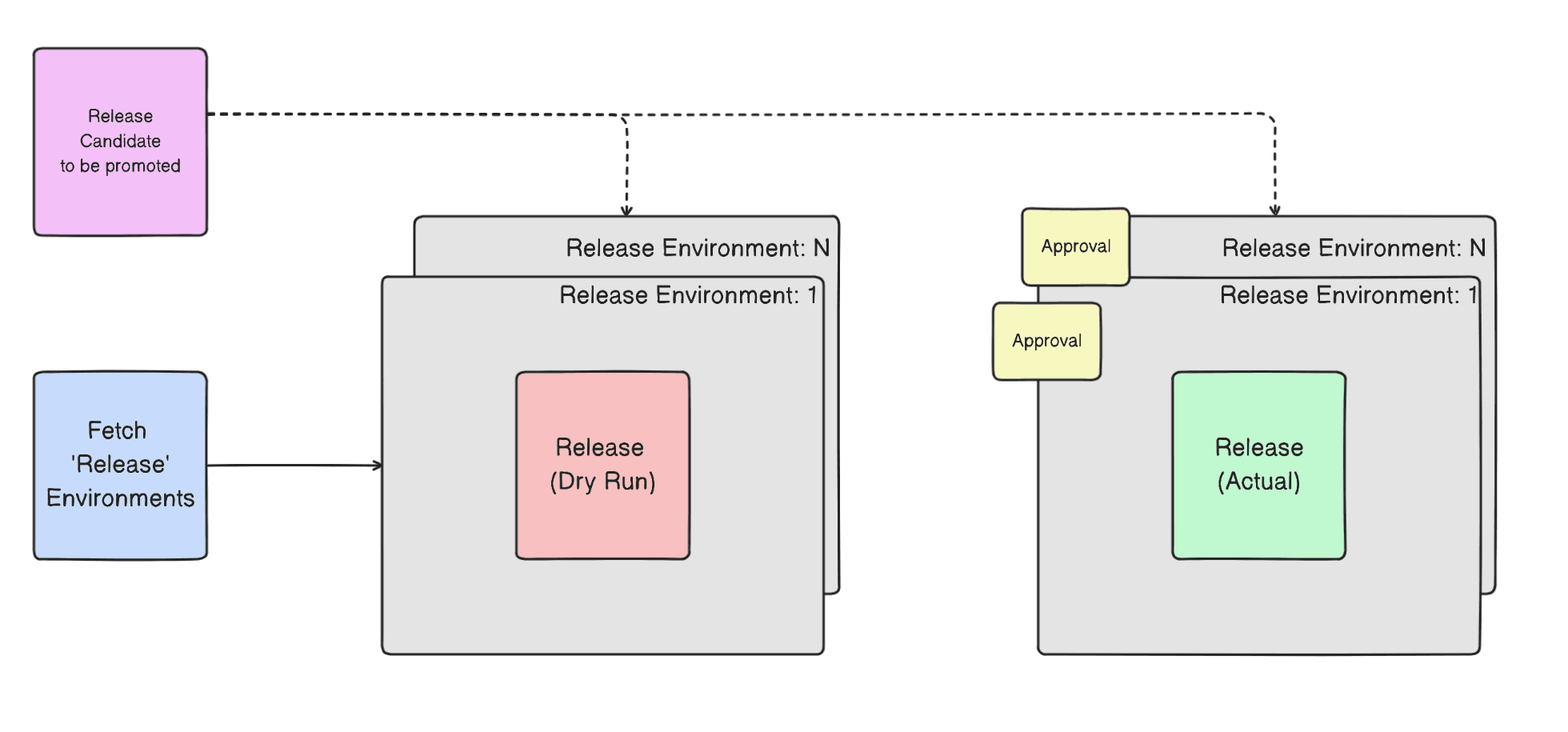
The above diagram describes the "Release a Domain" workflow. This workflow is triggered by creating an issue or by clicking the "Initiate Release" from the dashboard.
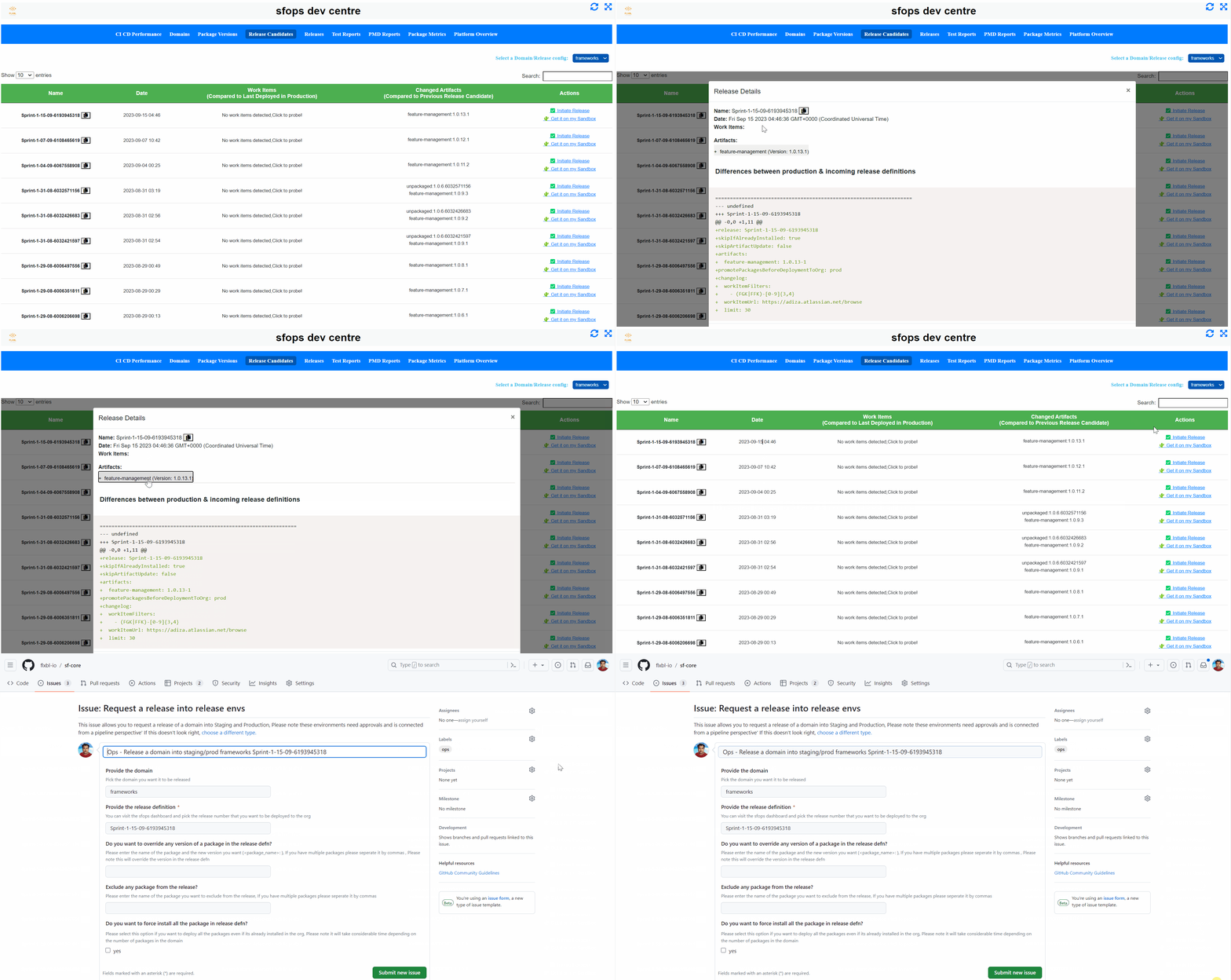
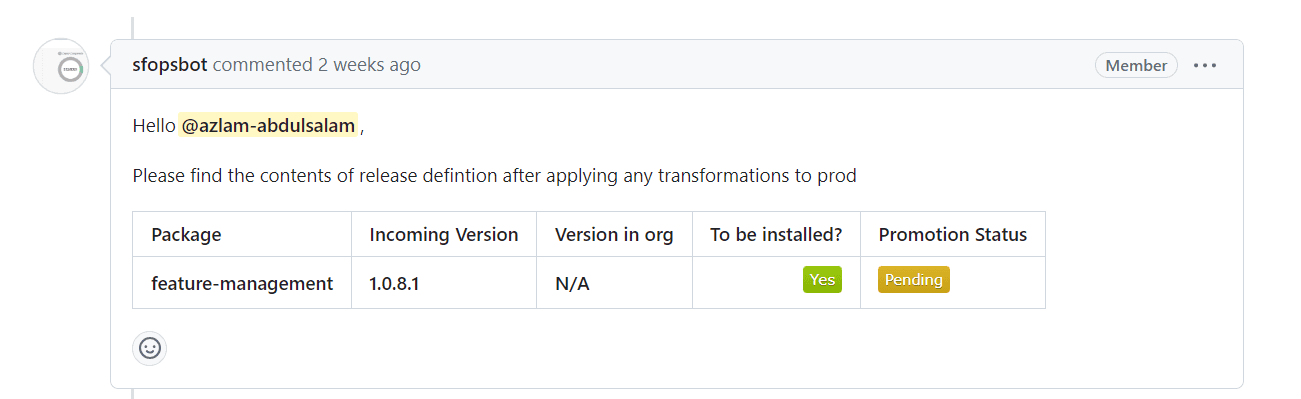
This workflow then proceeds to fetch all the environments that are marked with "type:release" and proceeds to execute a dry run of the command in parallel across all release environments. The output of the dry run will be available as a comment in the Github issue created. The team could have a final check on the deployment plan that will be executed by sfops before proceeding for the actual execution.
The release environments typically is configured with "Required Reviewers" (https://docs.github.com/en/actions/deployment/targeting-different-environments/using-environments-for-deployment#required-reviewers) and would need the respective environment owners to approve a release. Please note required reviewers are not required for the pre-release/ dry run check