Aliasfy Packages - Merge Mode
| Attribute | Type | Description | Package Types Applicable |
|---|---|---|---|
| mergeMode | boolean | Enable deployment of contents of a folder that matches the alias of the environment using merge |
|
mergeMode adds an additional mode for deploying aliasified packages with content inheritance. During package build, the default folder's content is merged with subfolders that matches the org with alias name, along with subfolders able to override inherited content. This reduces metadata duplication while using aliasifed packages.\
// Demonstrating package directory with aliasfy merge mode
{
  "packageDirectories": [
      {
      "path": "src/src-env-specific-alias-post",
      "package": "src-env-specific-alias-post",
      "versionNumber": "2.0.10.NEXT",
      "aliasfy" : {
          "mergeMode": true
      }
    }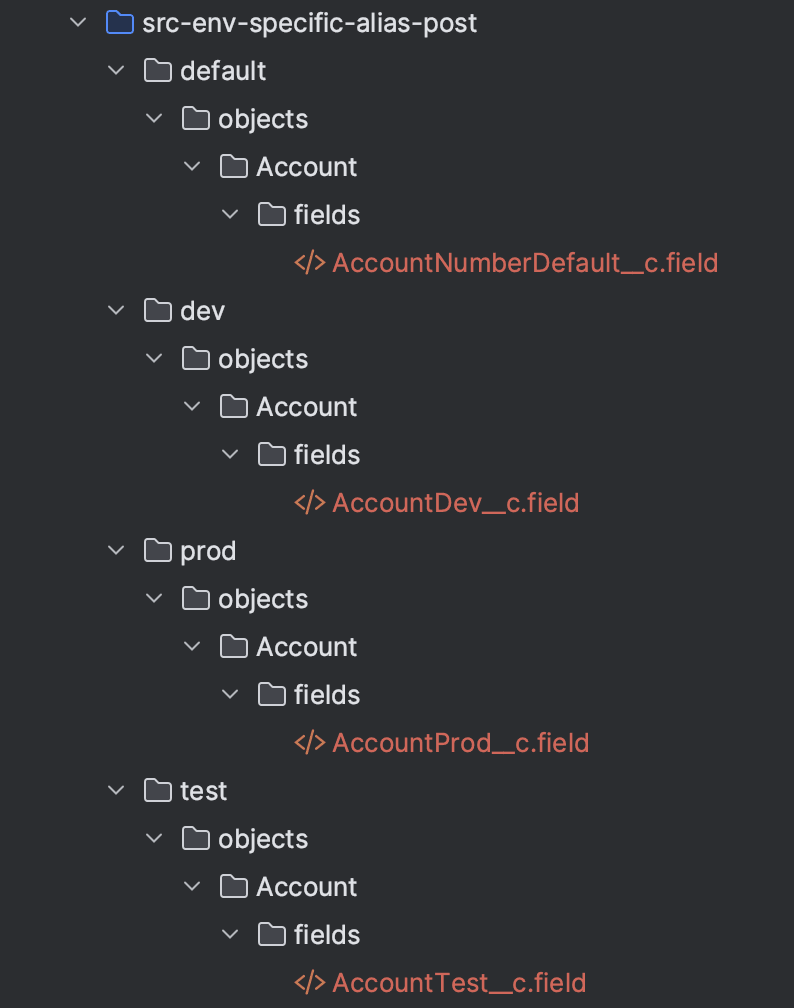
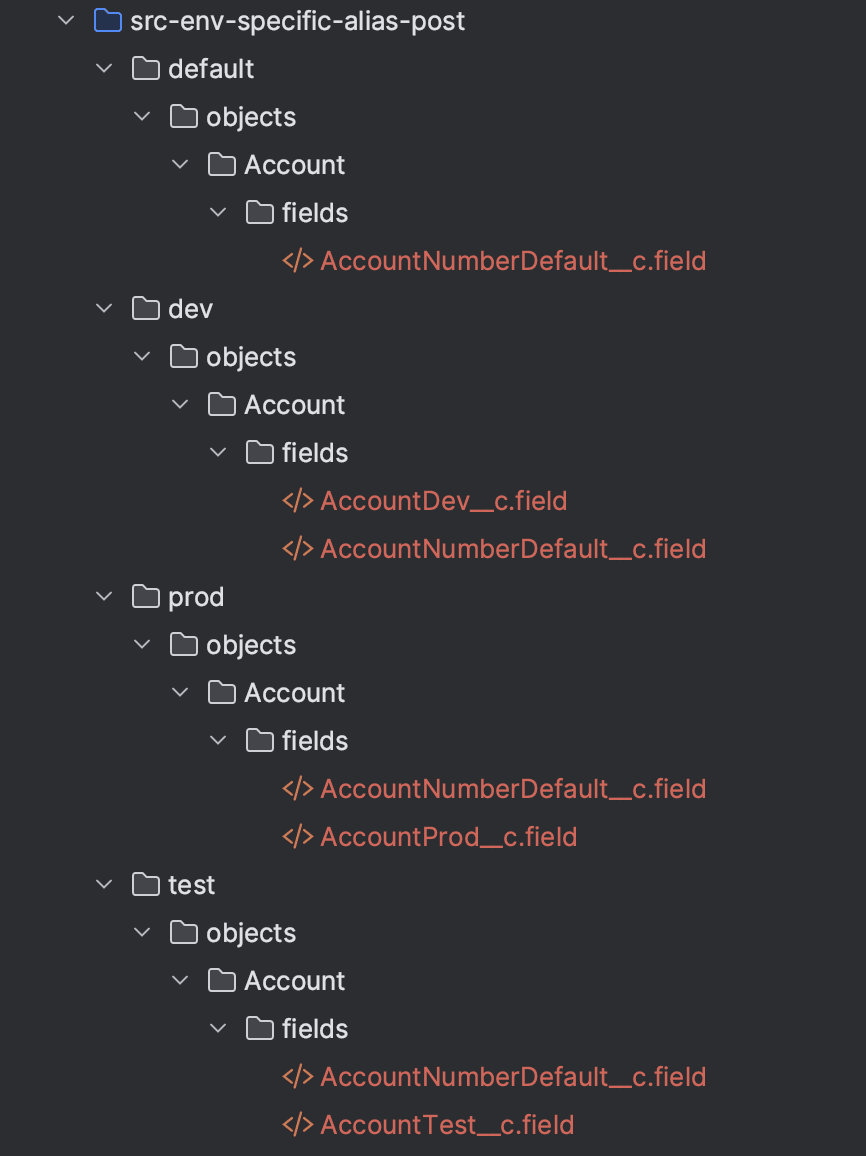
Note in the image above that the AccountNumberDefault__c field is replicated in each deployment directory that matches the alias.
The default folder is deployed to any type of environment, including production unlike when only used with aliasfy mode
The table below describes the behavior of each command when merge mode is enabled/disabled.
| Merge Mode | Default available? | Build | Install | Push | Pull |
|---|---|---|---|---|---|
| Yes | Yes | Default metadata is merged into each subfolder | Deploys subfolder that matches enviroment alias name. If there is no match, then default subfolder is deployed (Including production) | Only default is pushed | Only default is pulled |
| Yes | No | Default merging not available | Deploys subfolder that matches enviroment alias name. If there is no match, then default subfolder is deployed (Including production) | ||
| No | Yes | Default merging not available | Deploys subfolder that matches enviroment alias name. If there is no match, deploys default (Only sandboxes) | Only default is pushed | Only default is pushed |
| No | No | Default merging not available | Deploys subfolder that matches enviroment alias name. If there is no match, fails | Nothing to push | Nothing to pull |
When merge mode is enabled, it also supports push/pull commands, the default subfolder is always used during this process, make sure it is not force ignored.
Before merge mode, the whole package was "force ignored." With merge mode, you have the option to allow push/pull from aliasfy packages by not ignoring the default subfolder.
| Non-merge mode | Merge Mode |
|---|---|
| |