Search layouts
| Attribute | Type | Description | Package Types Applicable |
|---|---|---|---|
| applySearchLayouts | boolean | Composes the search-layout additions declared in mutators/search-layouts.yml onto the target object's live search layout at deploy time. Field sub-lists are existence-filtered against the org; button sub-lists are composed as declared. Defaults to enabled when the YAML is present; set to false to opt out. |
|
An object's search layout is part of its CustomObject metadata — the <searchLayouts> block inside *.object-meta.xml — and it references fields by API name. A source deployment of an inline block fails when it references a field that is not present in the target org, and a single missing field fails the whole CustomObject deploy. Adding a field owned by another package to an object's search layout, or keeping an inline search layout deployable across orgs at different states, runs into this.
mutators/search-layouts.yml moves the field additions out of the inline block into a source package and composes them onto the object's live search layout at deploy time, skipping fields that are not present in the target org.
How it works
┌──────────────────────┐                             ┌─────────────────────┐
│ Object package       │      extract / --strip      │ Source package      │
│                      │      ────── move ──────►    │ mutators/           │
│ Object.object-       │                             │ search-layouts.yml  │
│ meta.xml             │      deploy time            │                     │
│  (no inline          │      ◄──── compose ────     │ applySearchLayouts  │
│  <searchLayouts>)    │                             │ (default on)        │
└──────────────────────┘ └─────────────────────┘- Deploy time — the source package carries
mutators/search-layouts.yml. At install, sfp reads the object's live<searchLayouts>from the target org. When a field sub-list has additions, it queriesFieldDefinition, skips fields that are absent with a warning, and merges the remaining field and button additions onto the live layout. The result is deployed as a partialCustomObject. The composition runs after layout assignments and, when both target the same object, augments the same partial rather than emitting a secondobject-meta.xml. - Existence filtering — the field sub-lists are filtered against
FieldDefinition, because one missing field would fail the wholeCustomObjectdeploy. Button sub-lists (excludedStandardButtons,listViewButtons,searchResultsCustomButtons) are composed as declared and left for the deploy to validate.
At each deployment, additions for fields already present in the target org are merged and additions for absent fields are skipped. To apply a skipped addition later, deploy the source package again after the field exists.
YAML format
The YAML lives at mutators/search-layouts.yml inside a source package directory. It is schema-validated: unknown keys, and names that do not match ^[A-Za-z][A-Za-z0-9_]*$, cause validation to fail.
# Search-layout field additions this package composes onto the target
# object's live search layout at deploy time. Field sub-lists are
# existence-filtered against the org; button sub-lists are not.

objects:
  Account:
    # Field sub-lists — existence-filtered against FieldDefinition
    searchResultsAdditionalFields:
      - Region__c
    lookupDialogsAdditionalFields:
      - Region__c
    customTabListAdditionalFields:
      - Region__c
    lookupFilterFields:
      - Region__c
    lookupPhoneDialogsAdditionalFields:
      - Region__c
    searchFilterFields:
      - Region__c

    # Button sub-lists — composed as declared, not existence-filtered
    excludedStandardButtons:
      - New
    listViewButtons:
      - My_Custom_Action
    searchResultsCustomButtons:
      - My_Custom_Action
Deploy-time composition
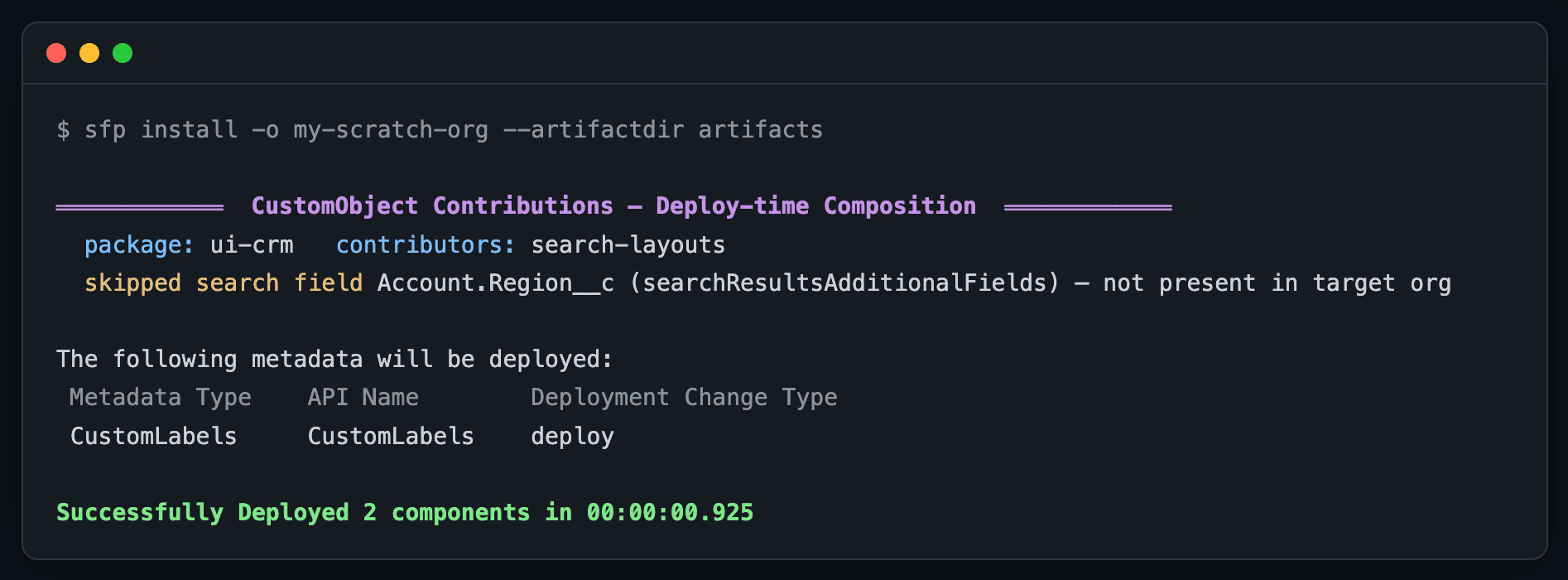
When the field is absent from the target org, the addition is skipped and the deploy proceeds:
When the field is present, it is merged onto the object's live search layout:
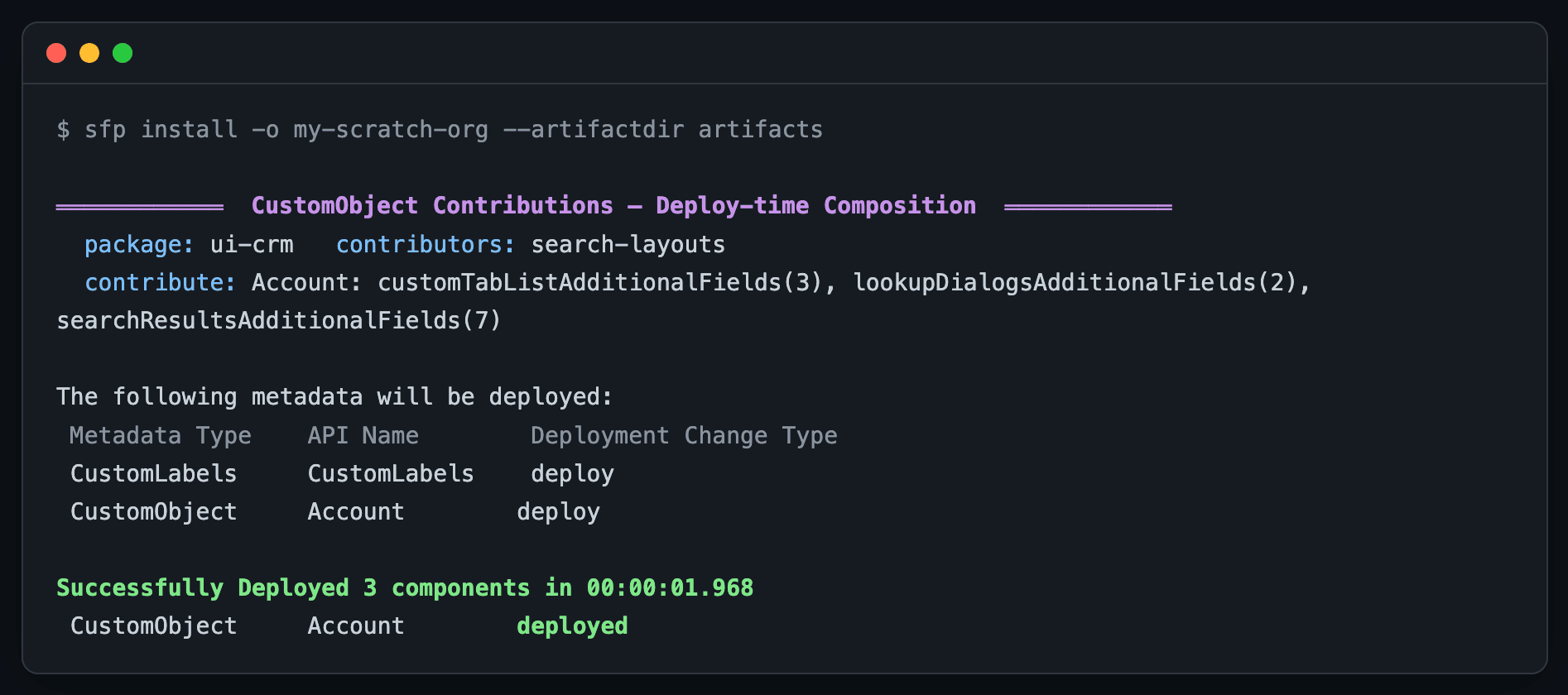
CustomObject is deployed.Setting up an existing project
When sfp project layout-assignments extract finds inline <searchLayouts> entries, it writes mutators/search-layouts.yml alongside layout-assignments.yml and reports the extracted objects. Pass --strip to remove the extracted inline block in the same run. Existing YAML files are not overwritten unless --force is passed.
# Move inline search layouts into a source-package YAML and strip them
# from the object package's source in one run.
sfp project layout-assignments extract \
  --source-package src/core-crm \
  --target-package src/ui-crm \
  --strip
After the YAML exists, edit it as the source of truth.
Sample sfdx-project.json
applySearchLayouts is a source-package descriptor. A matching packageAliases entry classifies a package as unlocked; without an alias, type: data produces a data package, type: diff a diff package, and every other descriptor — including an omitted type or type: source — a source package.
{
  "packageDirectories": [
    {
      "path": "src/core-crm",
      "package": "core-crm",
      "versionNumber": "1.0.0.NEXT",
      "type": "source"
    },
    {
      "path": "src/ui-crm",
      "package": "ui-crm",
      "versionNumber": "1.0.0.NEXT",
      "type": "source",
      "applySearchLayouts": true
    }
  ]
}
What is and isn't handled
| Sub-list | Existence-filtered against the org |
|---|---|
searchResultsAdditionalFields | ✓ |
lookupDialogsAdditionalFields | ✓ |
lookupPhoneDialogsAdditionalFields | ✓ |
lookupFilterFields | ✓ |
searchFilterFields | ✓ |
customTabListAdditionalFields | ✓ |
excludedStandardButtons | — composed as declared |
listViewButtons | — composed as declared |
searchResultsCustomButtons | — composed as declared |
applySearchLayouts runs for source packages only. Declare search-layout additions in a source package's search-layouts.yml rather than as an inline <searchLayouts> block. The composition reads the object's live search layout from the target org and merges additively, so search-layout entries already in the org are preserved.
Troubleshooting
The same change deploys to one org but fails in another
A search-layout addition installs against one org but fails in a CI validation or release with:
In field: searchResultsFields - no CustomField named <Object>.<Field> foundCause. A search layout references its fields by API name, and every referenced field must exist in the target org for the layout to deploy — one missing field fails the whole CustomObject. Whether a given org has the field depends on its state and on the order its packages install in:
- An org that already has the field — one you have deployed to before — accepts the layout.
- An org that does not yet have the field — because the package that owns it has not been installed there, or is being installed in the same run — can reject the layout.
This is why the same change applies against a local org that already has the field, yet fails in a pipeline that installs into an org where the field is not yet present. The outcome is a property of the target org's state, not of the artifact.
Resolution. Move the field additions out of the inline block into a source package's mutators/search-layouts.yml (extract them with sfp project layout-assignments extract --strip). At deploy time sfp filters the additions against FieldDefinition and skips any field not present in the target org, so the deploy no longer fails on an absent field, and each addition applies on the orgs where its field exists.
Declare the additions in a source package, not an unlocked package
sfp evaluates applySearchLayouts and composes mutators/search-layouts.yml for source packages only. Declare the search-layout additions in a source package rather than as an inline <searchLayouts> block in an unlocked package, so the deploy-time composition — with its existence filtering — runs at install and an absent field is skipped instead of failing the deploy.