Creating a project
Create a Workfloor project for a Salesforce repository, from its name and people to the GitHub connection and the setup run that makes it ready.
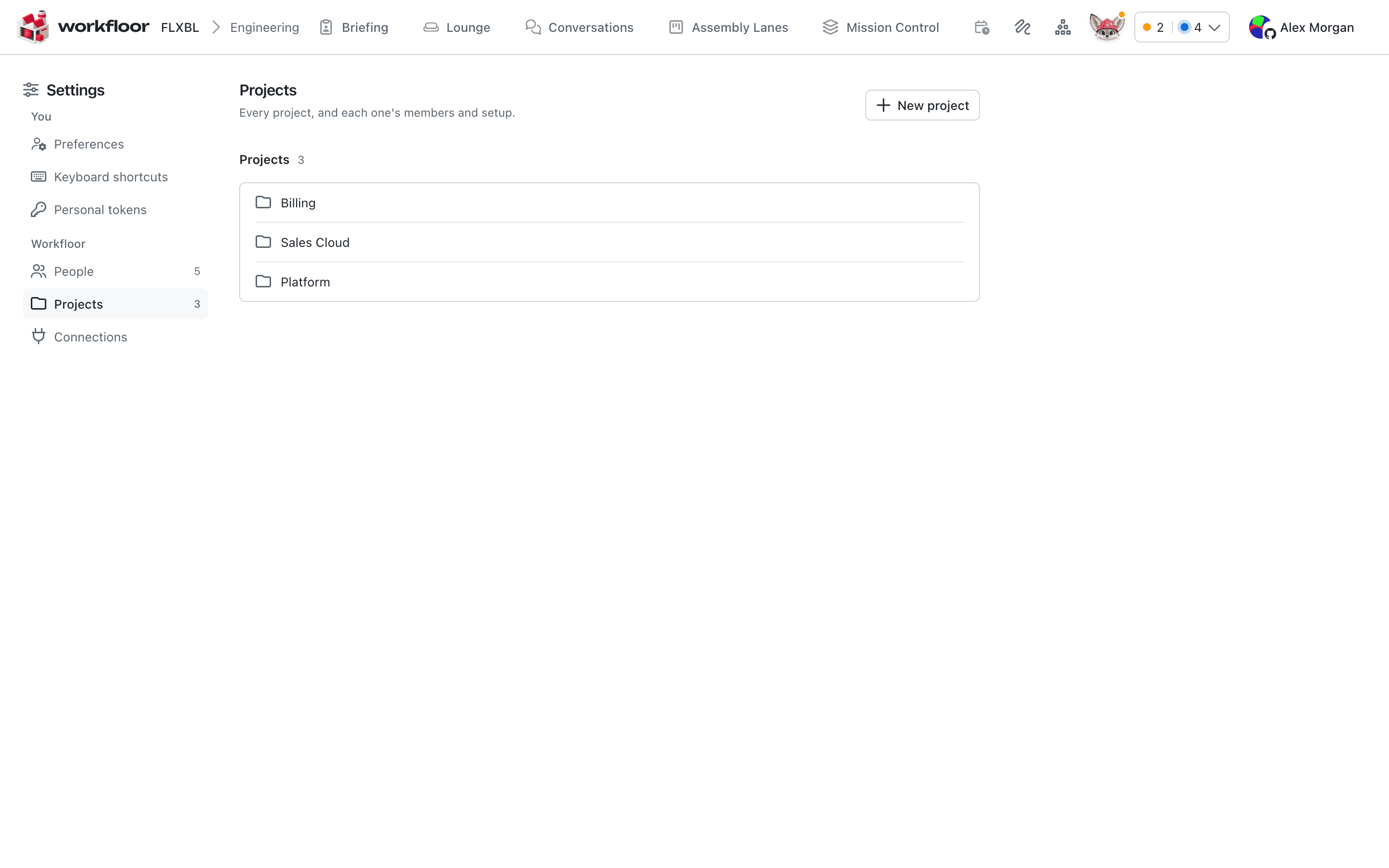
A project groups a team's repositories, people, lanes and settings. Everything in Workfloor is scoped to the project chosen in the top bar. Team admins create projects from Settings > Projects, on a larger screen than a phone.
Before you start
You need:
- A repository, for example a Salesforce project with an
sfdx-project.jsonat its root, in the formyour-org/sales-cloud. - Workfloor's GitHub App installed on that repository's owner, or a bot account's token with Contents and Pull requests (read and write) on the repository.
- The people who should be in the project. They must already be able to sign in; invite anyone new first (see Inviting your team).
Fill in the dialog
Select New project. Where onboarding with Flux is available, the dialog has two steps.
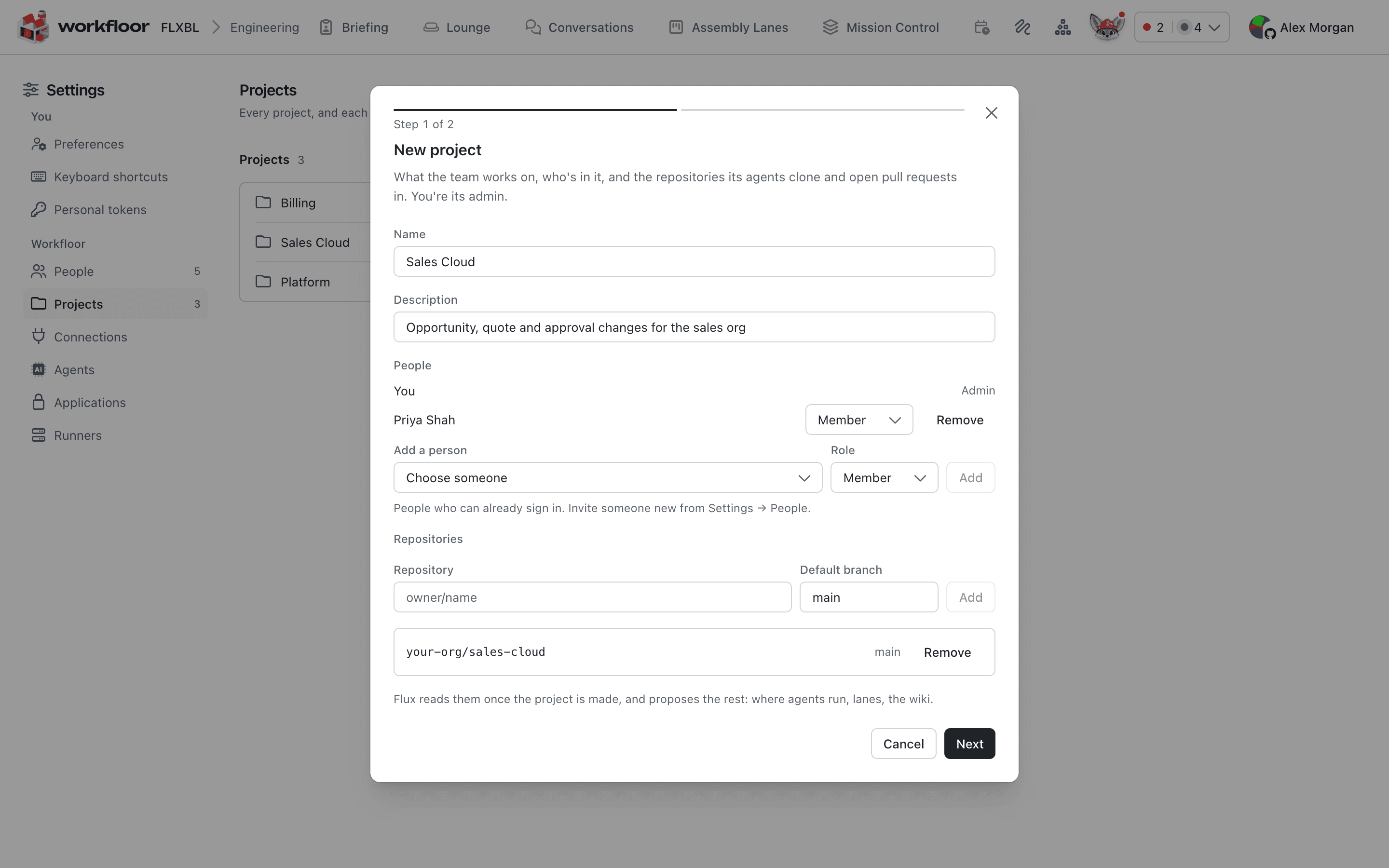
- Name, people and repositories. Only the name is required. Add people from the list of those who can already sign in and give each the role Admin or Member; you are the project's admin. Add each repository as
owner/namewith its default branch. - GitHub. Choose how agents reach GitHub to clone, push and open pull requests.
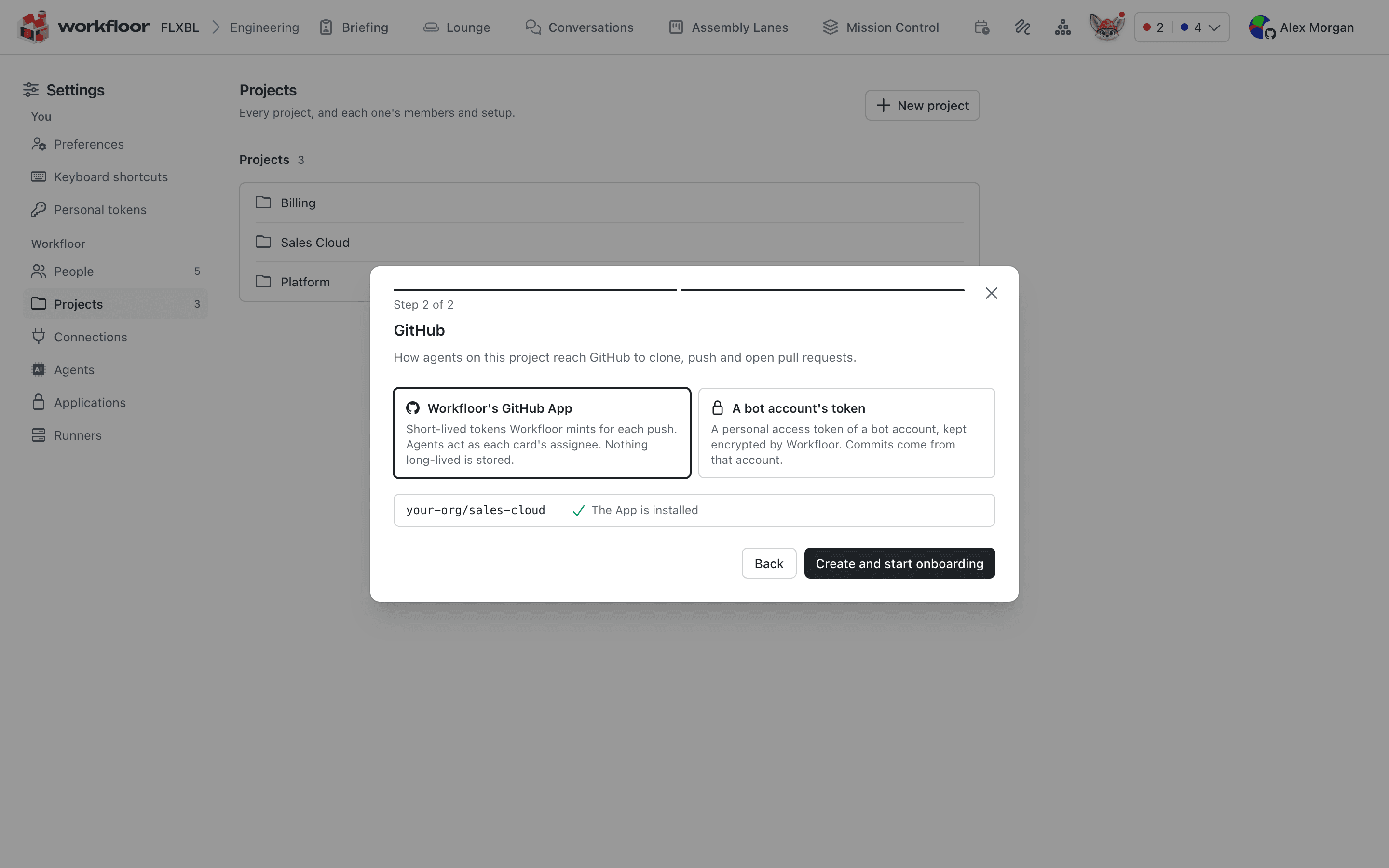
Workfloor's GitHub App mints short-lived tokens for each push, and agents act as each card's assignee. A bot account's token is kept encrypted and commits come from that account. You can skip the connection and set it later on the project's GitHub tab, but agents cannot clone or push until one is set. Create and start onboarding makes the project and opens its onboarding page.
Where onboarding with Flux is not available, the dialog has six steps: Name and people, Repositories, GitHub, Runner and agent, Lanes and Review. Every step except the name can be skipped and set later on the project's tabs, and Create project starts the setup.
The setup run
Creating the project starts a setup run. Its page lists each step as Workfloor does it: the project, the people, the GitHub connection, each repository, the runner and agent, and the lanes. You can leave the page and return to it from Settings > Projects.
A step that cannot finish stops with the reason, for example a repository GitHub cannot find. The steps that do not depend on it still finish. On the run's page:
- Retry this step runs only that step again.
- Skip leaves out a step that is optional.
- Resume carries on from the step where the run stopped.
- Clean up undoes what the run made. It is offered only while the project has no cards.
When every step is done the page says the project is set up and links to Open its settings. A repository Workfloor could not add is named there.
Signing in
Sign in to Workfloor with a Flxbl account, the same account codev uses, and link GitHub so agents act on GitHub as you.
Onboarding a project with Flux
Use the Workfloor Onboarding page to have Flux read a Salesforce project's repositories, propose what the project needs, and set it up once a project admin approves.