Core concepts
The terms Workfloor uses — projects, assembly lanes, stages, cards, agents, Mission Control, missions and runners — and how they fit together for a Salesforce team.
Workfloor is built from a small set of things: a project holds assembly lanes, a lane moves cards through stages, and an agent works on a card at each stage. This page defines each term and how they relate.
Projects
A project groups the repositories a team delivers from, the people who work on them, the lanes their work moves through and the settings for all of it. A Salesforce team might have a Sales Cloud project, for example, whose repository holds the sfdx-project.json and the packages it declares.
Everything in the app is scoped to the project selected in the top bar. People are given a role per project: an admin sets the project up, a member works in it. See Inviting your team.
Assembly lanes and stages
An assembly lane is a delivery process. It is an ordered set of stages, and each stage says which agent works there, what the agent is asked to do and which moves lead out of it. A lane is versioned: a project admin edits it and publishes a new version, and cards already in the lane carry on.
A project can have more than one lane — one for feature work and another for support tickets, for example. A stage can limit how many cards it holds at once; a card that arrives at a full stage waits at its door.
See Assembly lanes.
Cards
A card is one piece of work in a lane. It holds the brief, the agent's plan, the changes made so far, the conversation with Flux and the linked issue and pull requests.
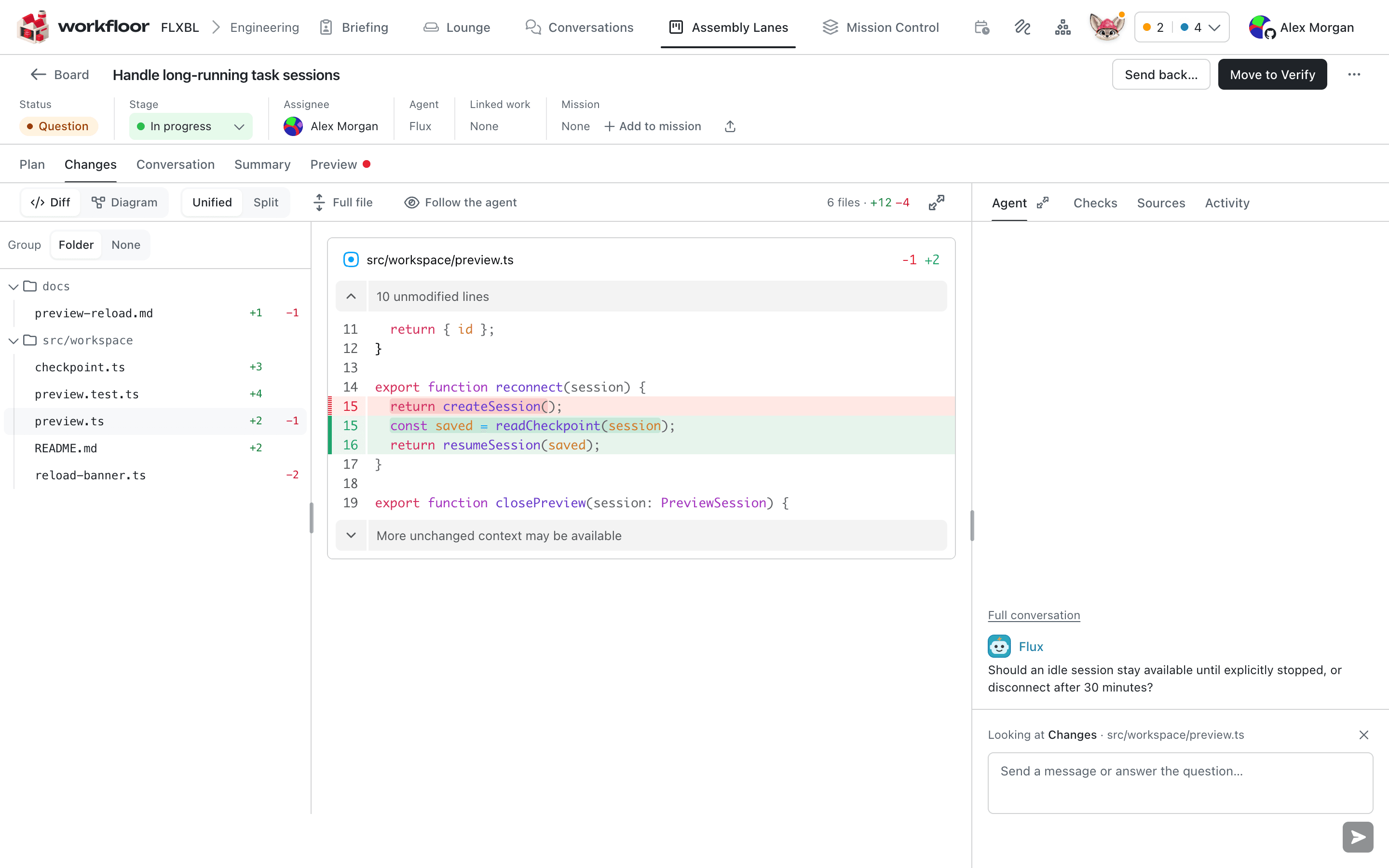
A card has an assignee: the person who answers Flux's questions and approves its plan. When the project is connected through Workfloor's GitHub App, the agent acts on GitHub as the assignee: its pushes and pull requests are made with the assignee's linked GitHub account, and its commits name them as the author.
See Your first card.
Agents
An agent does the work of a stage. Workfloor offers the agents; a project does not install or build them.
- Flux is offered to every project. It works under a profile that suits the stage, such as Plan, Build, Verify or Review.
- Salesforce AutoPilot is also offered to a Salesforce project.
An agent starts when a card enters its stage or when a person starts it, works in a checkout of the project's repositories, and stops when the stage is finished or it needs a person. See Agents.
Mission Control and missions
Mission Control shows the issues and pull requests of the repositories a project tracks on GitHub. From there, an item is taken in and dispatched to a lane, where it becomes a card linked to the issue.
A mission groups related items — issues, pull requests and cards — toward one outcome, such as a release of a set of changes to a package. A mission shows how far its items have come.
See Mission Control.
Runners
A runner is a machine that runs cards' agents: it holds the checkout, runs the agent and the project's commands, and connects out to Workfloor. A project admin registers a runner for a project. A runner carries labels, and the project, a lane or a stage can name the labels its cards need (Runs on).
See Runners.
Next
With the terms in place, sign in and create a project.