Runners
Register a runner for a Workfloor project so its agents run on your own machine, set which runners a project's cards use, and drain or remove a runner.
A runner is a machine that runs a project's agents. It dials out to Workfloor over one wss:// connection, as a self-hosted CI runner does, and Workfloor never connects to the machine. Each card's agent works in its own workspace on the runner, with the repositories the card names checked out.
A project admin registers a project's runner in the project's settings.
What the machine needs
- Linux (x64 or arm64) or macOS on Apple silicon.
- Node.js 22 or later, with npm, and git.
- An ordinary user. The runner refuses to run as root, because agents run commands as the runner's user.
Register a runner
Open Settings > Projects, choose the project, and open its Runners tab. Select New registration token, then Make token.
Copy the command shown. The token works once and for one hour, and Workfloor does not show it again.
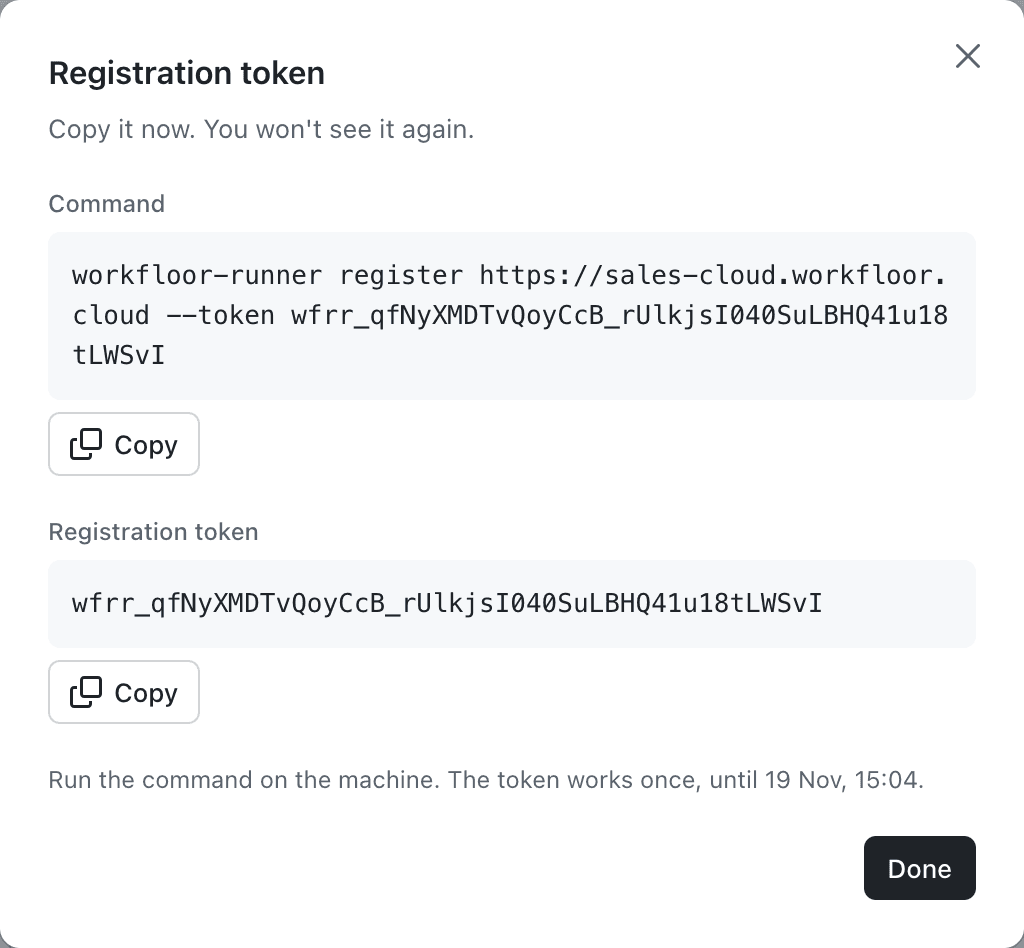
On the machine, install the runner for your own user and check what the machine has:
npm config set prefix ~/.npm-global
export PATH="$HOME/.npm-global/bin:$PATH"
npm i -g @flxbl-io/workfloor-runner
workfloor-runner doctor
Register it with the command from the dialog:
workfloor-runner register https://<your-team>.workfloor.cloud --token wfrr_…Run it as a service of your own user:
workfloor-runner service install --slots 4On Linux this writes a systemd user unit, and on macOS a launchd agent. workfloor-runner service status shows its state.
The runner then appears on the Runners tab as online, with its version, free disk space and how many of its slots are in use. A runner registered here serves only this project.
Labels and Runs on
A runner carries labels: ones its owner sets with workfloor-runner run --labels, and automatic ones from the machine, such as linux or x64. A card goes only to a runner that carries every label it needs.
The project's Runs on panel, lower on the same tab, sets the labels the project's cards need when neither their stage nor their lane names any. A stage or lane can name its own in the lane editor. If no runner carries a label, the panel warns that cards will wait for one.

Drain, update and remove
- Drain makes a runner take no new work while running agents finish. Resume lets it take work again. Force drain stops running agents now and records their turns as interrupted.
workfloor-runner updateon the machine drains the runner, installs the new version, and restarts it.- Revoke closes the runner's connection within 15 seconds. Cards on it wait for a person to move them, and the machine must register again with a new token to be used. Remove deletes a revoked runner from the list.
A project's Sandboxes tab, where it appears, chooses sandboxes that cards use when no runner of the project carries the labels they need.
Next: Your first card.
Agents
The agents a Workfloor project is offered, Flux and Salesforce AutoPilot, and what a project admin can set for them.
Your first card
Create a card in a Workfloor assembly lane for a Salesforce change, then follow it from the brief through Flux's plan, changes and pull request to a merged change.