Repositories and GitHub
Add a Salesforce repository to a Workfloor project, connect the project to GitHub, and choose which repositories Mission Control tracks.
A Workfloor project works on the GitHub repositories listed in its settings. A project admin adds the repositories, connects the project to GitHub so agents can clone, push and open pull requests, and chooses which repositories Mission Control tracks. All three are under Settings > Projects, in the project's GitHub and Repositories tabs.
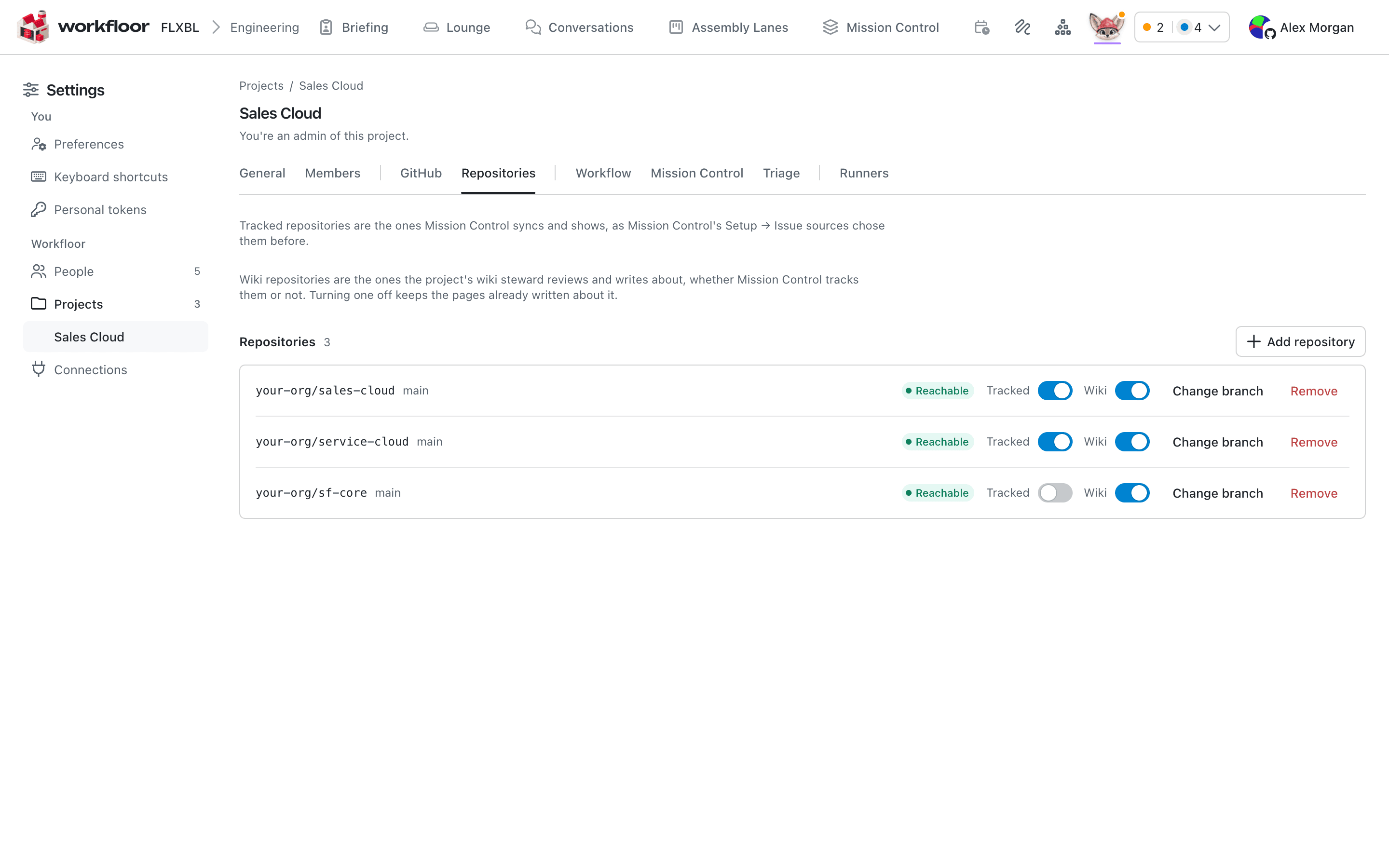
Add a repository
On the Repositories tab, select Add repository, enter the repository as owner/name and its default branch, and select Add. For a Salesforce project this is the repository that holds sfdx-project.json.
Workfloor checks, with the project's GitHub connection, that the repository is reachable and that the branch exists, then shows Reachable next to it. A name that is not in owner/name form, or a repository already in the project, is refused in the form. A repository that is not reachable shows Not added yet with the reason, and Check again repeats the check once the connection or the repository's access is fixed.
Each row also has:
- Change branch, to point the repository at another default branch.
- Remove. A repository that an agent is working in shows In use and cannot be removed until that work ends.
Connect GitHub
Agents clone, push and open pull requests through the project's GitHub connection, so a project with no connection cannot start an agent. The GitHub tab shows the state and offers two ways to connect:
- Workfloor's GitHub App. Install the App on the owner of each repository on GitHub first. Connect Workfloor's App then checks that the App can reach every repository in the project. The App mints short-lived tokens when an agent needs one.
- A bot account's token. A personal access token of a bot account, which Workfloor stores encrypted and never shows again. Workfloor checks whose token it is and which repositories it can push to before using it.
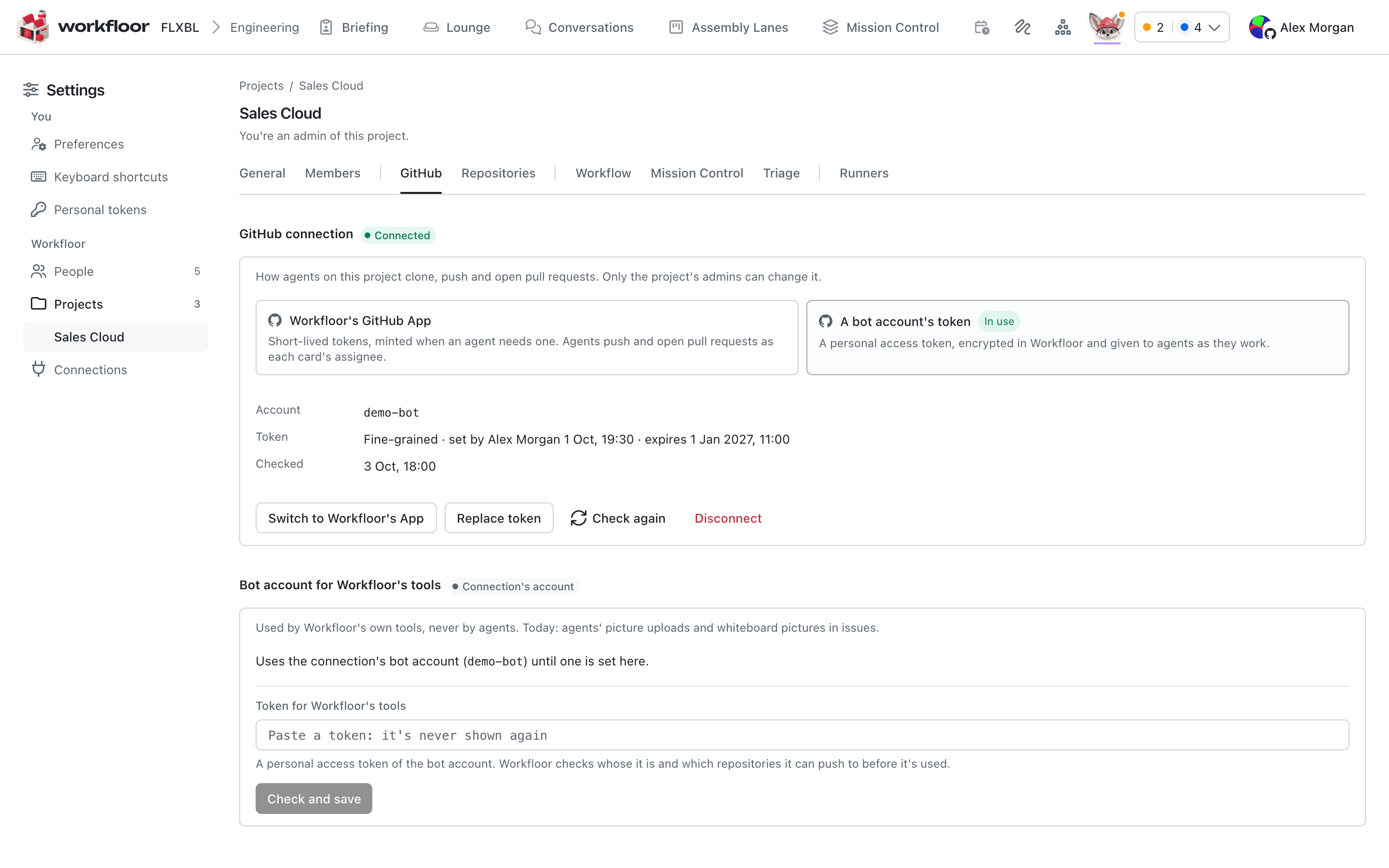
Once connected, Check again repeats the check against GitHub, and Disconnect removes the connection. A project connected with a token can switch to the App from the same tab, after a confirmation.
Agents act as the card's assignee
When a card has an assignee, its agent pushes and opens pull requests as that person, through their linked GitHub account. Each person links GitHub from their account menu (top right), with Link GitHub. A card with no assignee acts as the App. A project admin can also let cards whose assignee has not linked GitHub act as the App; this is a switch on the GitHub tab.
Choose what Mission Control tracks
On each repository row, Tracked controls whether Mission Control syncs and shows that repository's issues and pull requests. Turn it off for a repository that should have work done in it but not appear on the board, such as a sandbox repository. Members read everything the project tracks, so the switch also decides what members see there.
When the project's wiki is on, a Wiki switch beside it decides which repositories the wiki covers. Turning it off keeps the pages already written.
Next: Assembly lanes.