Onboarding a project with Flux
Use the Workfloor Onboarding page to have Flux read a Salesforce project's repositories, propose what the project needs, and set it up once a project admin approves.
Onboarding lists what a new project needs before its team can start work, and Flux proposes how to set up what is missing. Nothing is set up until a project admin approves the proposal.
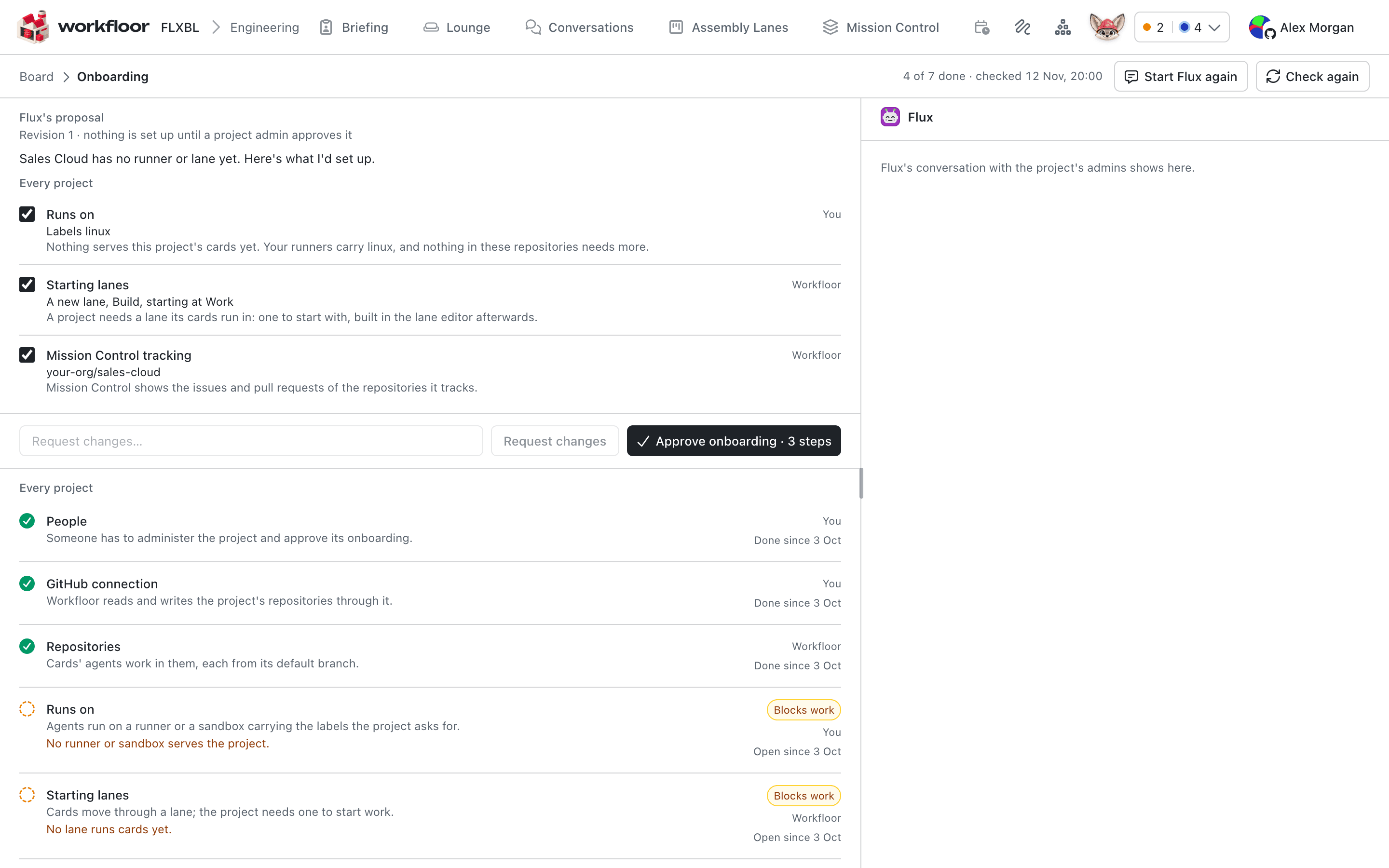
The project's board shows a line, Onboarding: 4 of 7 done, with Continue, while a step is open. Create and start onboarding in the New project dialog opens the same page once the project is made.
The steps
The page lists the project's steps by part, each done or open with the reason and who sets it up, You or Workfloor. The part for every project covers People, GitHub connection, Repositories, Runs on, Starting lanes, Wiki and Mission Control tracking, plus Previews and Project variables for repositories whose dev container declares them. A step marked Blocks work stops agents from working until it is done. Check again reads the project again.
Ask Flux to propose
A project admin selects Ask Flux to propose. Flux reads the project's repositories and its onboarding steps, changes nothing, and writes a proposal: for each open step, whether to include it, the value (the labels agents run on, a starting lane, the repositories the wiki covers and Mission Control tracks), and why.
Each line has a checkbox. Untick what you do not want, select Change to tell Flux what to change in one step, or use Request changes for the proposal as a whole. Flux revises it; what you unticked stays unticked.
Approve
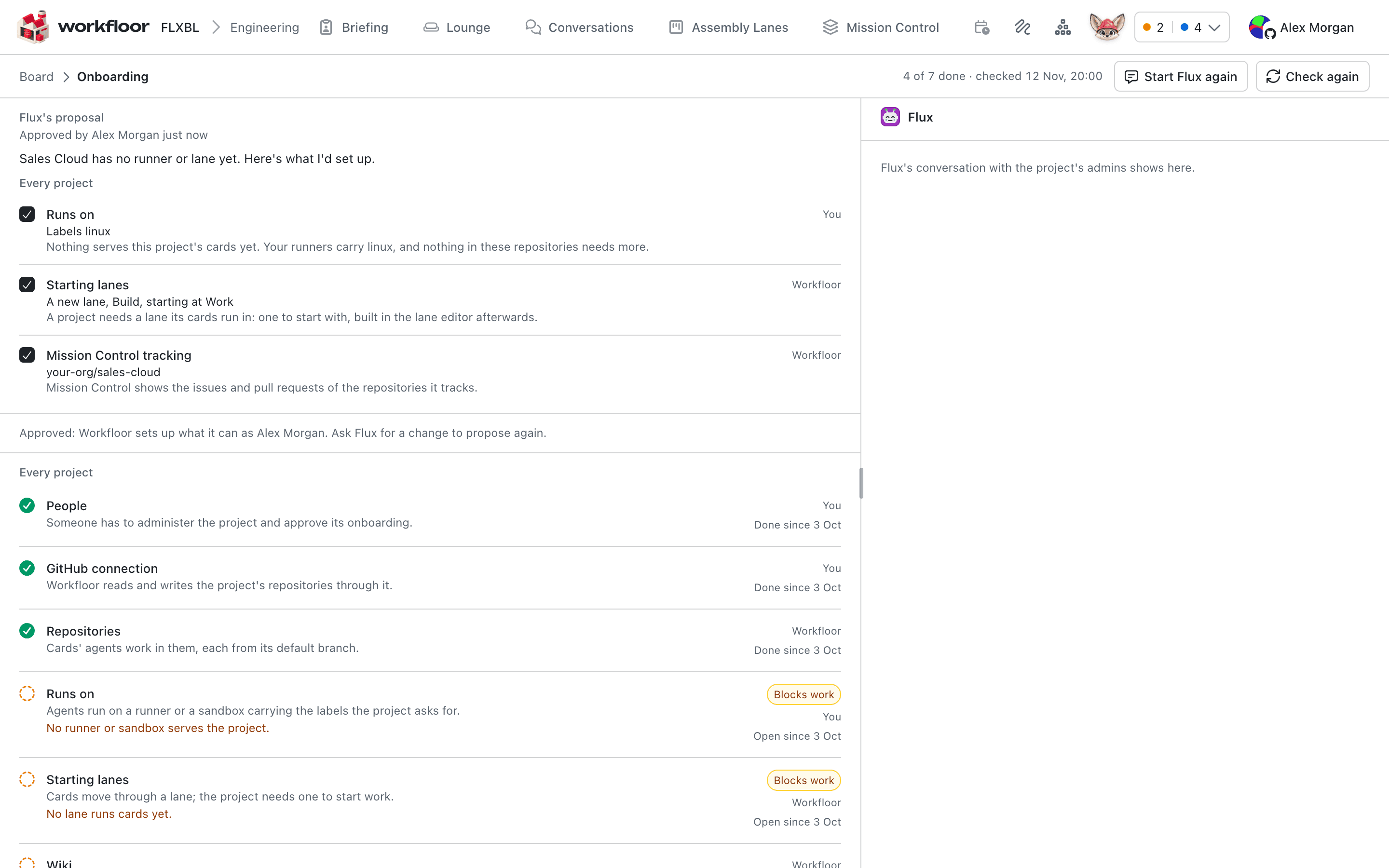
Approve onboarding shows the number of steps it will set up. Once approved, Workfloor sets up what it can, as the admin who approved it. Members of the project read the proposal and see whom to ask.
Steps that need you
Some steps only a person can do, such as installing the GitHub App on a repository or entering a secret. These are marked Needs you, and Flux guides you through them one at a time. The step's buttons do the work as you, for example Install the App on GitHub followed by Check again, Set up… for a value, or a button that opens the project's settings tab. Flux never asks for a secret in the conversation.
When everything the approved onboarding wants is done, the page says the project is ready for work, lists what was set up and what was left out, and opens the board with Open the board. Flux can offer a first card; it creates it only after you say yes.
The Salesforce part
In a Salesforce project, the repositories that contain an sfdx-project.json get a part of their own. It starts with Connect to Salesforce setup and Salesforce org, then checks each repository: Repository prepared, GitHub App, Webhooks, DevHub and Project checks. Workfloor sets up Repository prepared itself, and Project checks when a project admin confirms it from the step. It only checks GitHub App and Webhooks; one of those that is not set up stays open for you, along with the connection, the org and the DevHub. A step that was done and is open again is shown with when it was done and since when it has been missing.
Next: Inviting your team.