Agents
Connect Claude Code, Codex, or Claude Desktop to codev over MCP — the agent reads your builds, releases, validations, and environments, and acts with your identity.
codev exposes its platform to AI agents over MCP (Model Context Protocol). A connected agent — Claude Code, Codex, Claude Desktop, or any client that speaks MCP — reads the same systems the app shows: builds, releases, release candidates, validations, reviews, work items, environments, orgs, and pools. It can also check out pool environments for you.
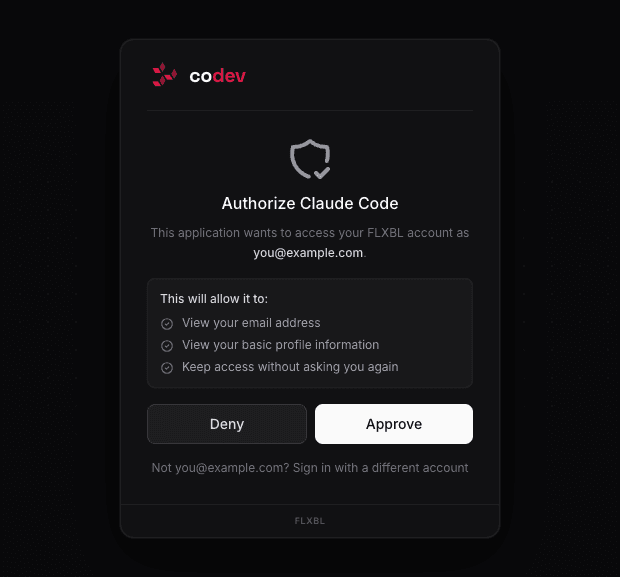
The agent connects with your identity. The first connection opens a browser sign-in; you approve it once, and later connections from the same client proceed without asking. Every call the agent makes runs with your role, and an environment it checks out is assigned to your email — the same as if you had fetched it yourself.
The endpoint
Every instance serves its MCP endpoint at the instance URL with /sfp/api/mcp appended:
https://<your-tenant>.flxbl.io/sfp/api/mcpAdd this URL to any MCP client that supports the streamable HTTP transport. No credentials go into the configuration — the sign-in happens in the browser when the client first connects.
Claude Code
claude mcp add --transport http codev https://<your-tenant>.flxbl.io/sfp/api/mcpInside a Claude Code session, run /mcp and select codev to authenticate. The browser opens the sign-in; claude mcp list shows ✔ Connected once the flow completes.
Codex
codex mcp add codev --url https://<your-tenant>.flxbl.io/sfp/api/mcp
codex mcp login codev
codex mcp login runs the sign-in in the browser. codex mcp list shows each server's connection status.
Claude Desktop and claude.ai
Go to Settings > Connectors > Add custom connector, name it codev, and enter the endpoint URL. The first use triggers the browser sign-in.
Other clients
Any MCP client that supports the streamable HTTP transport works with the same URL. The generic configuration:
{
  "mcpServers": {
    "codev": {
      "type": "http",
      "url": "https://<your-tenant>.flxbl.io/sfp/api/mcp"
    }
  }
}
To verify a connection, ask the agent: "List the available pools." If it answers with pool data, it is connected.
What the agent can do
- Check build status for a repository or domain.
- Summarize what a release changed, and what is deployed or pending per environment.
- Look up validation and analysis results for a pull request.
- Read work items from your connected issue tracker.
- List environments, orgs, and pool availability.
- Check out, extend, and release pool environments — the only actions that change state.
Checkouts are self-scoped: an agent connected with your identity can fetch, extend, release, and list environments only for your own account.
Automation
Headless clients — CI jobs, scripted agents — authenticate with an application token in a bearer header instead of a browser sign-in. Token-authenticated calls are not tied to a person and may act for any member.
Full detail, including every tool, its actions, and input schemas: MCP API reference.