Packages
The packages codev builds and installs — source, unlocked, org-dependent unlocked, diff, and data — how each behaves, and how a type is declared.
Every package declares a type, and the type determines two things: how codev builds the package into an artifact, and how that artifact installs into an org. Everything else holds for every type — each package is versioned, built into an immutable artifact, collected on release candidates, and released. See How codev ships changes.
The type is part of the package's entry in sfdx-project.json, and codev reads it from there. The Packages page shows each package's type, and the Create dialog sets it for a new package — Source is preselected. For an existing package, Edit Package changes the same entry, as a property form or as raw JSON.
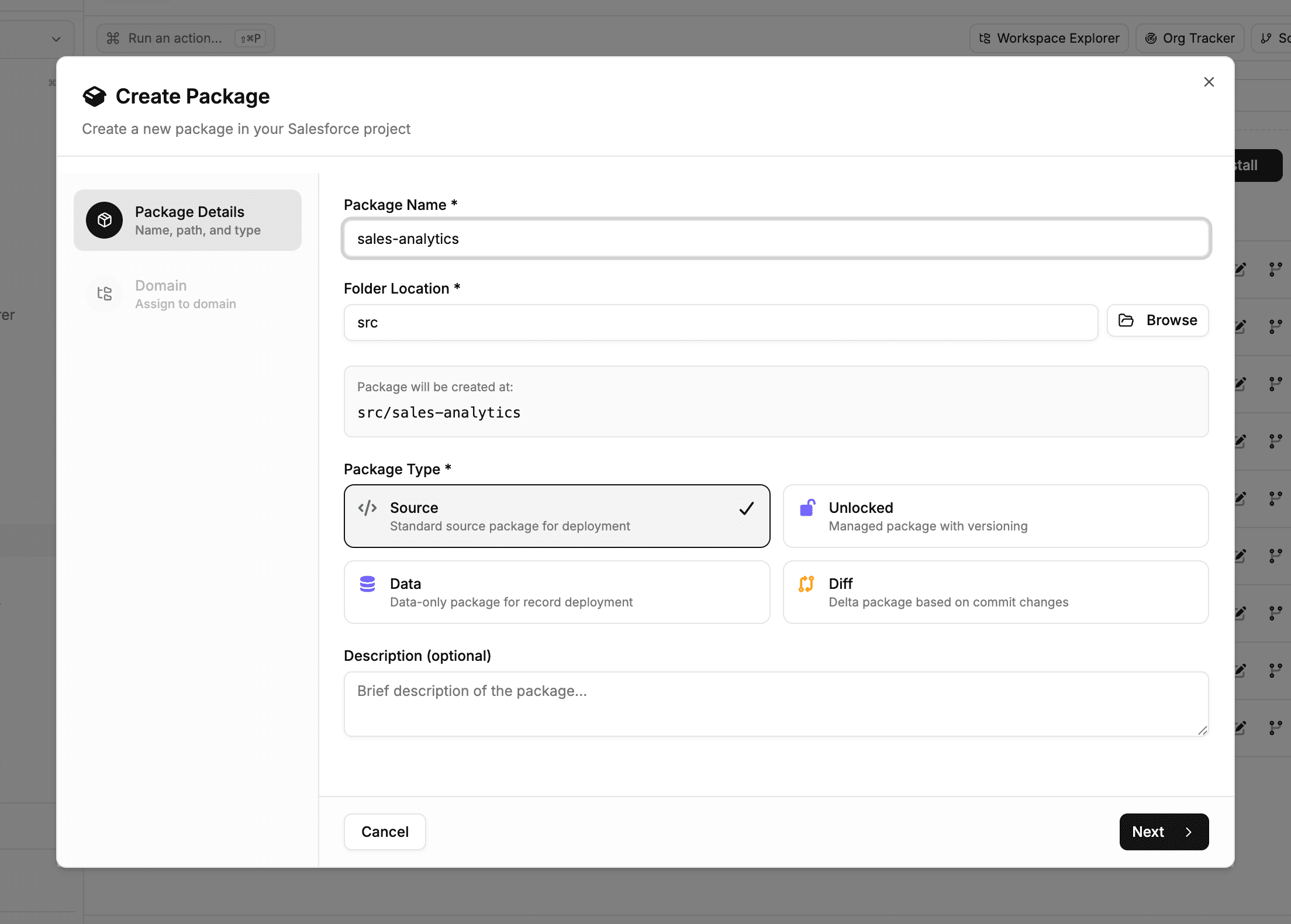
Default to source packages. Choose another type when a specific requirement calls for it — Choosing a package type covers the decision.
Source — the default
A source package is a directory of metadata that codev versions, builds, and installs through the Metadata API as one unit. There is no Salesforce-side package version — codev supplies the package's version, lifecycle, and installation behaviour.
Deploying through the Metadata API means a source package covers every metadata type the API supports — a larger set than unlocked packaging — and its build has no package-version creation step. At install, only the components that changed since the previously installed version deploy, and the tests narrow with them — see Package installation. When an org diverges from what was installed, drift detection reports it, and Sync reconciles the org back to source. Components removed from the package are deleted through its pre- and post-destructive folders — see Destructive changes.
In the project file, a source package is an entry with no type attribute and no alias in packageAliases.
{
  "path": "src/sales-crm",
  "package": "sales-crm",
  "versionNumber": "1.4.0.NEXT"
}
Engine reference: Source packages.
Unlocked
An unlocked package is also a Salesforce-managed package: building it creates a second-generation package version in your DevHub. The platform locks each component to the package that owns it — another package cannot overwrite it — and validates the package's declared dependencies when the version is created.
That platform-managed version is what the type adds, and the reason to choose it: component ownership enforced across orgs, dependency validation at build time rather than at install, and distribution to orgs outside your build by version id. It also carries costs: creating the version lengthens the build, a version must be promoted before it installs to production, the package is limited to the metadata unlocked packaging supports, and moving a component to another package requires deprecation steps to release the lock.
In codev, creating one requires a DevHub — the Create dialog asks for it when the type is Unlocked, registers the package there, and offers org-dependent and no-namespace options. In the project file, an unlocked package is recognised by its alias in packageAliases, mapping the package name to the id the DevHub assigned:
"packageAliases": {
  "sales-crm-base": "0HoB00000004CFpKAM"
}
Engine reference: Unlocked packages.
Org-dependent unlocked
An org-dependent unlocked package — the org-dependent option under the Unlocked type — may depend on unpackaged metadata in the target org. Its build skips dependency validation, so it builds faster than a standard unlocked package; dependencies are checked at install, against the org. Salesforce does not enforce test coverage for the type, so codev's validation checks 75% coverage by default instead. Engine reference: Org-dependent unlocked packages.
Diff
A diff package is a variant of a source package whose artifact contains only the components that changed since a baseline — a commit recorded for the package, per branch, on the codev server. Each successful deployment advances the target environment's baseline, so the next build packages only what that environment has not yet received.
The type exists for transitioning to a modular project: a large unpackaged directory can ship incrementally while its contents move out into packages over time.
Diff packages deploy to sandboxes only — not scratch orgs — and cannot be rolled back: the artifact holds a delta, not a state an org can be returned to. Recovering from a bad change means shipping a corrective change forward.
In codev, the Create dialog asks for the baseline commit when the type is Diff; in the project file the entry carries "type": "diff". Each package's baselines — fallback and per environment — are shown in Workspace Explorer (Web), where a diff package's baseline can be edited by entering the commit to compare against.
Engine reference: Diff package.
Data
A data package versions Salesforce records instead of metadata — reference data, country tables, the record-based configuration of managed packages such as CPQ. Its artifact is a data export: an export.json declaring the objects, queries, and matching keys, alongside the record files. At install, the records load into the target org following the operations export.json declares.
In codev, data packages are managed on the Data Tracking page — creating the package, choosing per-record or flat CSV storage, and pulling and pushing records against orgs. See Data packages. In the project file the entry carries "type": "data".
Engine reference: Data packages.
Dependencies between packages
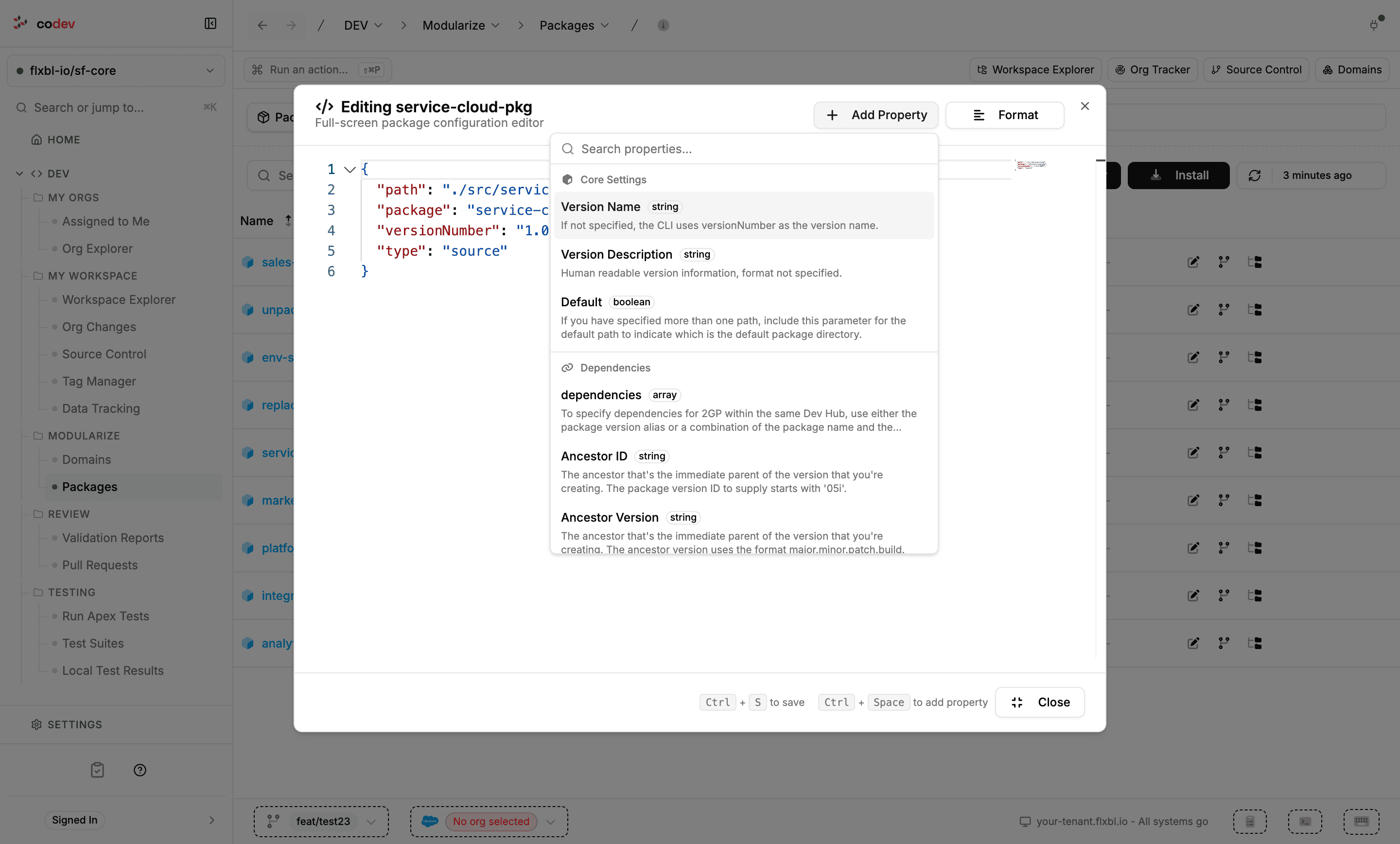
Whatever its type, a package can declare dependencies on other packages — including managed packages and packages from another DevHub by their 04t id — and builds and installs order around them. In codev, the Edit Package editor adds them through its property form (the Dependencies group) or its JSON view; both write the package's entry:
"dependencies": [
  { "package": "sales-crm-base", "versionNumber": "1.2.0.LATEST" }
]
When the dependencies are checked differs by type: an unlocked package validates them when its version is built; source, org-dependent unlocked, and diff packages at install, against the target org. Full detail: Package dependencies.
The types side by side
| Type | Declared by | Choose it when |
|---|---|---|
| Source | An entry with no type and no alias | The default — most packages |
| Unlocked | An alias in packageAliases with a DevHub-assigned id | A module needs platform-enforced ownership, build-time dependency validation, or distribution by version id |
| Org-dependent unlocked | Unlocked, created as org-dependent | An unlocked package must sit on unpackaged org metadata, or its build time is the only objection |
| Diff | "type": "diff" | Transitioning unpackaged metadata to a modular project |
| Data | "type": "data" | Records, not metadata, are the content |
Validation deploys every type to a real org, so a change validates to the same depth regardless of type — see Validation. What differs at install time — tests, coverage, and skipping — is covered in Package installation.
Domains
Domains group packages into independently releasable units, defined by release configuration files — the unit codev's builds, candidates, and releases are organised around.
Package dependencies
How package dependencies are declared, how they order codev's builds, validations, and installations, and how transitive and cross-domain resolution fill the gaps.