Package dependencies
How package dependencies are declared, how they order codev's builds, validations, and installations, and how transitive and cross-domain resolution fill the gaps.
A package can depend on other packages — from the same project, or external ones such as managed packages. Dependencies are declared on the package's entry in sfdx-project.json, and codev reads them wherever order matters: what builds before what, what validation deploys first, and the sequence a release installs.
Declaring dependencies
Each package entry lists the packages it depends on. A dependency on a package outside the project — a managed package, or a package built from another repository — is declared through an alias in packageAliases that maps a name to its 04t version id.
{
  "path": "src/sales-crm",
  "package": "sales-crm",
  "versionNumber": "1.4.0.NEXT",
  "dependencies": [
    { "package": "sales-crm-base", "versionNumber": "1.2.0.LATEST" },
    { "package": "External Apex Library@1.0.0.4" }
  ]
}
In codev, Edit Package on the Packages page adds a dependencies property through its property form or JSON view — see Package types.
A source, diff, or data package also carries an implied dependency on whatever installs before it: the order of packages in the project file and in a domain's release configuration is the installation order. The Domains page's Reorder Packages action controls that order — see Domains.
What dependencies drive
Build order. A build processes packages in project-file order, and a package builds only after its dependencies have resolved — using the dependency versions created in the same run. A change to a dependency does not by itself rebuild its dependents: a dependent rebuilds when its own contents change or its version is bumped. Full mechanics: Determining whether an artifact needs to be built.
Validation. A validation run deploys the changed packages to the review environment in dependency order, so a change that spans packages deploys the way a release would.
Installation. A release installs its artifacts in dependency order, each artifact deciding what it deploys — see Package installation.
Unlocked package creation. An unlocked package validates its declared dependencies when its version is created — a missing declaration fails the build. The other types check dependencies at install, against the target org.
Transitive dependency resolution
An unlocked package must declare all of its dependencies — including the dependencies of its dependencies. If sales-crm depends on sales-crm-base, and sales-crm-base depends on frameworks-logging, then sales-crm needs both declared. As a project grows these transitive declarations are easy to miss, and the miss surfaces as a build failure.
When codev builds, missing transitive dependencies are autofilled by inference from the project file: a package that declares only its direct dependencies still builds with the full set resolved. The inference covers packages declared in the current project file. External dependencies are declared once in an externalDependencyMap, and the resolution can be disabled entirely for projects with stricter rules. Configuration reference: Transitive dependency resolution.
Keep the checked-in declarations minimal — direct dependencies only, with transitive resolution filling the rest. sfp also provides commands to expand a project's declarations to the full graph, shrink them back to the minimal set, and explain how a package's dependencies resolve: Dependency management commands.
Dependencies and domains
A domain's release configuration decides how package dependencies are treated when the domain builds and releases: exclude all dependencies, include only selected ones, or exclude specific ones. The Create Domain wizard sets this in its dependencies step, alongside the domains this one depends on; the same fields can be edited later in the domain's configuration.
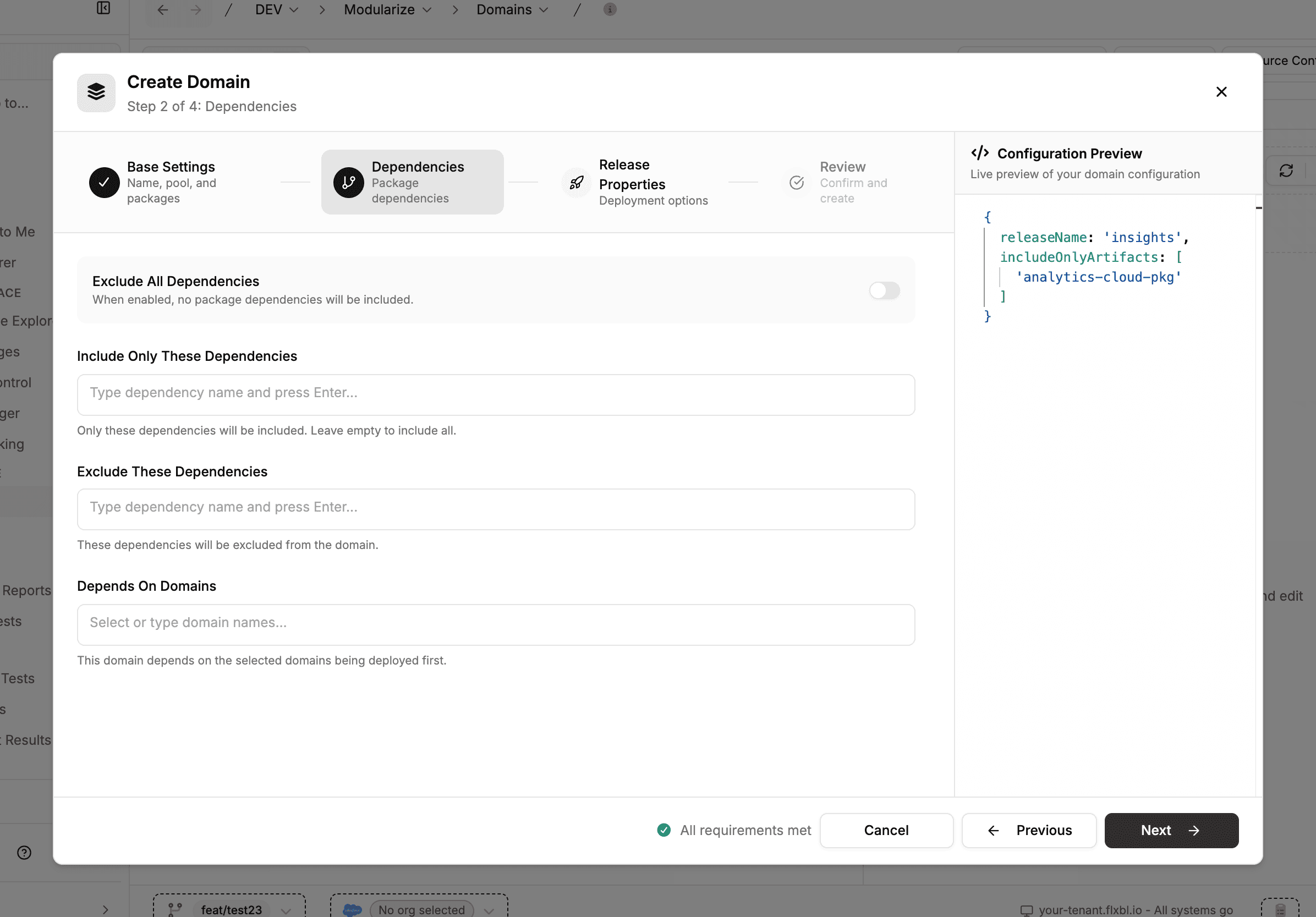
The full set of options: Release config.
Dependencies between domains
A domain can depend on another domain rather than on that domain's individual packages. dependencyOnDomains in the domain's configuration lists the other domains by name:
releaseName: sales
includeOnlyArtifacts:
  - sales-crm
  - sales-ui
dependencyOnDomains:
  - core
Every package the listed domains own becomes a dependency of this one, resolved through the graph — a listed domain's own dependencyOnDomains are followed too — deepest dependency first and de-duplicated. It supersedes dependencyOn, which names individual packages. An unknown domain name or a cycle is a configuration error.
A pool prepared for one domain installs the dependency domains' packages into every org it creates, so an org handed out for validation already carries the upstream metadata the domain deploys against. Install order is unchanged: a release installs in the order the project file declares its packages.
Set it in the domain's configuration — the editor beside the domain tree on the Domains page. The Create Domain wizard's Depends On Domains field writes dependencyOn, which takes package names. Full reference: Release config: cross-domain dependencies.