Orgs
Orgs are Salesforce instances registered once at the instance level — credentials held by the codev server, shared across projects.
An org is a Salesforce instance — your production org, a sandbox, a scratch org. Orgs are registered once, at the instance level, in Settings > Orgs: their credentials are held by the codev server, and any project on the instance can use them. Registering an org is what lets codev authenticate to it — people and workflows reach the org through codev instead of holding credentials themselves.
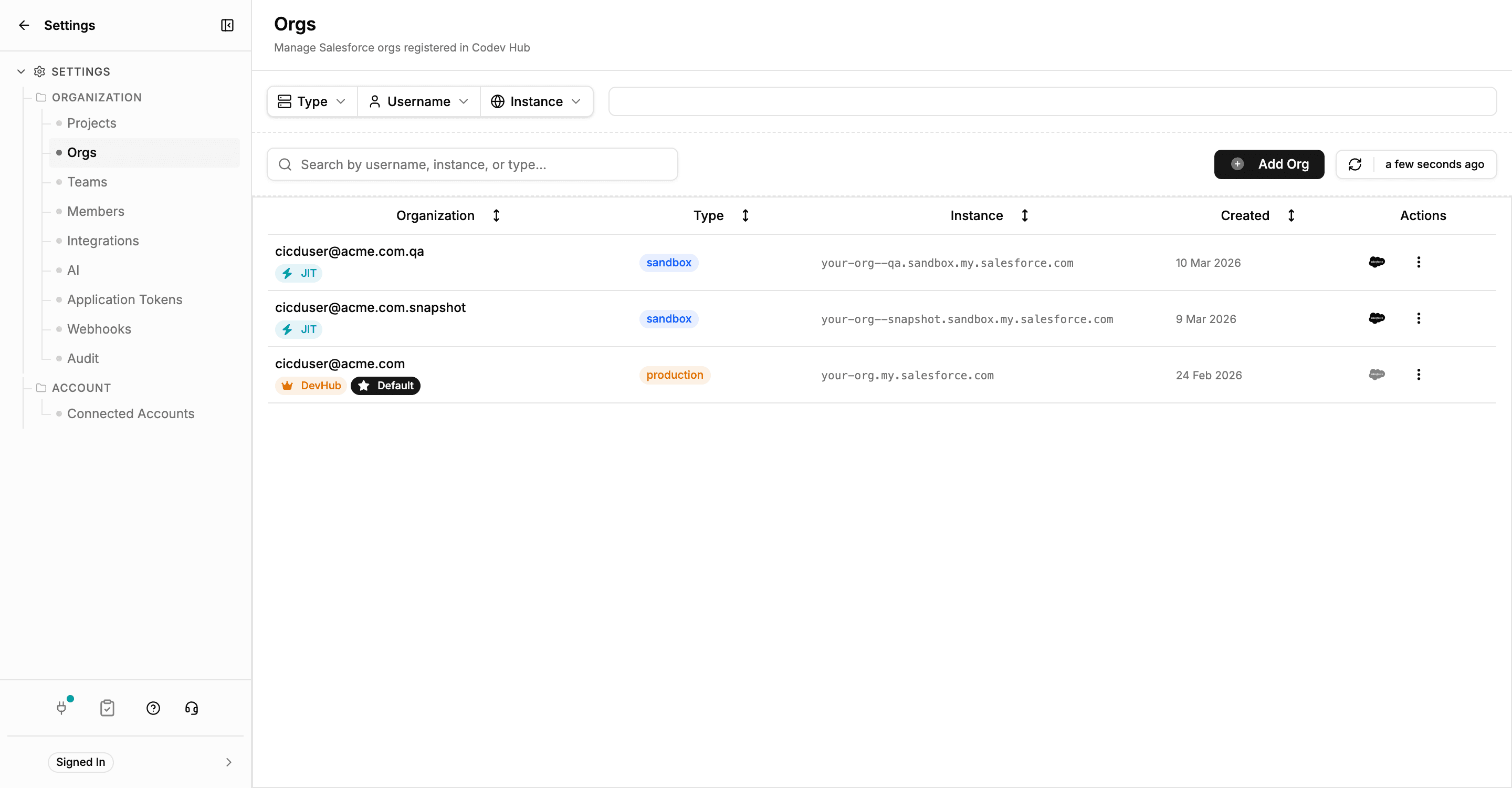
The registry records each org's type — production or sandbox — and which org is the DevHub. A sandbox marked JIT has no stored credentials of its own: codev generates its access on demand through the parent production org. Detail: JIT sandbox authentication.
An org on its own has no role in delivery — a project gives it one by binding it as an environment. Administration of the orgs — creating, refreshing, and deleting sandboxes, freezing users, elevated access — is the Operations catalogue, which is instance-wide and acts on orgs directly.
Working with orgs day to day
Your assigned orgs live under Dev > My Orgs, and Org Explorer browses an org's metadata without leaving codev. And when an org no longer matches what a project's repository shipped, Sync converges it back to the branch.
Package dependencies
How package dependencies are declared, how they order codev's builds, validations, and installations, and how transitive and cross-domain resolution fill the gaps.
Environments
An environment binds a registered org to a project, giving it a role in that project's delivery — tracked, locked, and monitored.