> For the complete documentation index, see [llms.txt](https://docs.flxbl.io/flxbl/llms.txt). Markdown versions of documentation pages are available by appending `.md` to page URLs; this page is available as [Markdown](https://docs.flxbl.io/flxbl/codev/environments/access-and-locks.md).

# Access and locks

A shared environment can only be safely used by one thing at a time — two deployments running at once, or a person changing config while a release deploys, will collide. codev prevents this by giving every environment an **exclusive-access lock**. While an environment is in use it is **locked**; anyone else who needs it waits in a queue and is let in automatically when it frees up.
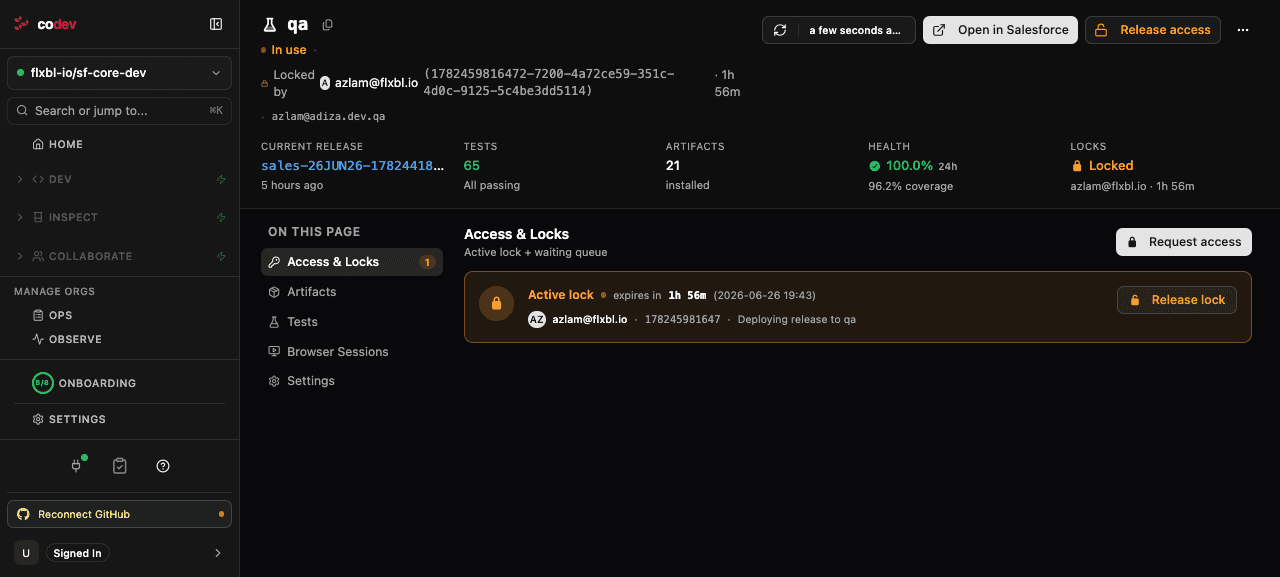
<figure><img src="/files/g2513rct7GV6ccBTaPRV" alt="An environment with an active lock"><figcaption><p>An environment in use — the active lock records who holds it, why, and when it expires</p></figcaption></figure>

The **Access & Locks** section of an environment's page shows the active lock and the waiting queue. A lock records who holds it, the reason, and an expiry; while it is held the environment shows **In use**. The holder — or an owner — can **Release lock** to free it early.

## Automatic locking by flows

Most locks are taken automatically. When a flow deploys to an environment — a build deploying to a Test environment, a release deploying to production, an org-drift check — it locks the environment for the duration of its work and releases it when finished. This is why a release can sit in **Waiting**: it is queued behind whatever currently holds the environment, and proceeds the moment that lock is released. You can watch this on the [Flows](/flxbl/codev/flows/overview.md) page.

## Requesting access yourself

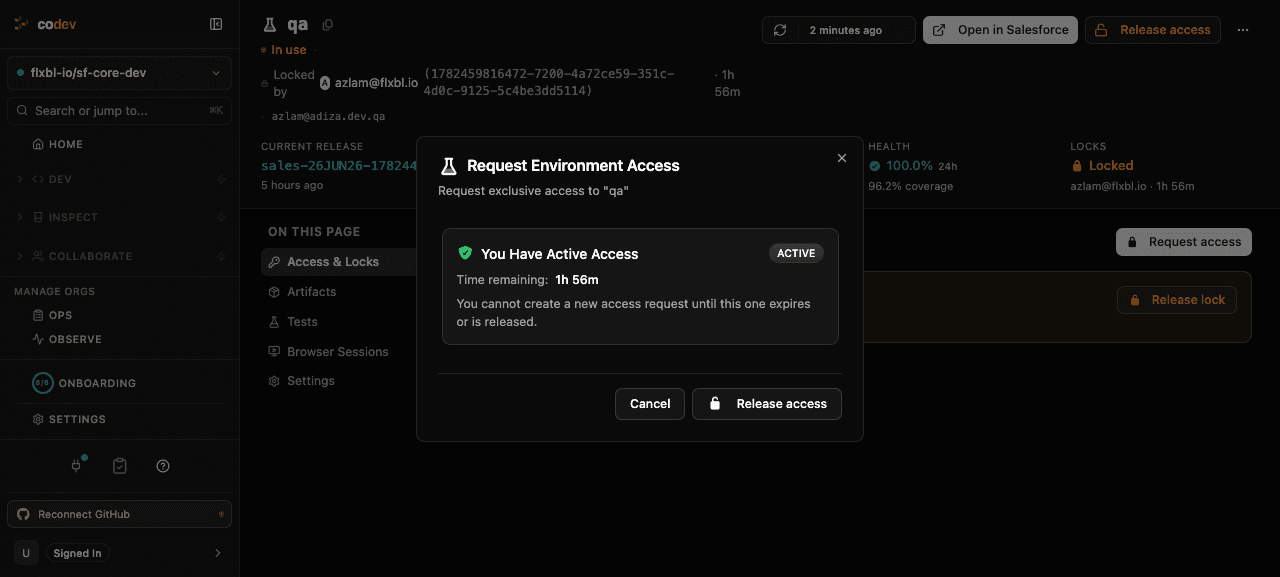
<figure><img src="/files/xZDE3ngEDGcfpOfbYlNX" alt="Requesting exclusive access"><figcaption><p>Requesting exclusive access — choose a duration and a reason</p></figcaption></figure>

To use an environment yourself — to test a change, debug an issue, or deploy something manually — request exclusive access from the environment's page. Choose how long you need it (the **access duration**) and a **reason** — Deployment, Testing, Maintenance, Configuration, Bug Fix, or Data Update.

* If the environment is **available**, access is granted immediately and the environment is locked to you for the duration you chose.
* If it is **in use**, you join the **waiting queue**. codev grants you access automatically when the current holder releases the lock or their lease expires — you do not have to keep checking.

Release the lock from the environment's page when you are done so the next person, or the next deployment, can proceed. A lock also expires on its own at the end of its lease, so a forgotten lock does not block an environment indefinitely.

## Related

* [Environments](/flxbl/codev/environments/environments.md)
* [Flows: runs and pending approvals](/flxbl/codev/flows/overview.md)


---

# Agent Instructions
This documentation is published with GitBook. GitBook is the documentation platform designed so that both humans and AI agents can read, navigate, and reason over technical content effectively. Learn more at gitbook.com.

## Querying This Documentation
If you need additional information that is not directly available in this page, you can query the documentation dynamically by asking a question.

Perform an HTTP GET request on the current page URL with the `ask` query parameter, and the optional `goal` query parameter:

```
GET https://docs.flxbl.io/flxbl/codev/environments/access-and-locks.md?ask=<question>&goal=<endgoal>
```

`ask` is the immediate question: it should be specific, self-contained, and written in natural language.
`goal` is optional and describes the broader end goal you are ultimately trying to accomplish on behalf of the user. GitBook uses it to tailor the answer towards what is most useful for that goal.

The response will contain a direct answer to the question and relevant excerpts and sources from the documentation.

Use this mechanism when the answer is not explicitly present in the current page, you need clarification or additional context, or you want to retrieve related documentation sections.