Org Insights
Capture a point-in-time snapshot of an org's configuration — metadata, automation, users, permissions, and activity — as a reviewable report.
Observe > Org Insights captures a snapshot report of a registered org's configuration and lets you review it in place: what the org contains, how much automation it carries, who can do what, and what has been active. Use it to understand an unfamiliar org, to compare an org against expectations before a release, or as a periodic configuration record.
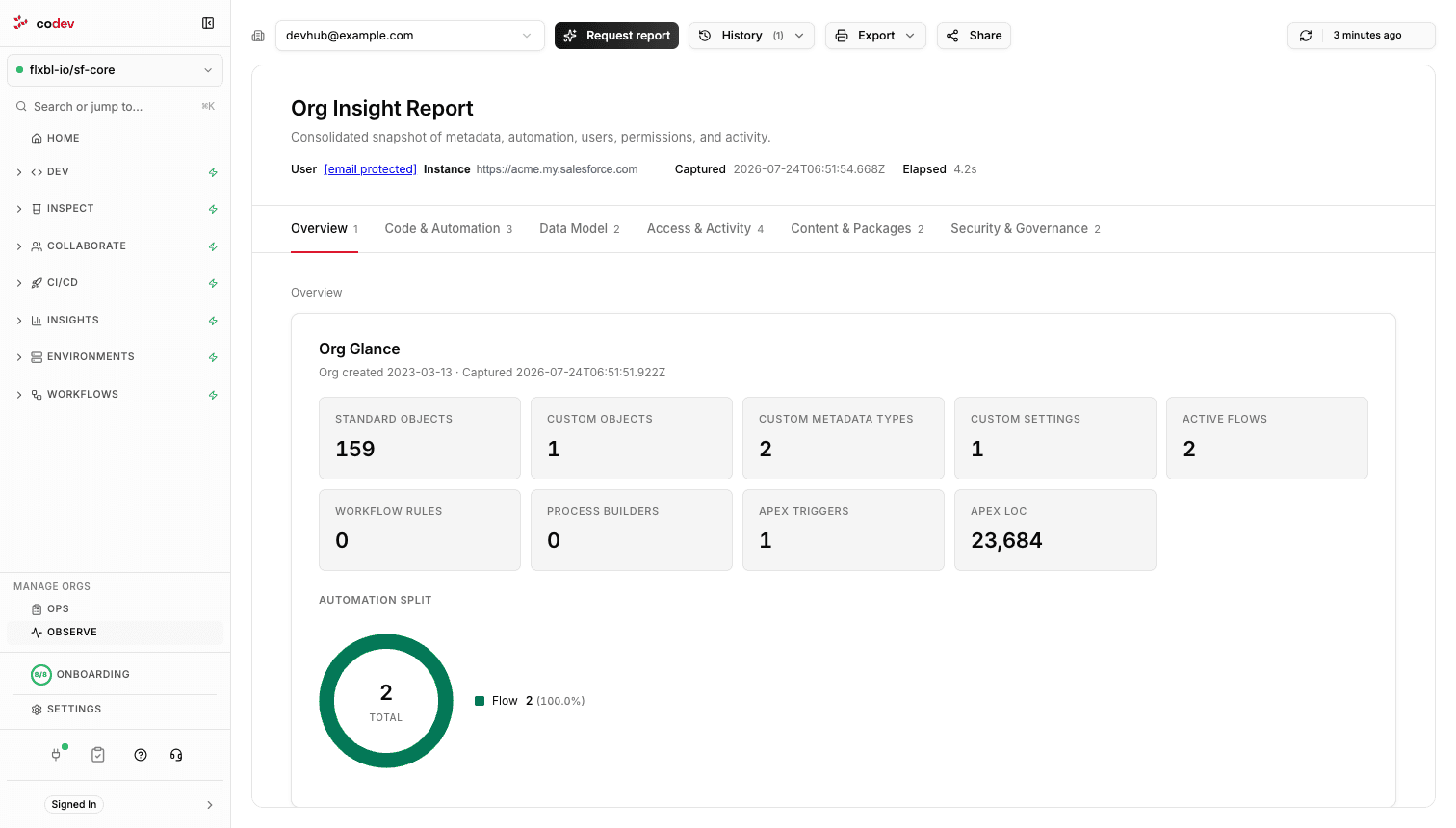
Capturing a report
Pick the org and click Request report. The capture runs in the background against the org — collecting metadata counts, automation, users, permissions, and activity — and the report appears when it completes. History lists the recent capture runs with their status, so you can tell a fresh report from an old one; only one capture runs per org at a time.
Reports are point-in-time: nothing is collected on a schedule, so the report reflects the org at the moment you requested it. Request a new one whenever you need the current state.
What the report covers
| Section | Contents |
|---|---|
| Overview | The org at a glance — object, automation, and code counters, and the split of automation types. |
| Code & Automation | Apex classes and triggers, flows, and per-object automation. |
| Data Model | Fields per object and field utilization. |
| Access & Activity | Users, permissions, connected apps, and logins. |
| Content & Packages | Installed packages and content. |
| Security & Governance | Security posture and pending release updates. |
Sharing and exporting
Share copies a link that opens Org Insights with the same org preselected. Export prints or saves the report — the report is self-contained, so the exported copy reads the same as the page.