Domains
Group packages into domains — independently releasable units defined by release configuration files in your project.
A domain groups related packages into a unit that is built, validated, and released together. Domains are defined by release configuration files in your project's config folder — one file per domain — and codev's builds, release candidates, and releases are organised around them.
Dev > Modularize > Domains shows every domain in the project and lets you create and edit them. The page reads the release configuration files from your working copy, so what you see is what is on your current branch.
The domain tree
The left side lists each domain with its validation pool, its packages, and an Unassigned Packages bucket for packages that no domain includes yet. Selecting a domain opens its configuration on the right.
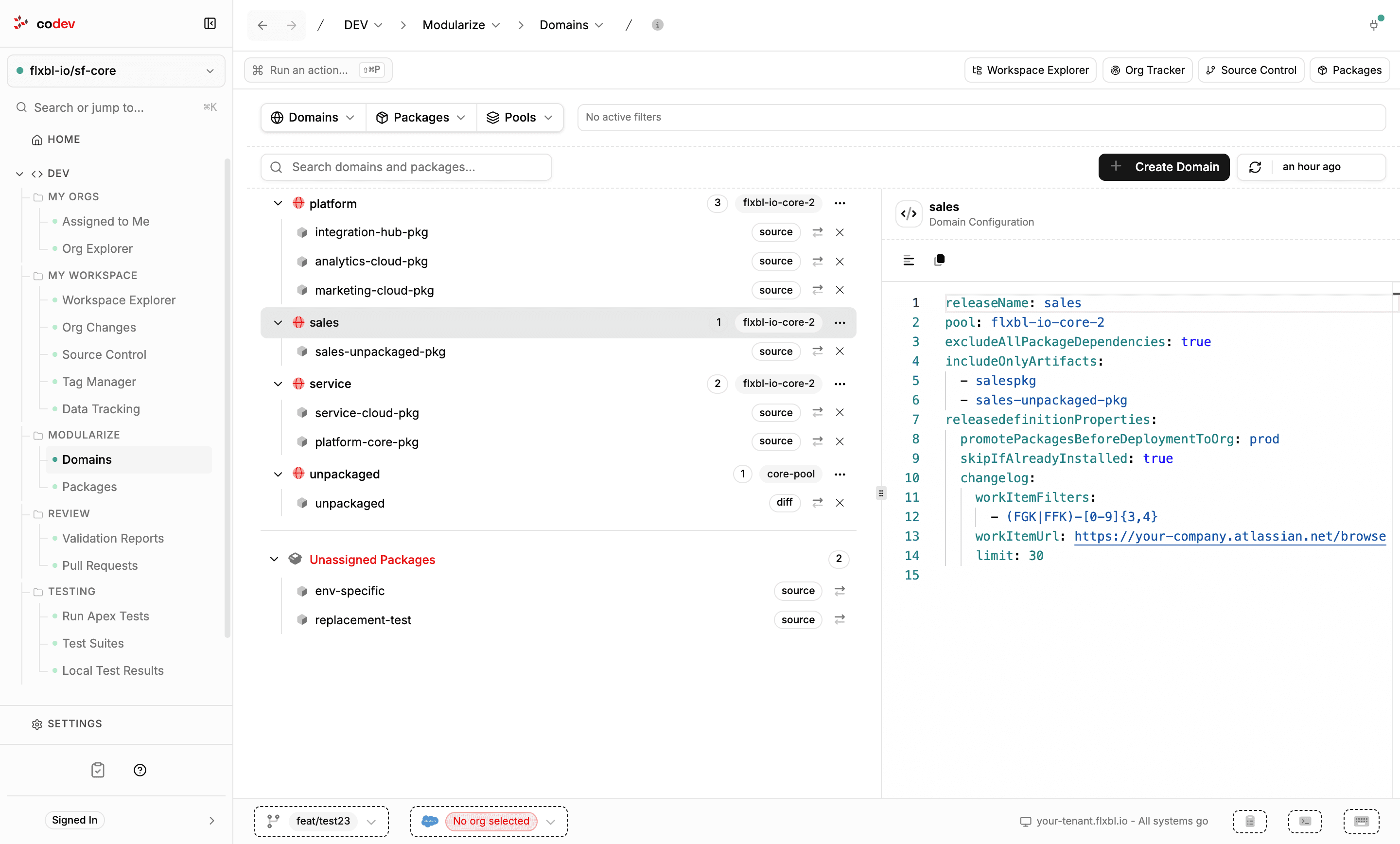
Each package row offers two actions: transfer the package to another domain, and remove it from the domain. Filters above the tree narrow it by domain, package, or pool.
Editing a domain
The right pane is a YAML editor over the domain's release configuration file. Edit it directly and save with Ctrl+S — the file must remain valid YAML and keep its releaseName. The domain's ⋯ menu offers a form-based edit dialog for the same settings.
The full set of options a release configuration supports is documented in the sfp reference: Release config and Defining a domain.
Creating a domain
Create Domain opens a four-step wizard: base settings, dependency handling, release properties, and review. A live preview shows the configuration as you build it. Completing the wizard writes a new release configuration file into the project's config folder.
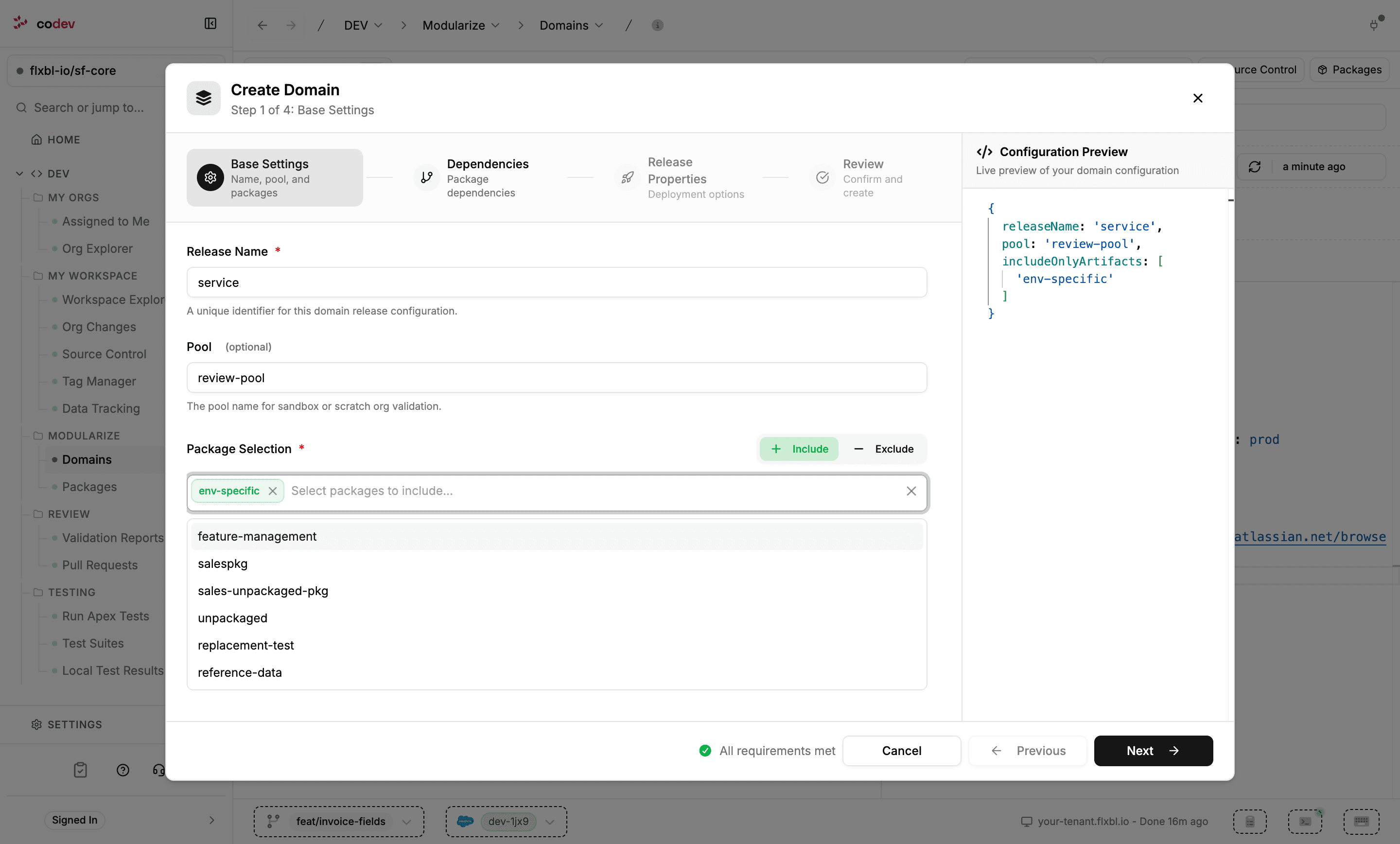
- Base settings — the release name, an optional validation pool, and the packages the domain includes (or excludes).
- Dependencies — how package dependencies are treated: exclude all, include only selected ones, or depend on other domains.
- Release properties — deployment options such as skipping already-installed versions, a baseline org, and changelog work-item settings.
Because domains are files, they follow your branch like everything else: creating or editing a domain shows up as a change in Source Control to commit and raise as a pull request. To delete a domain, remove its release configuration file from the repository.
Assigning packages
Packages are assigned by including them in a domain's configuration. Beyond editing the YAML, the domain's ⋯ menu offers Manage Packages to add or remove several at once and Reorder Packages to control deployment order; a package row's transfer action moves it to another domain. All of these write the affected release configuration files.