Packages
See every package in your project, create and edit packages, install versions into orgs, and compare the versions codev has built.
Dev > Modularize > Packages lists every package directory in your project with its type, the domain it belongs to, and a marker when the package has uncommitted local changes.
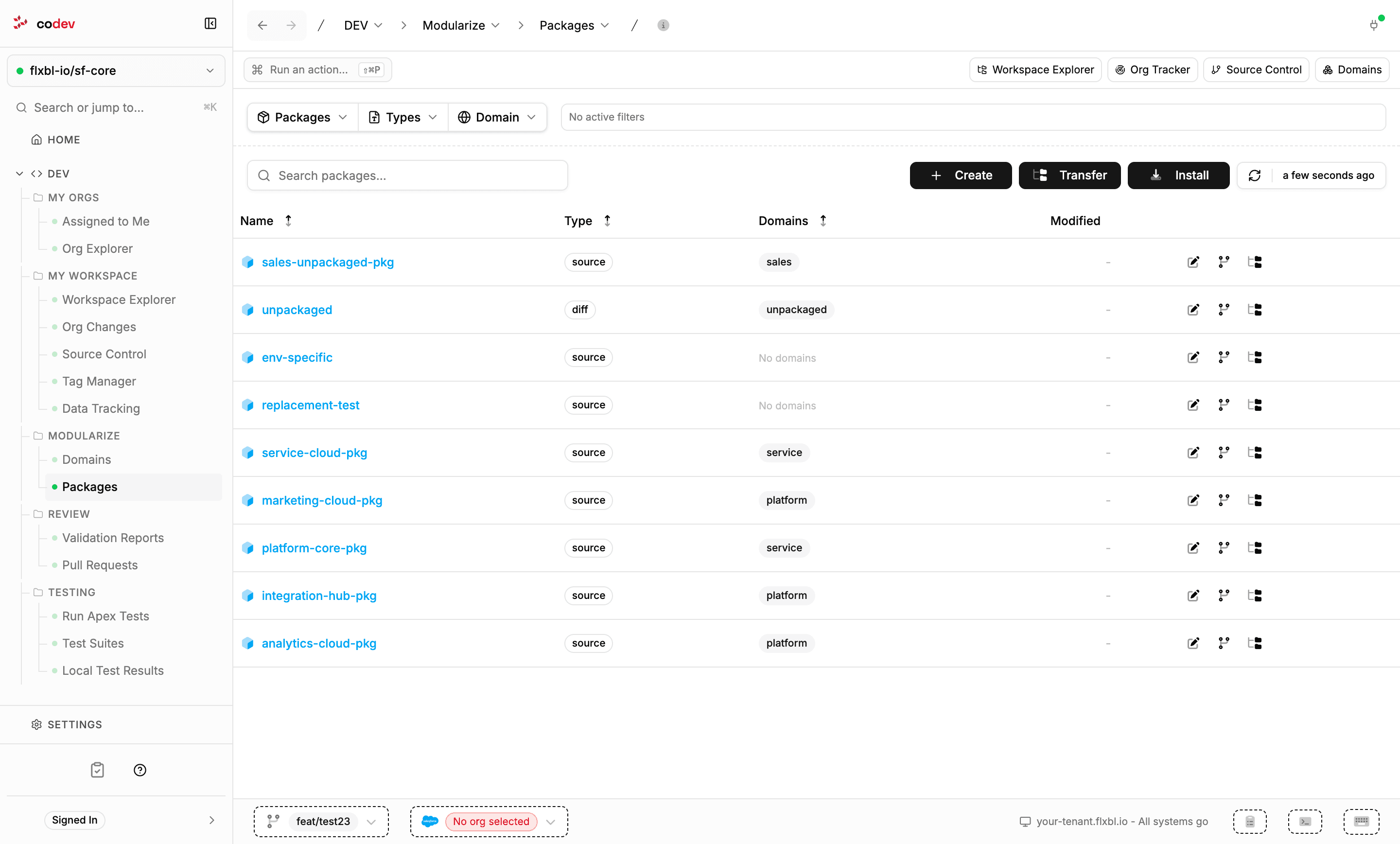
Filter by name, type, or domain; each row offers Edit Package, View Versions, and Transfer to Domain.
Creating a package
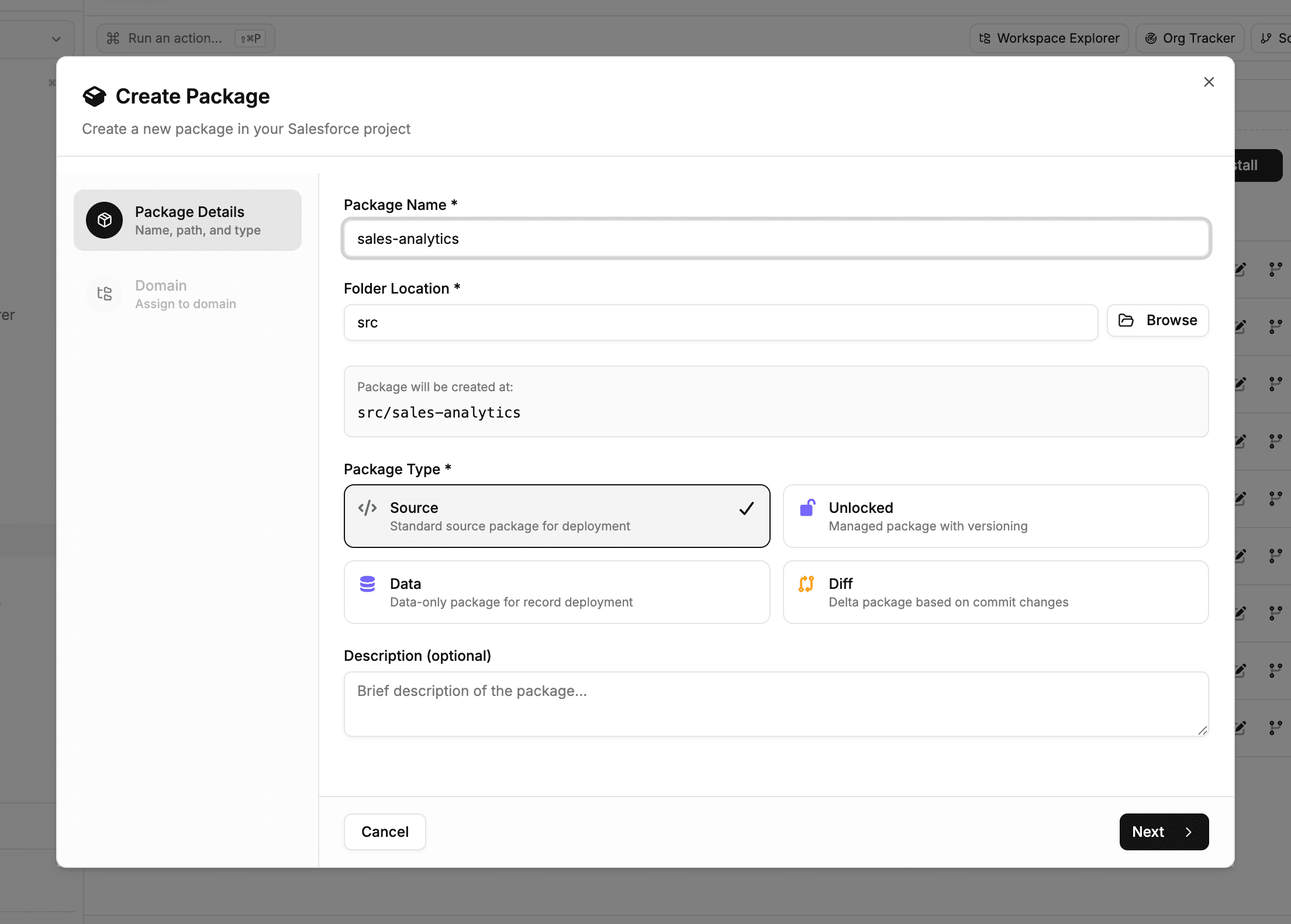
Create walks through the package name and folder, its type — source is preselected — a description, and the domain to place it in. An unlocked package additionally asks for the DevHub to register it with and offers org-dependent and no-namespace options; a diff package asks for the baseline commit it builds against. Creation runs as a background task — registering an unlocked package with the DevHub takes a few minutes — and a notification arrives when it is done. The new package directory is added to the project on your current branch.
Editing and organising
Edit Package opens the package's project configuration in a full-screen editor — as a property form with grouped settings covering dependencies, deployment, testing, and scripts, or as raw JSON; saving writes the change back to the project file, where it shows up as a workspace change to commit. Transfer to Domain moves the package into a domain — see Domains.
Installing a package version
Install deploys a built package version into an org. Pick the package and version, the target org — prefilled with your target org and checked for a live connection — and the DevHub. Use it to bring a freshly fetched org up to a specific version, or to install a hotfix candidate for verification.
Versions
View Versions on a package (or the Versions breadcrumb page) lists every version codev has built for it, with its status, stage, and publish date. The list comes from the codev server, so versions appear once a package has been built through codev's CI/CD.
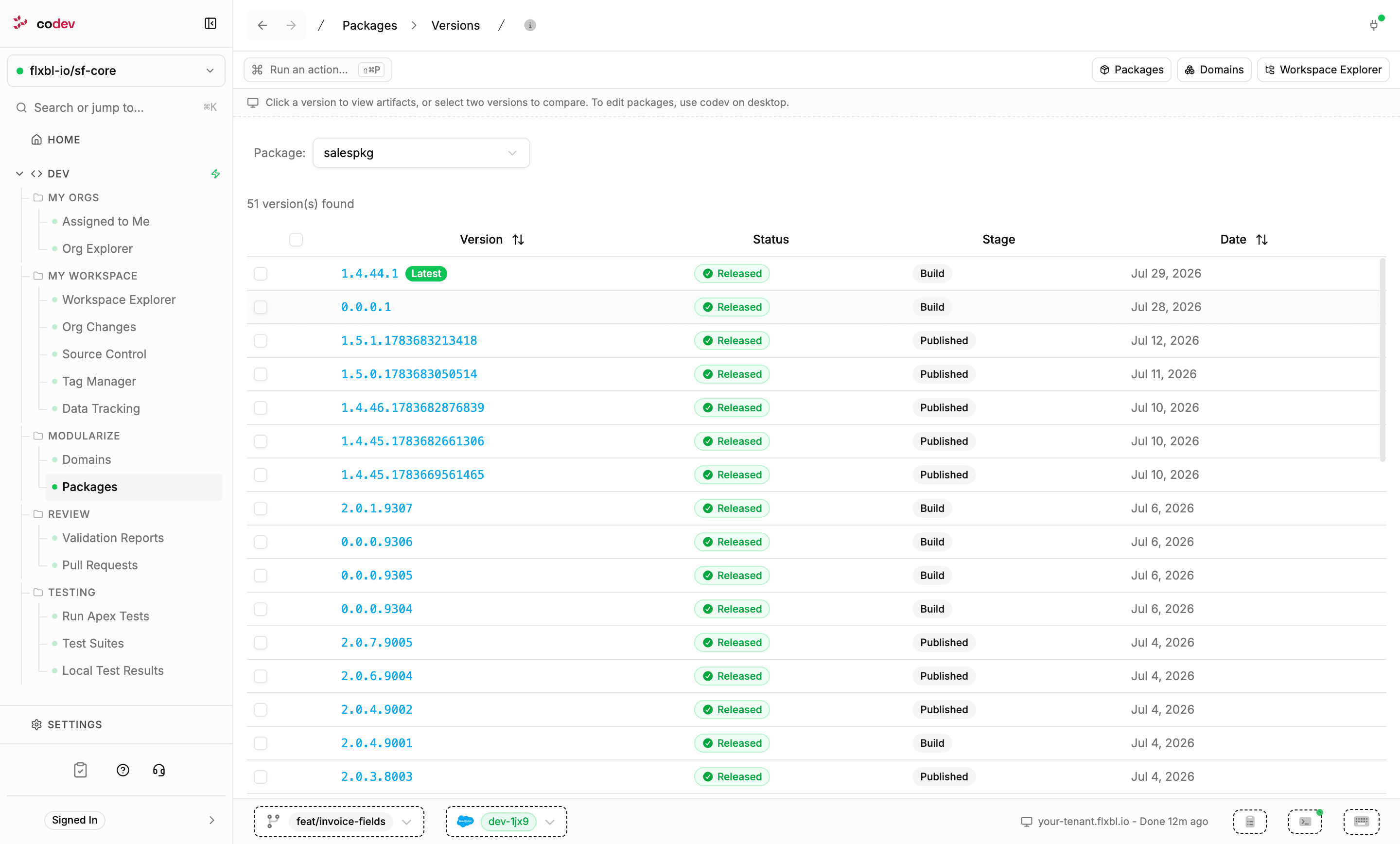
Click a version to open its artifacts. Select two versions to enable Compare Selected, which opens a diff of the two — including a content diff of what changed between them.