Validation reports and pull requests
The reports your commit validations produce, and the project's pull requests with their check status — the Review group of the Dev section.
The Review group under Dev holds the two surfaces that support code review: the reports produced when you validate a commit, and an overview of the project's pull requests.
Validation reports
Every commit you validate from Source Control stores its report, and Dev > Review > Validation Reports lists them — one card per validated commit on your current branch, with the outcome, the packages that were validated, and when the validation ran. Search by message, hash, or author, or filter by status.
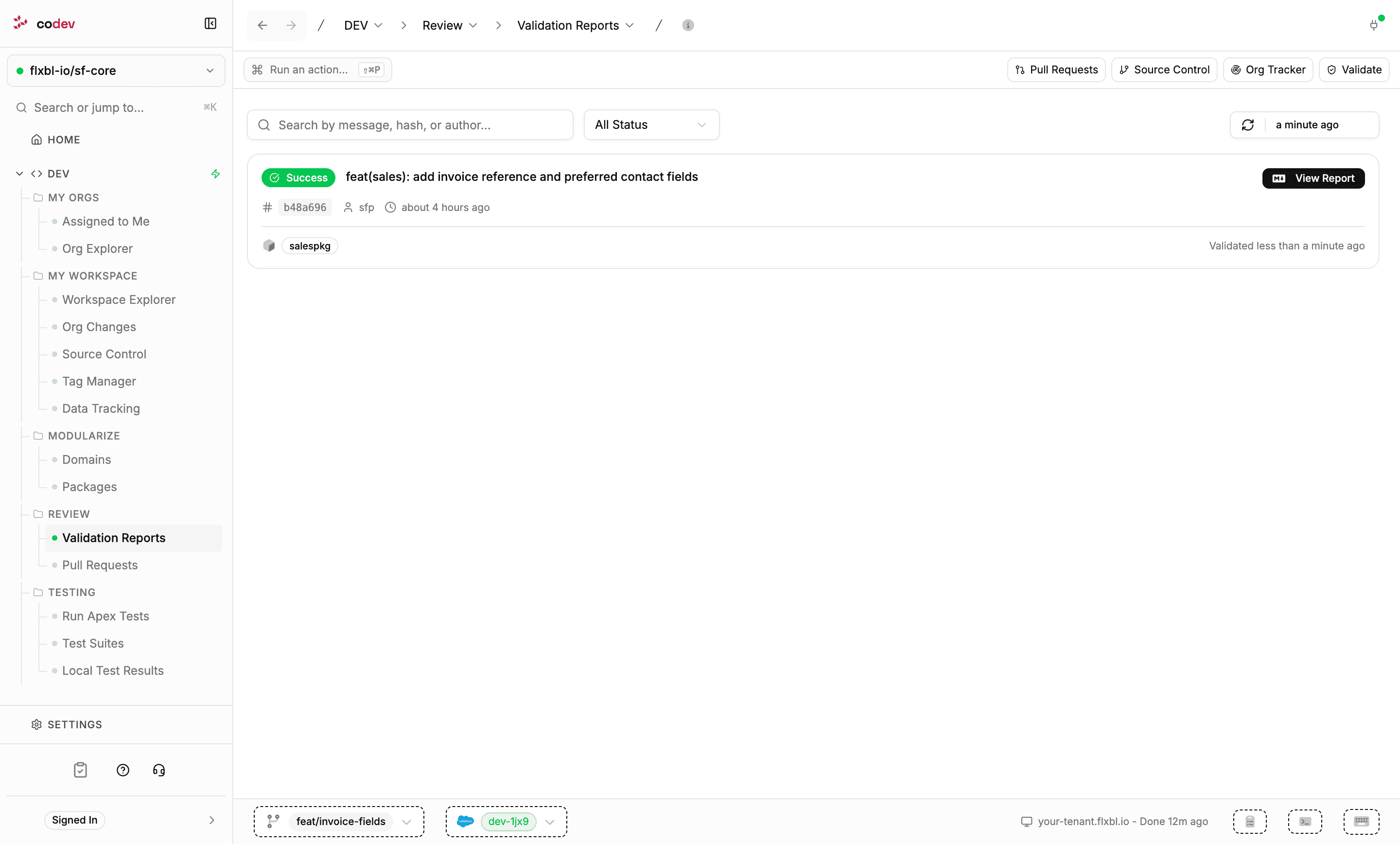
View Report opens the full report: the outcome, the deployment result per package, the Apex tests that ran, and coverage against the threshold. Copy Markdown copies the report for sharing — into a pull request description, for example.
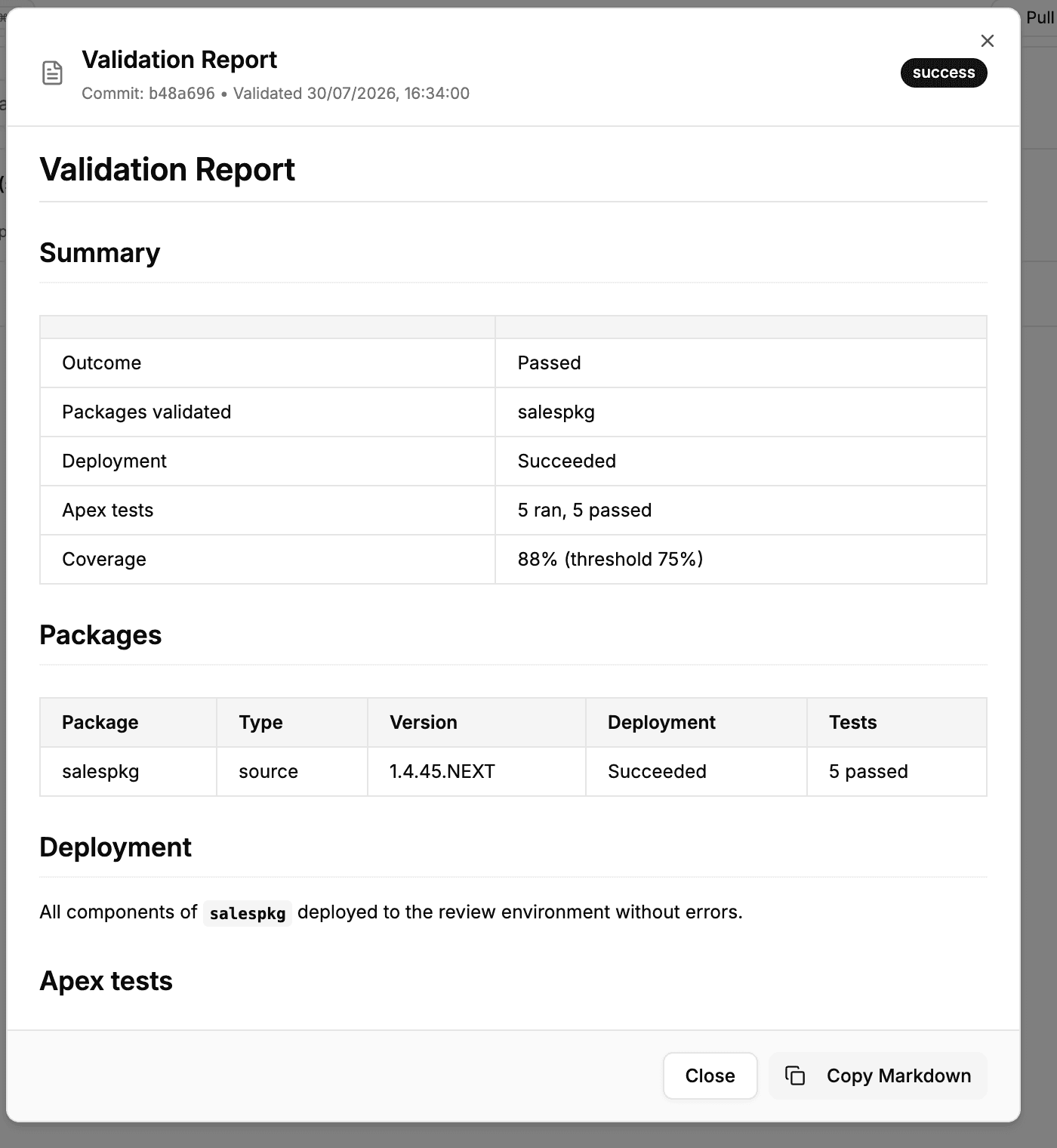
Reports follow your branch: the list covers the commits your current branch is ahead of its target, so once a commit merges, its report leaves the list.
Pull requests
Dev > Review > Pull Requests is the project-wide view of pull requests — every author, not just yours. Each row shows the pull request with its state and source branch, the provider's check status, and how the branch stands against its target: commits ahead, commits behind, or In Sync, with the pull request's age.
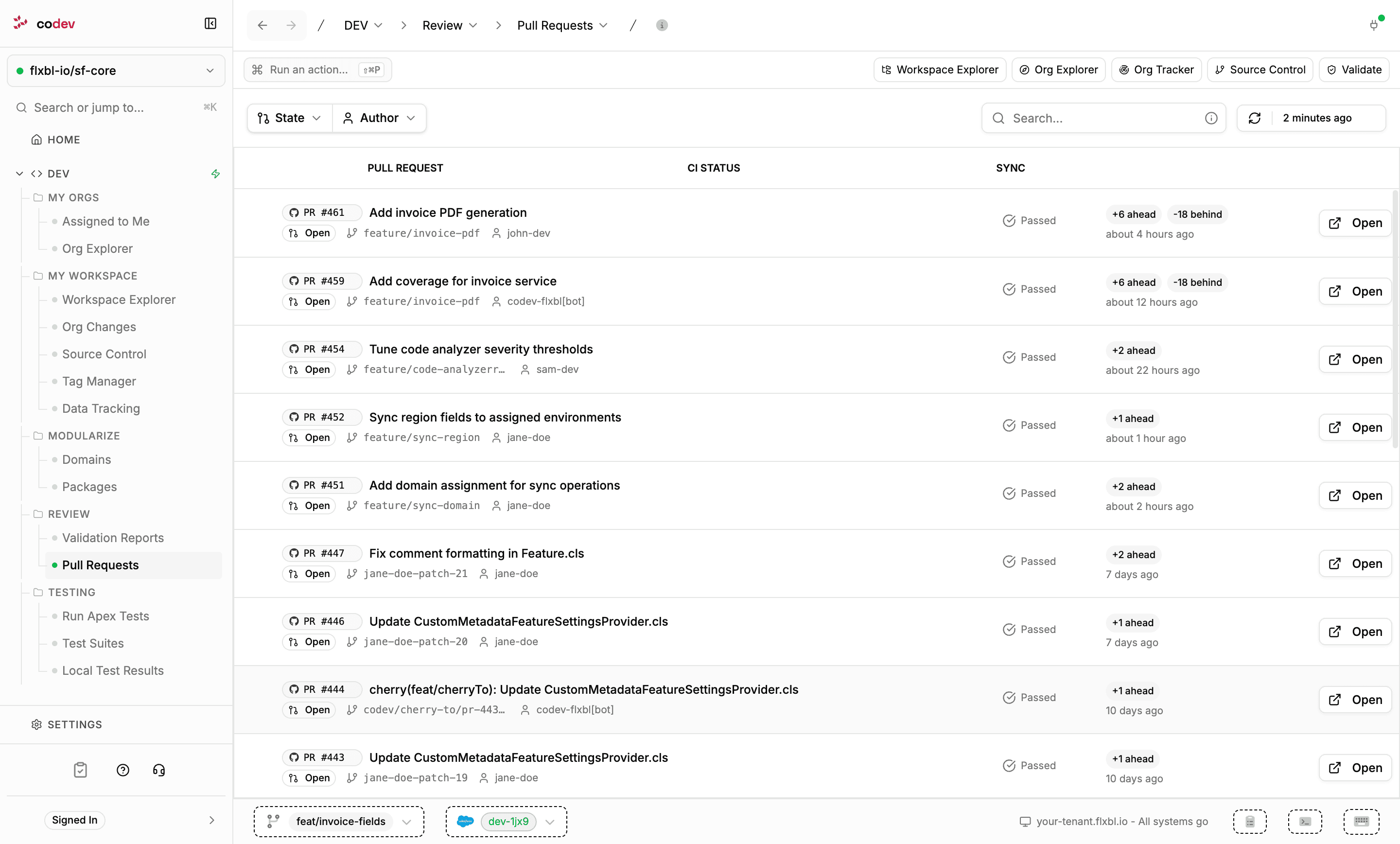
Filter by State (open, merged, closed) or Author, or search by number, title, branch, or author. Open takes you to the pull request at your source-control provider.
The list is served from the codev server, which refreshes its snapshot of the provider periodically; Refresh requests a fresh one.
This page is the read-only overview. Acting on your own branch — validating commits, creating a pull request — happens on Source Control, whose Commits & PRs tab shows your branch's pull requests alongside its commits.
Apex tests
Run Apex tests from your workspace against your development org — group them into suites, validate coverage, and keep a local history of every run.
Getting Started
First-time codev setup — what a Dev Hub, an SFDX auth URL, and the GitHub App are, and the onboarding steps in order, from creating a project to the pull-request flow. No prior Salesforce DevOps exper