Flows
The Flows section is where you track what codev is doing, approve release requests, and turn individual flows on or off.
Runs
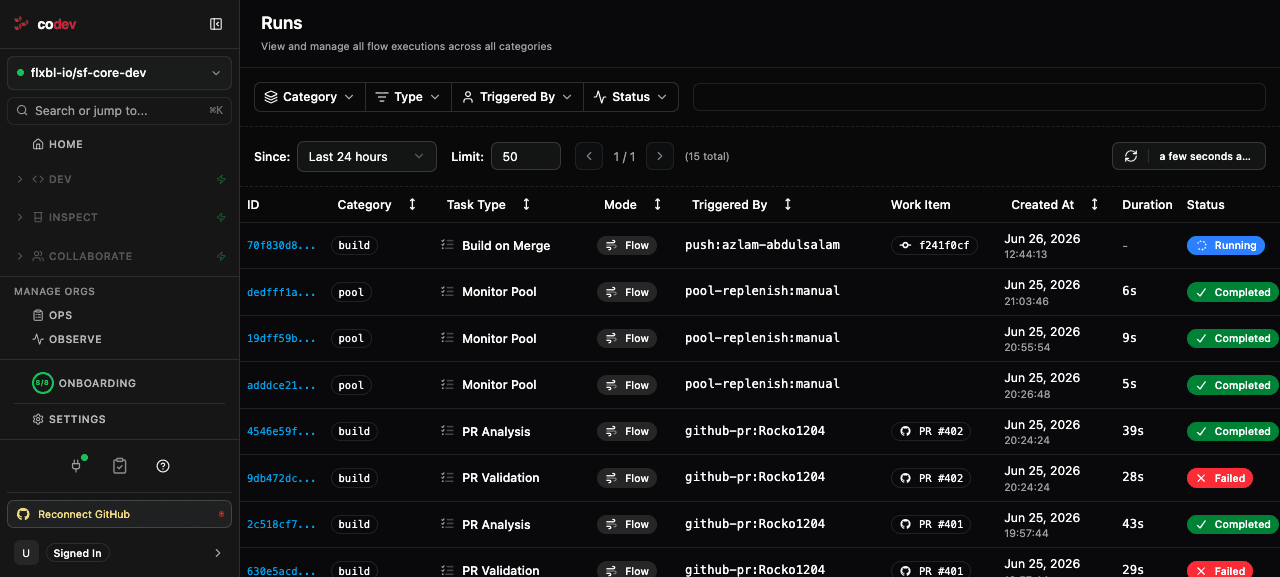
Every action codev performs — building packages, deploying to a sandbox, releasing to production, refreshing a pool — runs as a flow, and this page lists all of them. Use it to:
- Check if a deployment finished — filter by status to find completed or failed runs.
- Debug a stuck run — a "Waiting" status usually means the run is at an approval gate; check Pending Approvals.
- Investigate a failure — open the run to see which step failed.
You can filter by category (build, release, pool, sandbox), task type, who triggered it, and status.
Run statuses
| Status | Meaning |
|---|---|
| Running | The flow is executing. |
| Waiting | The run is paused at an approval gate — check Pending Approvals. |
| Completed | Every step succeeded. |
| Partial | The run finished with a mix of outcomes — something succeeded and something failed. |
| Failed | The run failed with no productive outcome. |
| Cancelled | The run was cancelled, or a release approval was rejected or expired. |
Partial is not a soft pass. It means the run did real work and also hit a real failure — open the run and look at its sub-flows to find the failed leg. If the run reports a commit check (such as sfp/Build on Merge), a Partial run still reports that check as failed.
The two common ways a run becomes Partial:
- Build on merge — the packages built and a release candidate was created, but deploying it to an environment failed. The release candidate is intact; fix the cause and re-run the deployment without rebuilding. See Builds: When a deployment fails.
- A release to multiple environments — the environments deploy independently, so some can succeed while others fail, are rejected, or expire. Each environment's own sub-flow carries its true outcome. See Managing Release Candidates: Releasing to multiple environments.
Run details
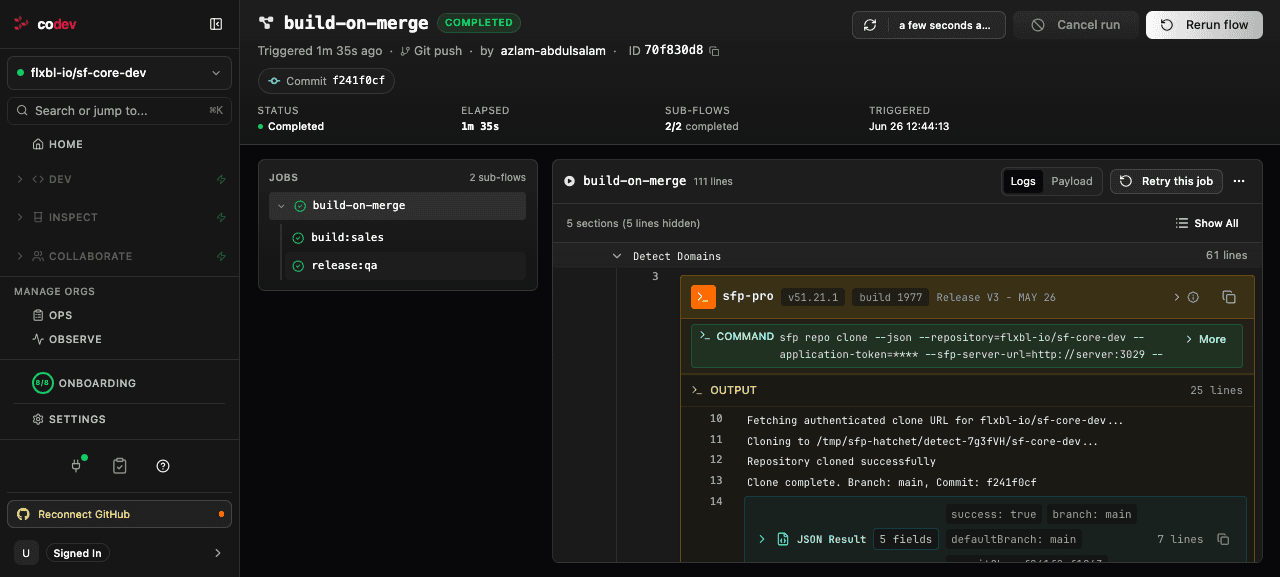
Opening a run shows everything about that execution: its status and elapsed time, what triggered it (a push, a comment, a schedule), the commit it ran against, and its sub-flows. The log pane breaks the run into its steps — for a build on merge, that is detecting impacted domains, building each domain, and deploying to environments — and you can open any step to read its full log. From here you can also retry a failed step or re-run the whole flow.
Pending Approvals
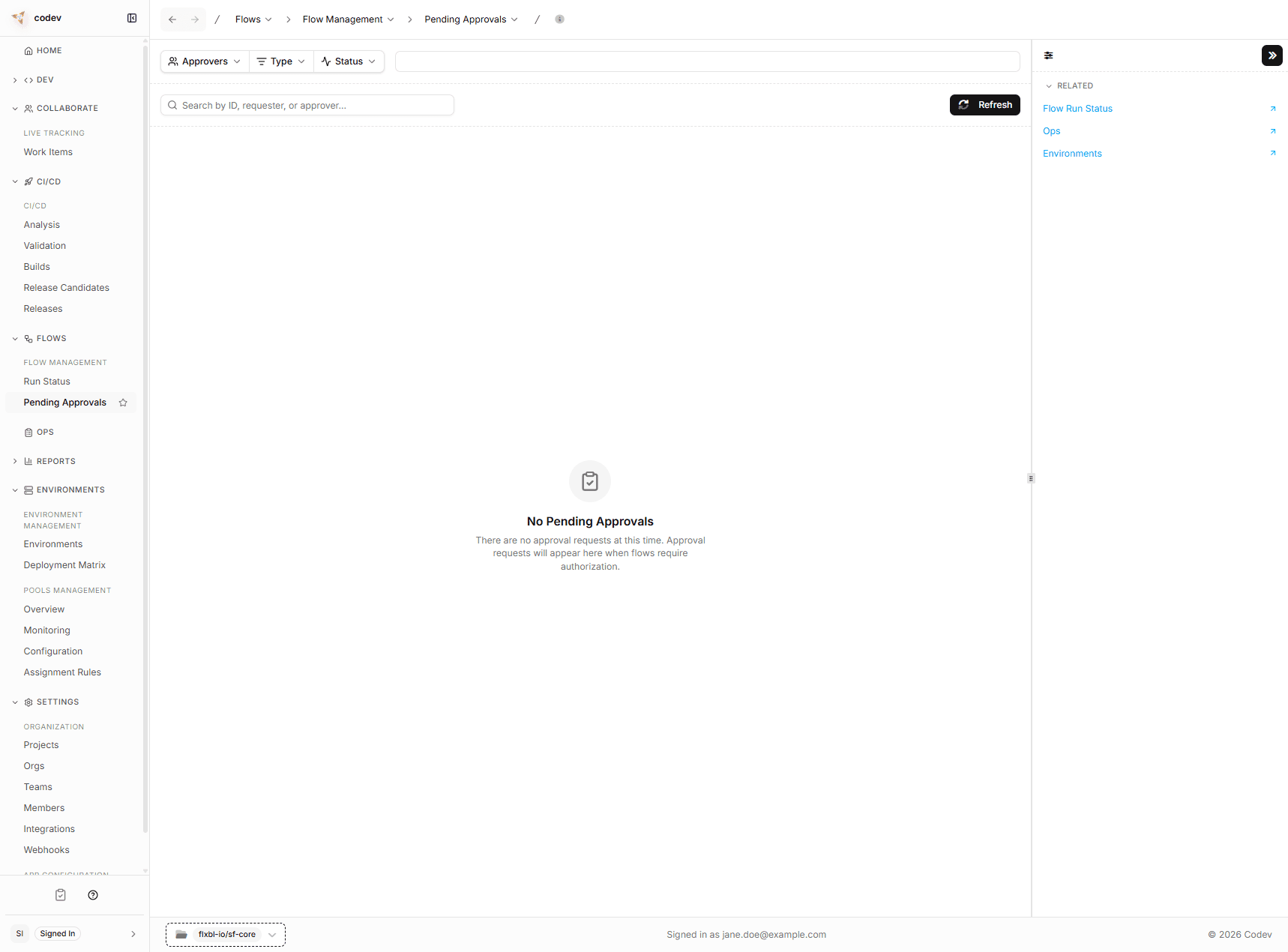
When someone requests a release, it does not deploy immediately. The request enters an approval gate and appears here. Each request you are authorized to resolve shows an Approve and a Reject action:
- Approved — codev locks the target environment, deploys the packages, and unlocks it. The release appears on the Releases page.
- Rejected — the deployment is cancelled. The release candidate remains available for a future attempt.
If the release targets multiple environments, each environment has its own approval request — approving the staging deployment does not approve production. A request that nobody resolves expires (60 hours by default) and does not deploy.
For how the approval gate works, where requests appear, who can approve, separation of duties, and gating on a ServiceNow change request, see Approvals and Configuring approval gates.
Configuration
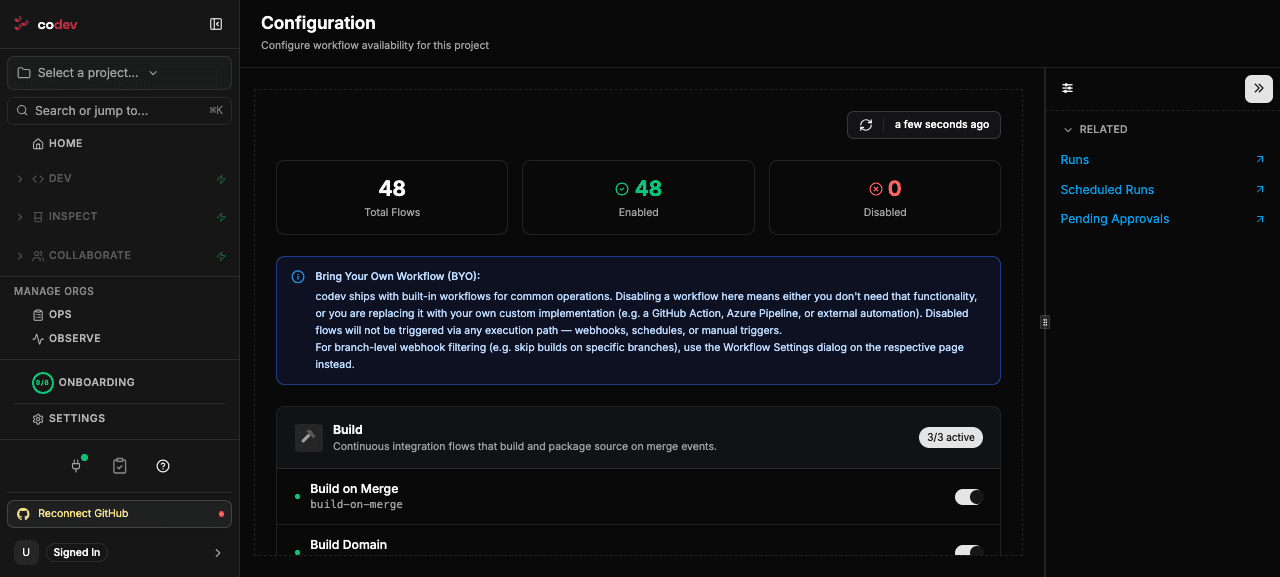
codev ships with built-in flows for common operations — building on merge, validating and analyzing pull requests, creating patch branches, syncing environments, and more. The Configuration page lists every one of them and lets you turn each on or off for a project.
Disable a flow when you don't need it, or when you are replacing it with your own automation — a GitHub Action, an Azure Pipeline, or an external job (bring your own workflow). A disabled flow does not run through any route: it is not triggered by a webhook, a schedule, or a manual run.
This switch is project-wide. To keep a flow on but skip it for certain branches — for example, build on merge to main but not to your release/* branches — use the Workflow Settings dialog on that flow's own page instead, which filters by branch rather than turning the flow off everywhere.
Related
- Approvals — resolving requests, who can approve, expiry
- Configuring approval gates — which environments require approval and separation of duties
- Managing Release Candidates: Requesting a release
- Releases: What is deployed where