> For the complete documentation index, see [llms.txt](https://docs.flxbl.io/flxbl/llms.txt). Markdown versions of documentation pages are available by appending `.md` to page URLs; this page is available as [Markdown](https://docs.flxbl.io/flxbl/codev/observe/org-insights.md).

# Org Insights

**Observe > Org Insights** captures a **snapshot report** of a registered org's configuration and lets you review it in place: what the org contains, how much automation it carries, who can do what, and what has been active. Use it to understand an unfamiliar org, to compare an org against expectations before a release, or as a periodic configuration record.
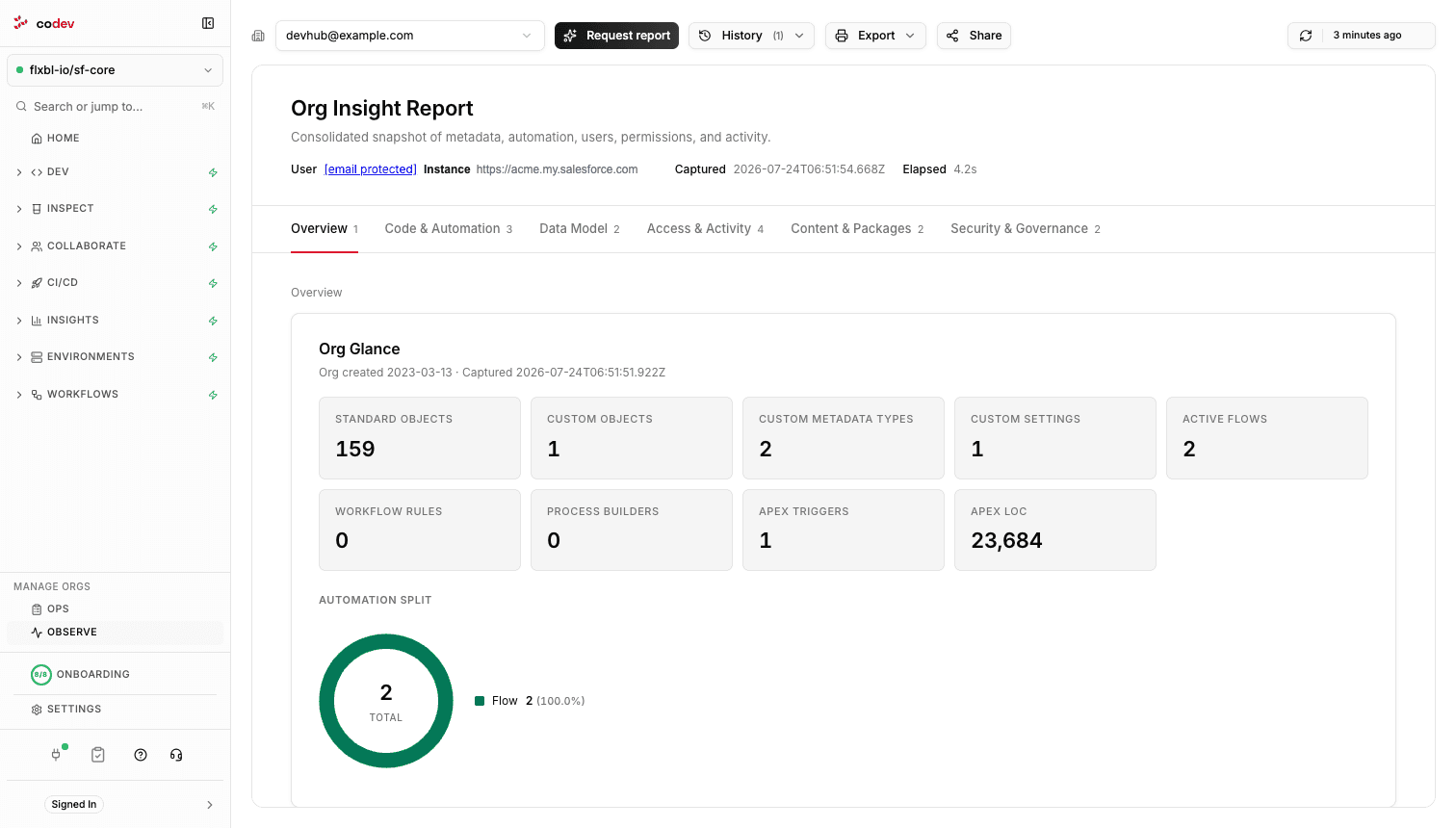
<figure><img src="/files/z03jL1pdIT8E9yd182Zb" alt="An org insight report showing the Overview section with org glance counters and the automation split, with section tabs for code, data model, access, content, and security"><figcaption><p>An org insight report — the Overview section, with the report's other sections as tabs.</p></figcaption></figure>

## Capturing a report

Pick the org and click **Request report**. The capture runs in the background against the org — collecting metadata counts, automation, users, permissions, and activity — and the report appears when it completes. **History** lists the recent capture runs with their status, so you can tell a fresh report from an old one; only one capture runs per org at a time.

Reports are point-in-time: nothing is collected on a schedule, so the report reflects the org at the moment you requested it. Request a new one whenever you need the current state.

## What the report covers

| Section                   | Contents                                                                                        |
| ------------------------- | ----------------------------------------------------------------------------------------------- |
| **Overview**              | The org at a glance — object, automation, and code counters, and the split of automation types. |
| **Code & Automation**     | Apex classes and triggers, flows, and per-object automation.                                    |
| **Data Model**            | Fields per object and field utilization.                                                        |
| **Access & Activity**     | Users, permissions, connected apps, and logins.                                                 |
| **Content & Packages**    | Installed packages and content.                                                                 |
| **Security & Governance** | Security posture and pending release updates.                                                   |

## Sharing and exporting

**Share** copies a link that opens Org Insights with the same org preselected. **Export** prints or saves the report — the report is self-contained, so the exported copy reads the same as the page.


---

# Agent Instructions
This documentation is published with GitBook. GitBook is the documentation platform designed so that both humans and AI agents can read, navigate, and reason over technical content effectively. Learn more at gitbook.com.

## Querying This Documentation
If you need additional information that is not directly available in this page, you can query the documentation dynamically by asking a question.

Perform an HTTP GET request on the current page URL with the `ask` query parameter, and the optional `goal` query parameter:

```
GET https://docs.flxbl.io/flxbl/codev/observe/org-insights.md?ask=<question>&goal=<endgoal>
```

`ask` is the immediate question: it should be specific, self-contained, and written in natural language.
`goal` is optional and describes the broader end goal you are ultimately trying to accomplish on behalf of the user. GitBook uses it to tailor the answer towards what is most useful for that goal.

The response will contain a direct answer to the question and relevant excerpts and sources from the documentation.

Use this mechanism when the answer is not explicitly present in the current page, you need clarification or additional context, or you want to retrieve related documentation sections.
