Approvals between stages
How a Workfloor lane stops a Salesforce card from moving on until someone agrees, through protected ways out, plan approval, judged decisions, Flux's questions and permission requests.
A card moves between stages along the ways out its lane defines. A lane author can make a way out wait for people, route it through a decision a judge answers, or put a question to the assignee.
Ways out and who takes them
In the lane editor (Settings > Projects, the project, Workflow, Edit workflow), a work stage's Ways out lists each way a card leaves it: a trigger, where it goes and who may take it.
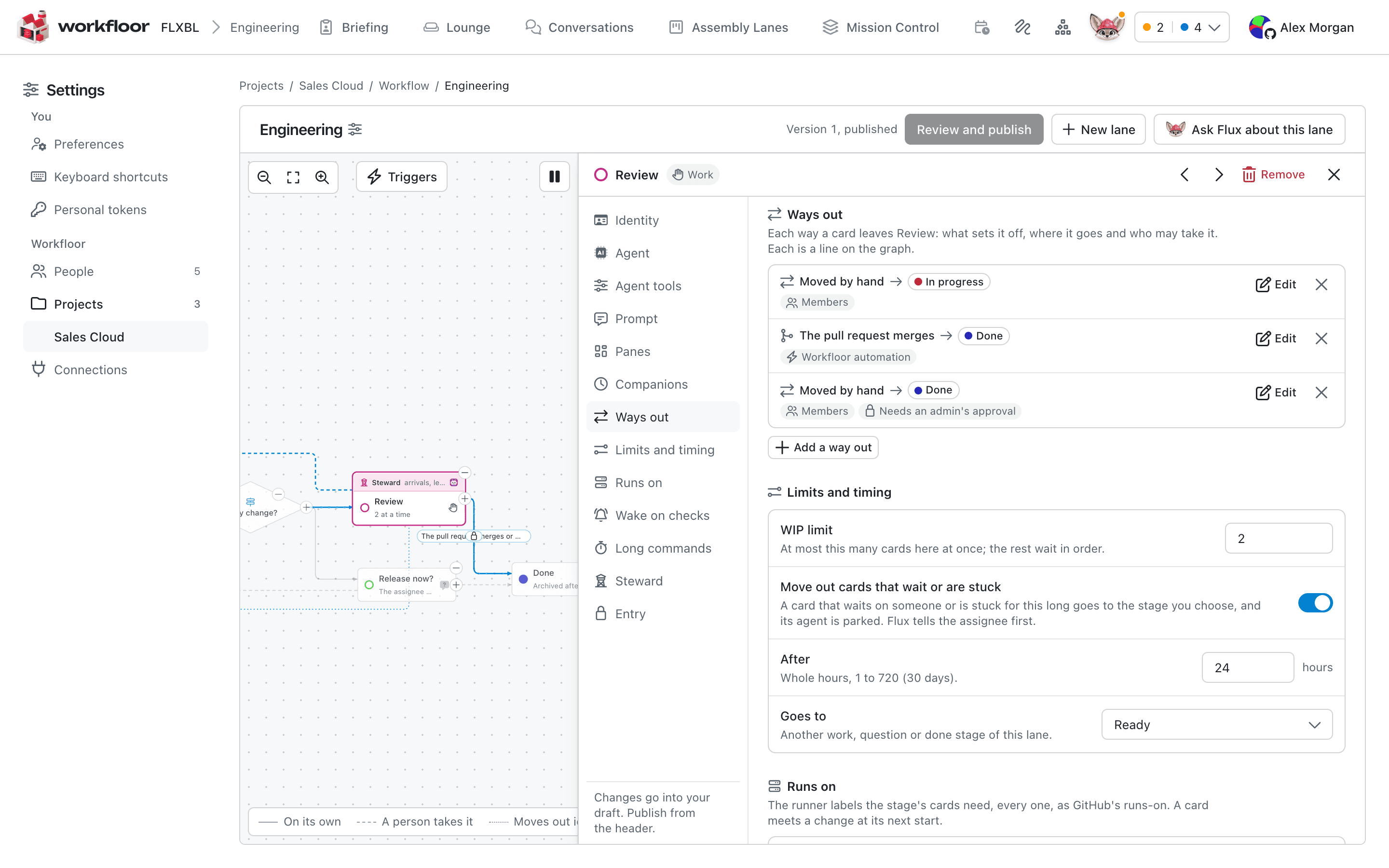
Triggers include Moved by hand, The agent says it's done, The pull request merges and After a wait here. Who may take it offers Admins, Members, The assignee, The agent (Flux), Workfloor automation, and, on a move by hand, The steward, Applications and Missions. Only a party a way names can take it.
A move that waits for approval
Under Approval, a way out takes No approval, An admin approves, A member approves, The assignee approves or Protect this way out, which opens a set of rules: Require approvals (1 to 6 different people), Who may approve (Admins, Members, The card's assignee, named people), whether a new plan revision dismisses approvals (on by default), whether the person who moved the card may approve (off by default), and who may bypass. If declined sends the card to a stage, or leaves it where it is.
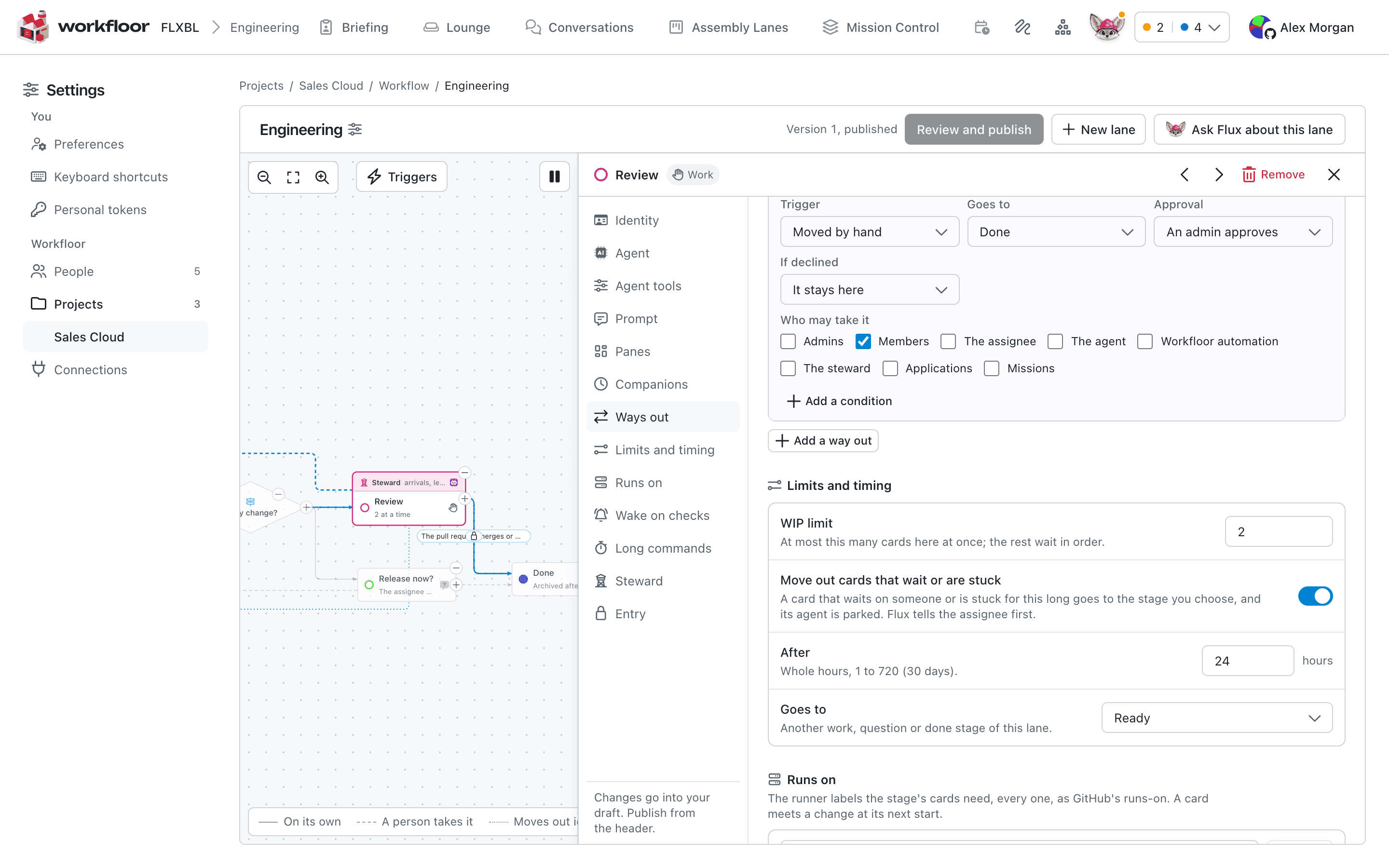
When someone takes the way out, the card stays in its stage and waits while Flux keeps working there. The card says who it waits on, and anyone who may approve sees Approve and Decline…. Named approvers are also told by Flux in Slack. Declining needs a comment, which goes into the stage's handoff log and reaches Flux. One decline stops the move and clears the approvals given.
Plan approval
Approve plan in a plan stage is a move along the stage's way forward. It names the revision you read and is refused if a newer one exists. If that way is protected, the card waits for approvals. Where the gate lets the person who moved the card approve, an approver whose approval would complete it approves by moving. Approvals given for an earlier revision are dismissed when a new revision is published, if the gate says so.
Decisions
A Decision stage routes a card By conditions or By a judge. A card is never shown in a decision stage; it stays in the stage it came from while the judge reads.
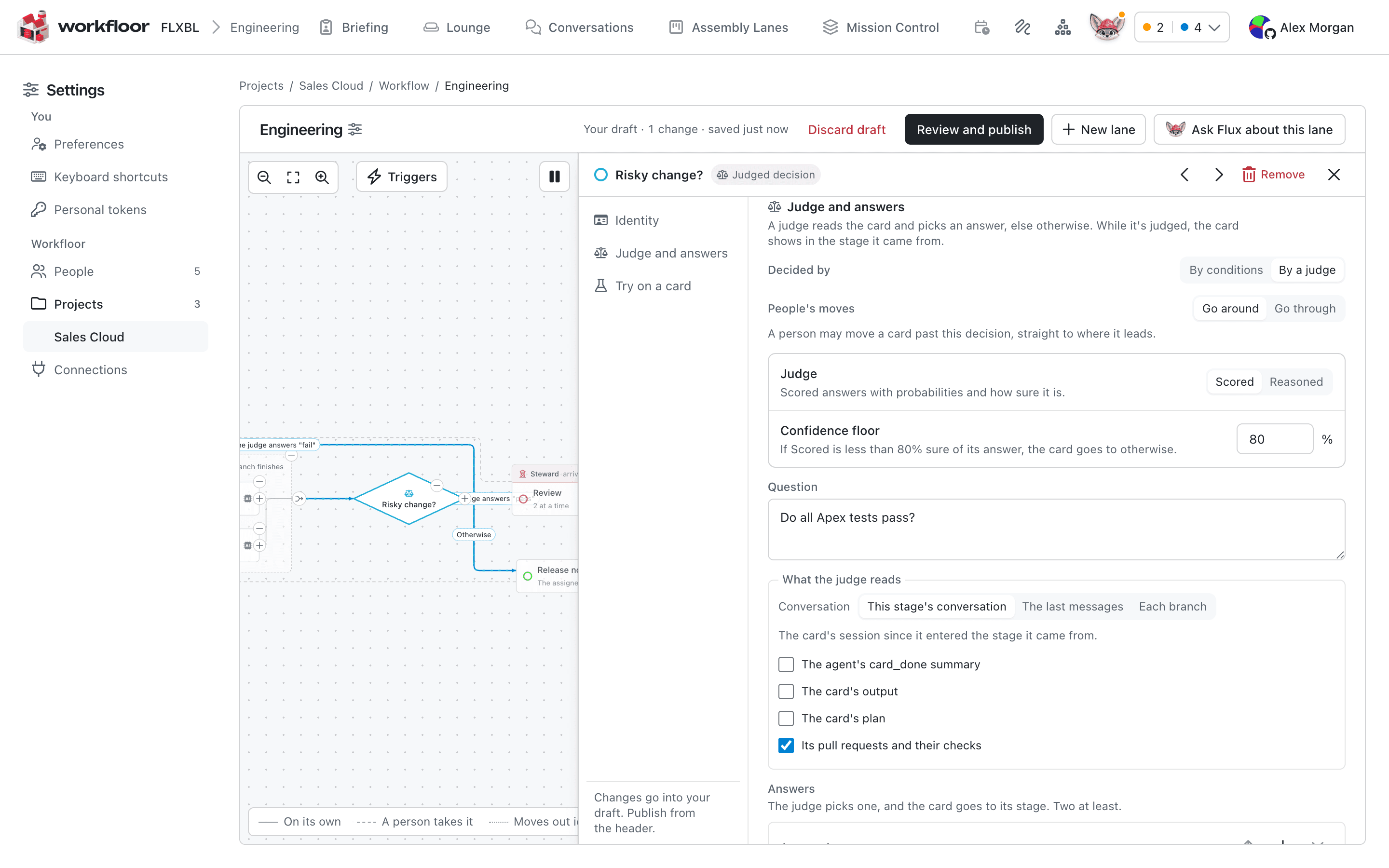
The lane author sets:
- Judge: Scored answers with probabilities and how sure it is; Reasoned can give a written reason.
- Confidence floor (Scored): below it, the card goes where Otherwise goes to says. The default is 80%.
- Question and What the judge reads: this stage's conversation or the last messages, and optionally Flux's summary, the card's output or plan, and its pull requests and their checks.
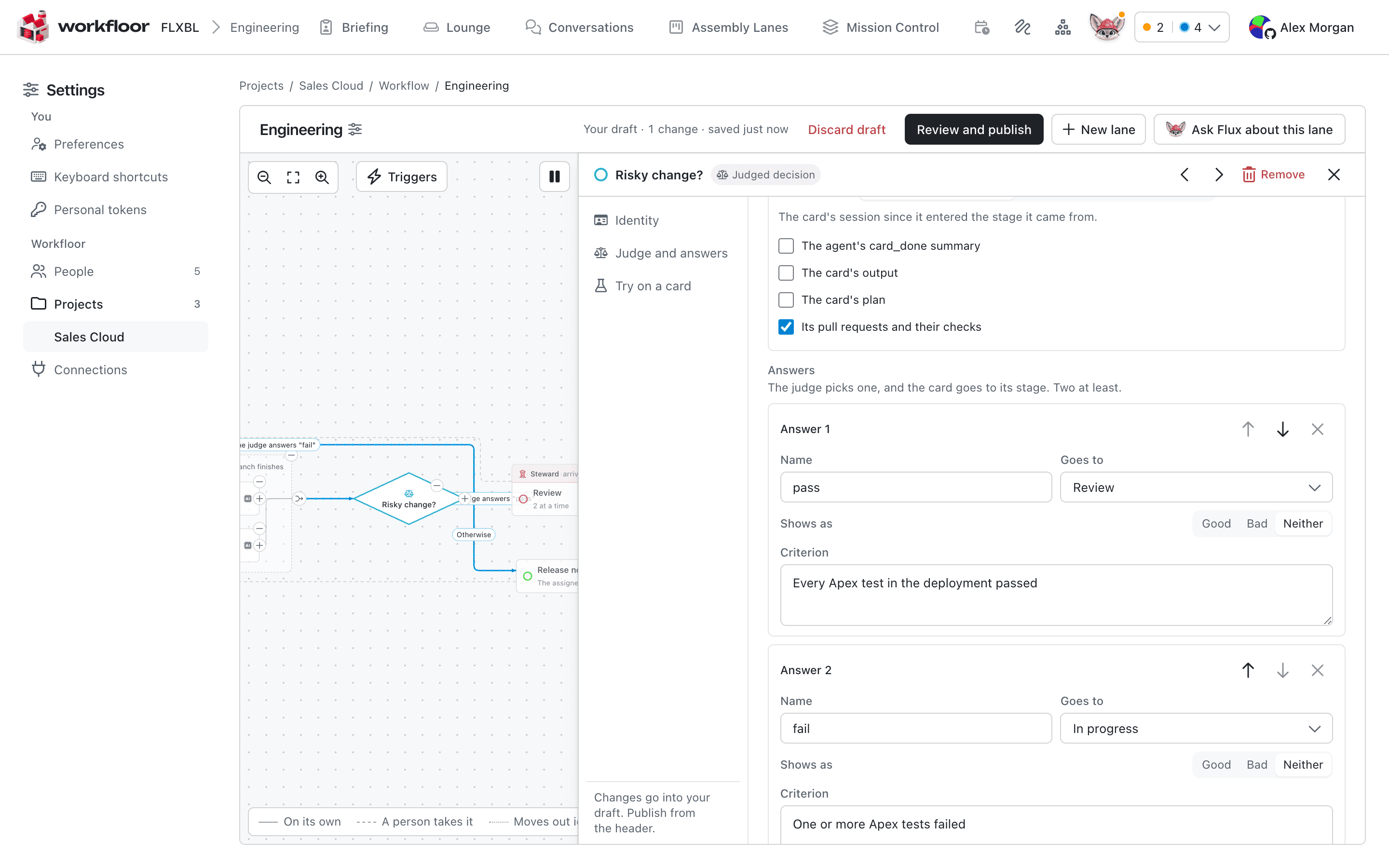
- Answers: at least two, each with a name, a stage it goes to, a Criterion saying what it means, and whether it shows as Good, Bad or Neither.
- Add a check: yes/no questions beside the answer. A check that is not a yes sends the card to Otherwise.
- People's moves: Go around lets a person move a card past the decision; Go through makes their move go through it too.
Try on a card runs the draft's judge on a real card before publishing.
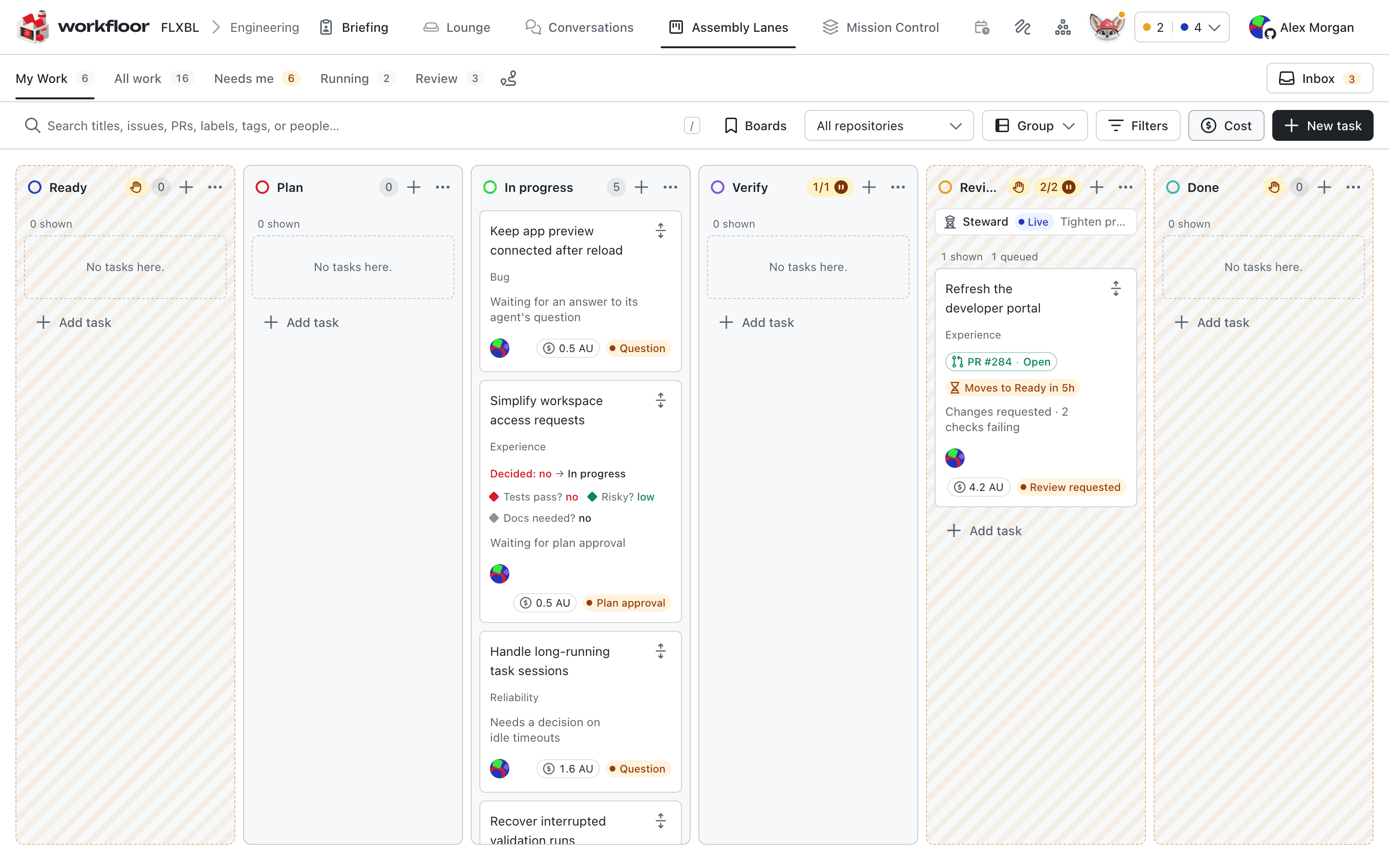
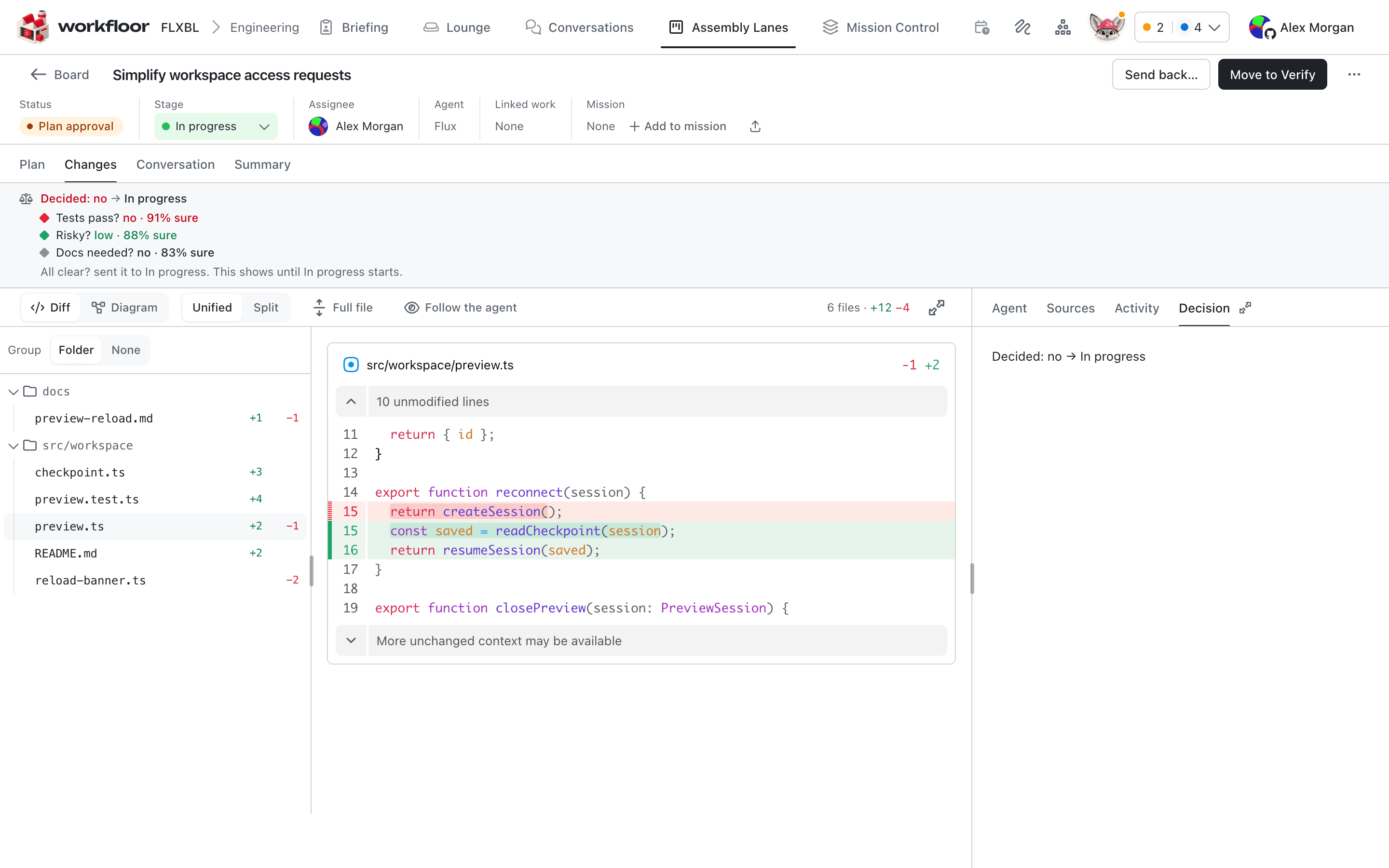
The card's Decision tab shows the question, each answer with how sure the judge was, and where the card was sent.
A Question stage puts a question with answers to the card's assignee, each answer going to a stage.
Flux's questions and permission requests
When Flux needs an answer while it works, the card shows the question and waits for the assignee. In a plan stage the questions are in the plan. A project admin sets Agents' permission requests on the project's Agents tab. With Ask the card's people, Flux's requests to run a command or edit a file wait for Allow or Deny from the card's assignee or a project admin; with Allowed, the default, they are allowed.
Past a hold
A person allowed to bypass a protected way out chooses Bypass and move from the card and gives a reason. By default admins may; Do not allow bypassing removes that for everyone, admins included. A bypass goes around the approvals only, not what the card waits for. The reason goes into the next stage's handoff log and the card's activity. A stage's panes judge has its own Move anyway…, also with a reason (Stage workbenches).
A drag or the move picker cannot go around a protected way out, or around a decision set to Go through.
What cannot approve
Only a person's approval counts toward a gate. Flux, a stage steward and a mission agent never approve one. A steward does not pass a decision, and a mission agent does not give a step's Run.
A Salesforce lane
A lane for Salesforce changes could run Plan, Build, Verify and Review:
- Plan: Flux writes the plan; the assignee answers its questions and chooses Approve plan.
- Build: Flux changes metadata and Apex and opens a pull request.
- Verify: a decision asks "Do all Apex tests pass?" with its pull request's checks as evidence. pass goes to Review, fail back to Build.
- Review: the way to Done is protected and names the release manager as approver. Until they approve, the card waits.
Next: Stewards and companions.
Stage workbenches and scratch pads
How a Workfloor card's page changes with the stage it is in, what the Plan, Changes and Scratch pad views hold, and how Salesforce projects see metadata changes.
Stewards and companions
How a Workfloor lane can run Flux as a stage steward for a whole stage and its queue, and as companions and helpers beside a card's own agent.