The mission agent
How a Workfloor mission can have its own Flux agent that plans, orders and dispatches the mission's work, and writes on GitHub only as a member through short grants and proposals.
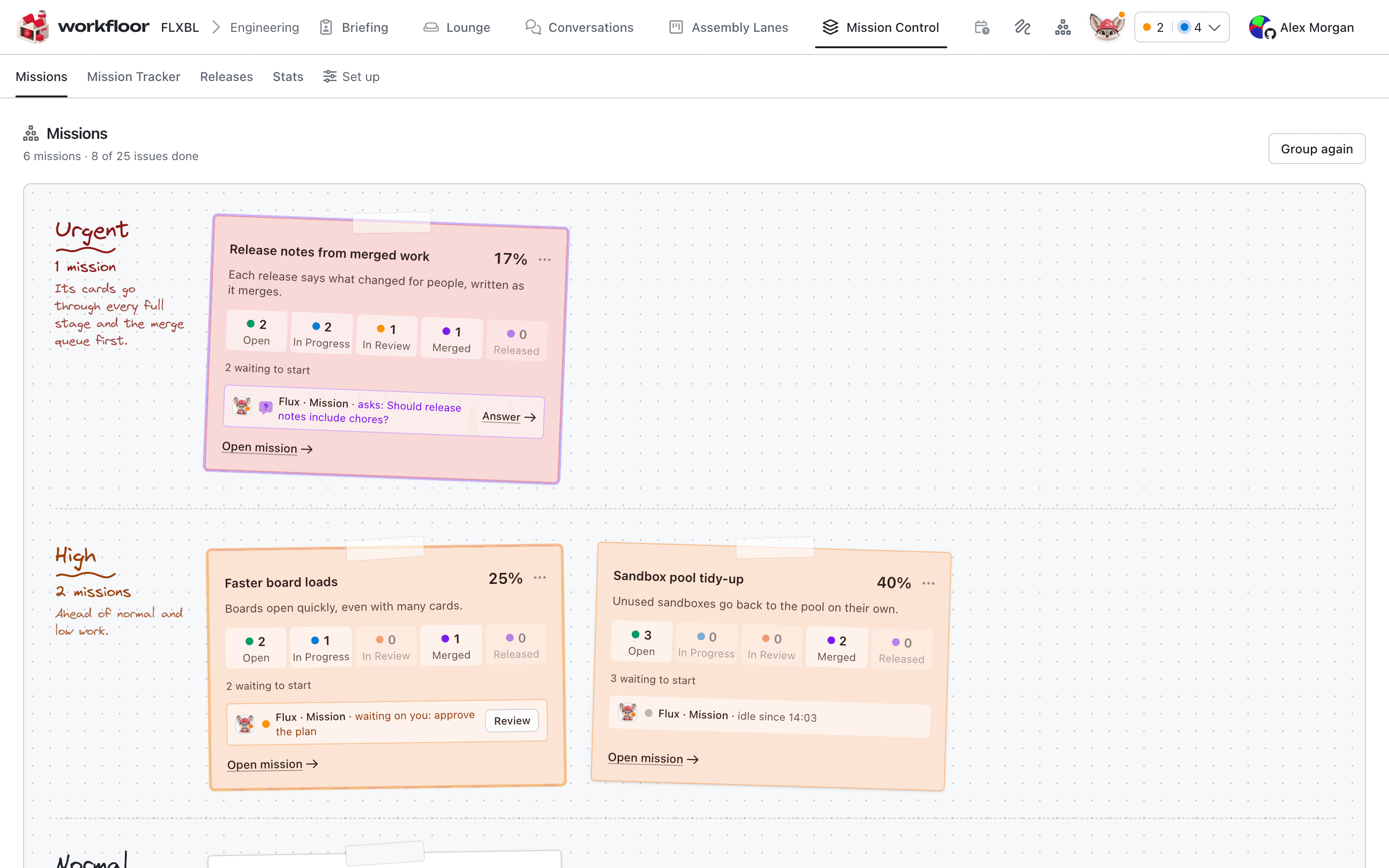
A mission can have its own agent. It is Flux, shown as Flux · Mission, and it follows one mission: it reads the items, keeps a plan, orders the work, and tells you what changed. It is started by a member from the mission's page. Missions describes what a mission holds.
Start the agent and the supervisor
On a mission with no agent, the page shows Mission agent with Start the agent. The text says that Flux keeps the mission's plan, is woken when its items change, and asks the person what only they decide. Promote to mission…, on a card, starts it in the same step with Start its agent. A closed mission has no agent; Reopen mission brings back the one it had.
The member who starts it becomes its supervisor, shown in the mission's header. The supervisor answers the agent's plan questions and approves its plan; other members can comment but not answer. The cards the agent dispatches are the supervisor's: they are the foreman and assignee, so the cards' agents act on GitHub as them.
The page becomes a workspace once the agent runs. Items is always there, with Order of work and Dashboard where they apply; the agent's Plan and its other panes are added, and Flux's conversation is docked beside them with the mission's History and the agent's Activity. Ask Flux about this, in an item's menu, starts a question about that item.
What it does on its own
Workfloor wakes the agent about every five minutes when something changed in its mission: items that moved, joined or left, or a newly anchored epic. It is not woken when nothing changed. From a wake it:
- Reads the mission's items, their cards and states, and any of the project's repositories and their issues and pull requests, read only. It can read the linked epic afresh.
- Plans as a member does on the page: adds, renames and removes planned items, orders items, and says which item waits for which. The page shows these changes in History as "Flux · Mission".
- Sets priority on the mission and on its items. It cannot change a mission's level that a member pinned with Keep at this level.
- Links an epic to a mission that has none, from a tracked repository. It never unlinks one.
- Dispatches an open issue or pull request of the mission to a lane, as a new card linked to it. Only a lane's start, or a stage that a way out marked for missions leads into, takes it; a lane author chooses that in the lane editor. A planned item is filed by a member first.
- Moves a card of the mission only where a member could by the lane's own ways: along a way out marked for members or missions, back to the lane's start, or into a stage of another lane that such a way leads into. A move that waits for approval still waits.
In a Salesforce mission, Flux can dispatch the permission set change first, record that the flow waits for it, and move the flow's card into Build when the change is merged.
What it never does
It does not approve a gate, give a step's go, merge, close or reopen a mission, or pass a decision. It does not open, close or edit a pull request, assign anyone, review, or push. A move Flux may not make is refused, with words telling it to ask the supervisor in the conversation.
Writes on GitHub happen as a member
Flux holds no write access to GitHub. It writes on the mission's own items, in repositories Mission Control tracks, and only four kinds of write exist: file a planned item as an issue, comment, add or remove labels (never the intake label), and close one of the mission's issues as completed or not planned when a member asks. Comments end with a line saying the mission agent wrote them.
A message gives a grant. Each message a member sends Flux from the mission's page lets it write as that member for 15 minutes or 10 writes, whichever ends first. The page shows the grant under the message box with Revoke: "Flux may write on GitHub as you for 15 minutes after you send." A grant applies only to the turn that answers that member's own message. Another member's message, a wake, or a steer ends it for that turn. The write is made with the member's own GitHub link and push access, and History records it as "Flux · Mission, as" their name. A message also lets Flux move a mission's card as that member, through the lane's moves for their role.
Without a grant the write is a proposal. Proposals wait at the top of Items under Waiting on you, "proposed by Flux · Mission".
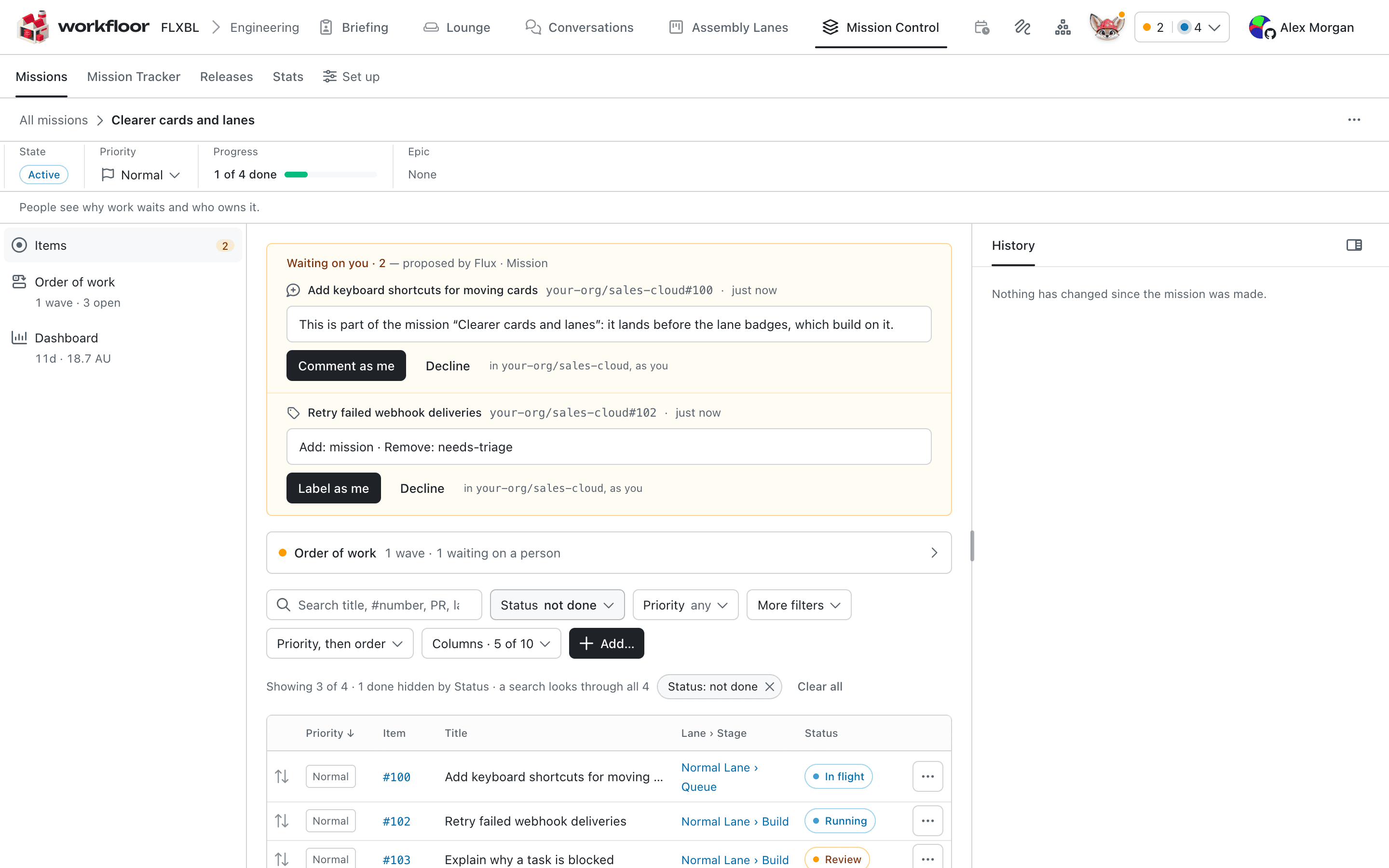
The member's choice makes the write as them. If nobody decides within seven days, the proposal expires, and Flux is told how each one ended.
Cards and questions
Cards of the mission can write to the agent: a card's own Flux can send it a note, up to 10 an hour. A card of the mission also reads the mission's title, summary and item states in its context.
Plan questions are the supervisor's. On the mission agent's plan, only the supervisor answers or sends; anyone else comments.
Next: Stewards and companions.
Missions
How a Workfloor mission groups the issues, pull requests, cards and planned items behind one outcome, orders them, sets their priority and tracks them to release.
Modelling releases with the release analyst
Teach Workfloor how a repository releases. Flux, as the release analyst, reads the repository and drafts a release model, and a project admin confirms it.