Modelling releases with the release analyst
Teach Workfloor how a repository releases. Flux, as the release analyst, reads the repository and drafts a release model, and a project admin confirms it.
Workfloor does not assume what a release is. For each repository, Flux works as the release analyst: it reads how the repository releases, drafts a release model, and a project admin confirms it. The confirmed model decides what counts as a release, where a release goes and when it counts as released.
Learning is in Mission Control > Releases. A repository with no confirmed model has no releases, so its merged pull requests stay in Merged on the tracker.
Start the analysis
Only a project admin starts it, and only on a computer; on a phone the page says so. Releases lists the repositories Workfloor can read. Each row has Learn how it releases, or Continue while an analysis is under way.
Learning only reads. Nothing changes in the repository until the model is confirmed.
Flux reads the repository's release configuration (a release-please configuration, for example), its workflows, its environments, its releases and tags, and its recent deployments. It works in its own conversation, docked on the right, which keeps its history. If two admins work on the same repository, either carries on where the other left off.
Read the draft
The page opens as Learning how <repository> releases, with a state badge (Reading, 1 question for you, Ready to confirm) and four tabs.
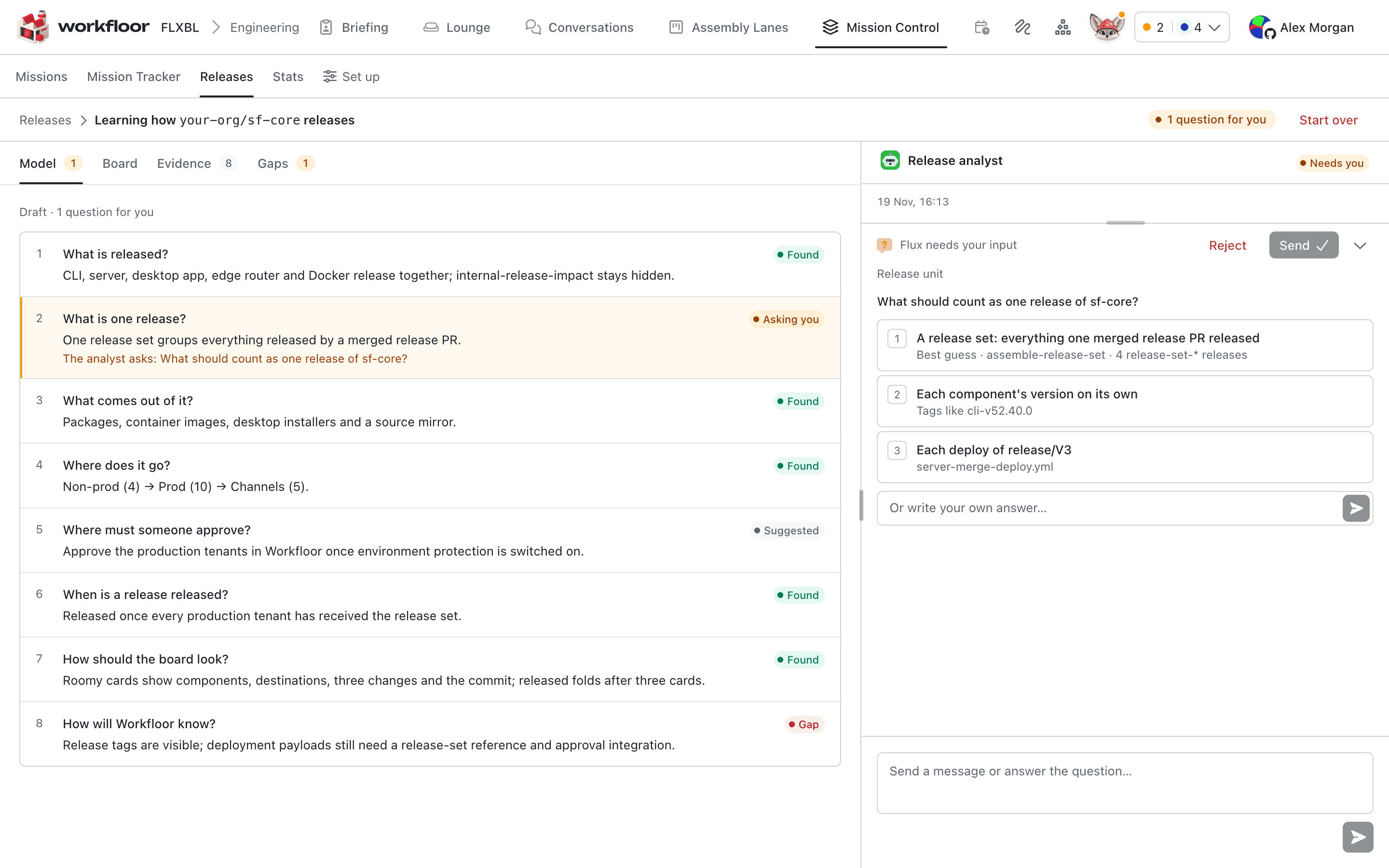
Model answers eight questions, each with a state such as Found, Asking you, Confirmed or Suggested:
- What is released? The components that ship together.
- What is one release? A release set, a component version, a tag, a deploy or a release candidate.
- What comes out of it? Packages, images, installers.
- Where does it go? Environments, tenants and channels, grouped into lanes in board order.
- Where must someone approve? Approvals GitHub already holds.
- When is a release released? Which lanes it must reach.
- How should the board look?
- How will Workfloor know? What releases and deployments record.
Evidence lists where each answer was found: a file, a workflow, an environment or a release tag, each with a link to open it. Gaps lists what Workfloor cannot see yet and, where Flux proposes one, the fix, with its pull request once there is one.
What Flux cannot settle from the repository, it asks. What counts as one release is always put to a person. Answer in the conversation, with the options Flux offers or in your own words; you can also correct any answer later in plain words.
Check the board preview
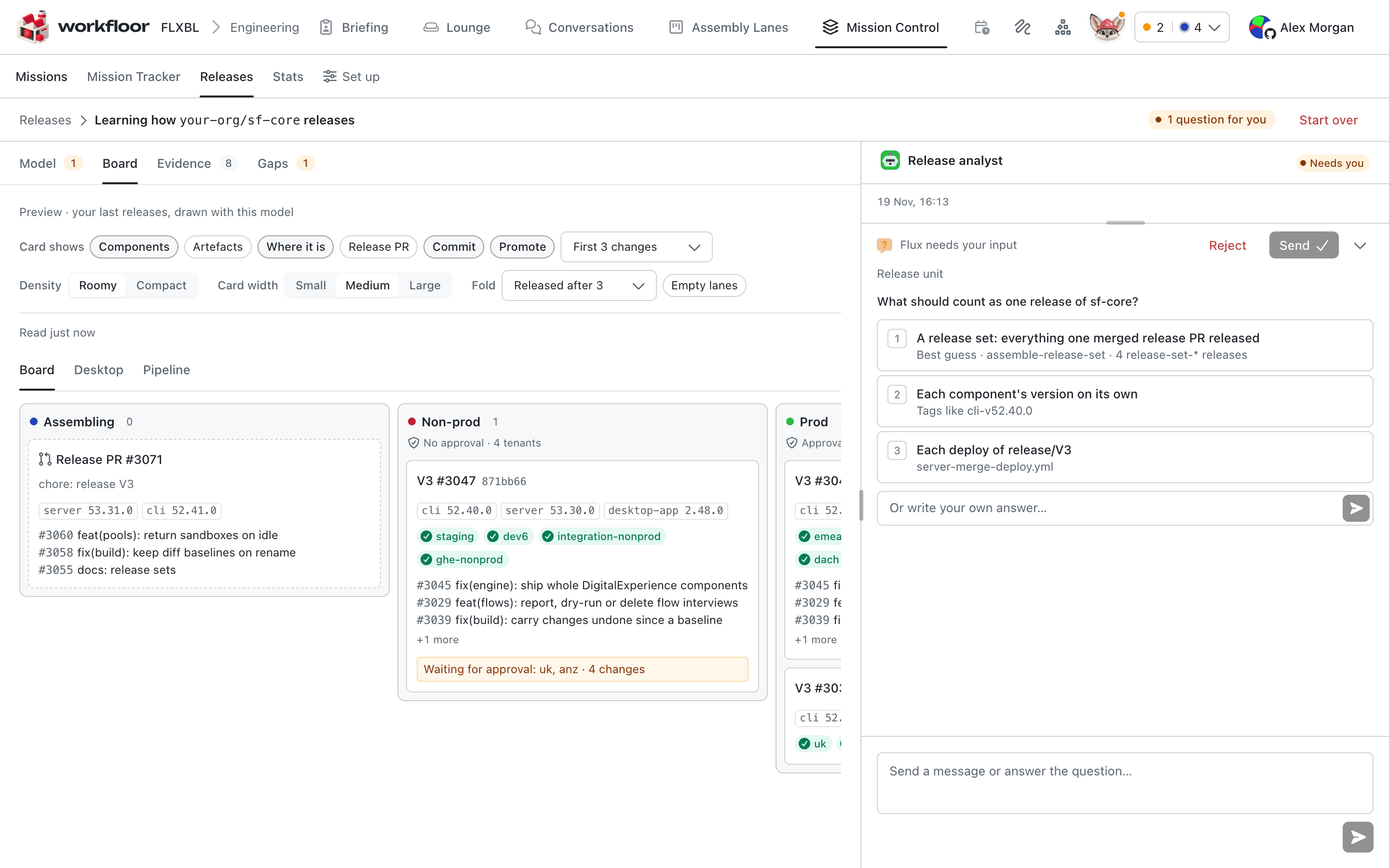
Board draws the last releases of the repository with the draft model, so you see lanes, destinations and where each release stands before anything is live. Above it, controls choose what a card shows (Components, Where it is, Commit, Promote), the density and card width, and when released cards fold away. Ask Flux in the conversation for another view, such as a Desktop view that shows only the releases carrying one component; it appears as a tab.
Confirm
When a person has confirmed what one release is, the badge reads Ready to confirm and Confirm and go live appears. A project admin chooses when it is good enough; open answers do not block it, and the page says how many remain.
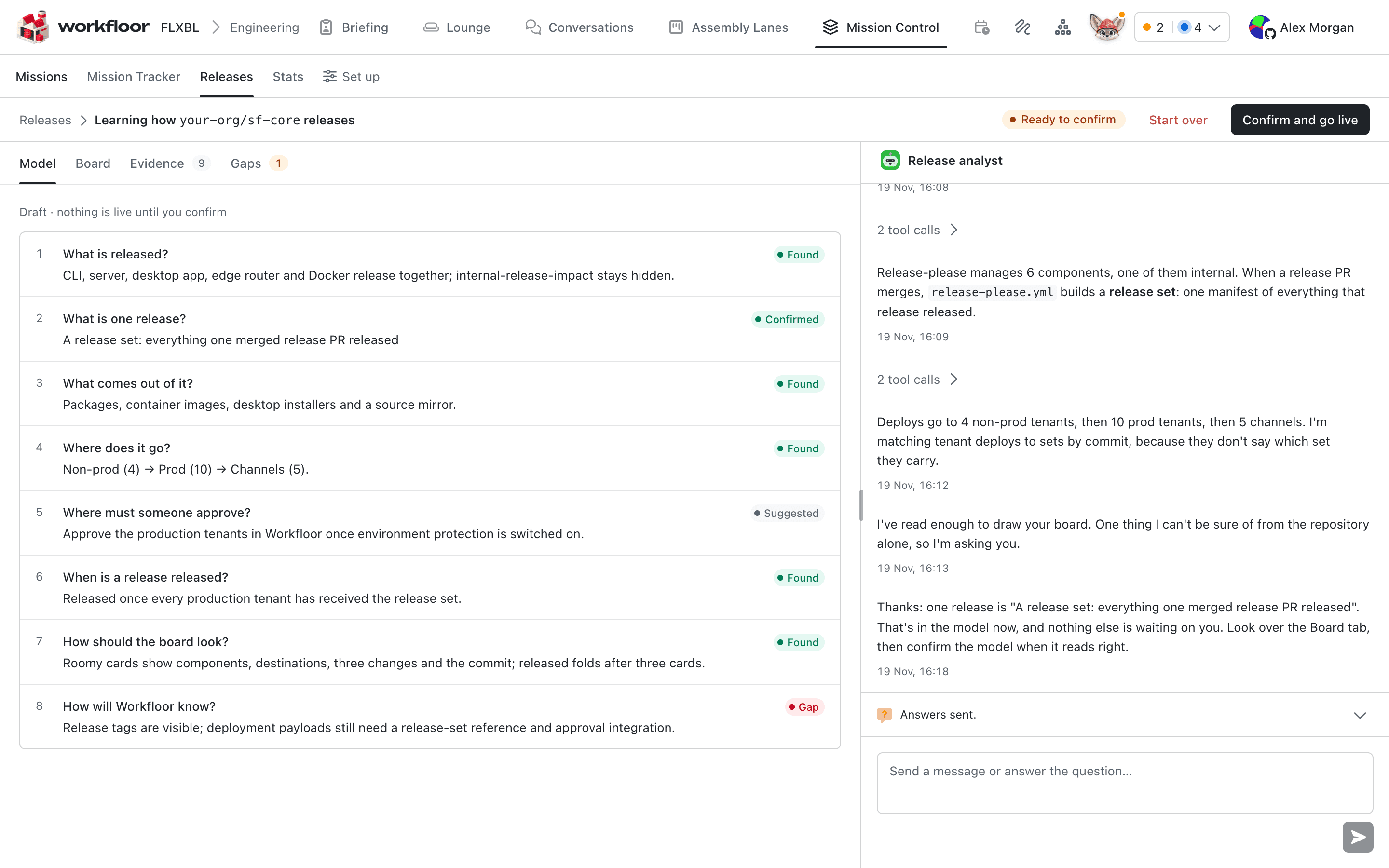
Confirming saves the draft as the repository's next numbered model version, and the repository's Releases page becomes its live board. See The release board. The model then also decides what Released means on the tracker and for lanes that archive cards on release.
Change the model later
On the live board, Edit with the analyst opens a draft over the confirmed version and Flux carries on. The live board keeps showing the last confirmed version until a project admin confirms again. The header shows Edit with the analyst as the main action when the draft waits on someone. Start over clears the draft and the conversation for everyone.
Salesforce repositories
A Salesforce repository is modelled like any other: Flux reads what the repository's GitHub releases, tags and deployments say, for example GitHub releases or tags for the packages declared in sfdx-project.json, and GitHub deployments to environments that stand for orgs. Release candidates and releases made in codev are described in Release candidates and releases and Managing release candidates; Workfloor reads GitHub for a release model today.
Next: The release board.
The mission agent
How a Workfloor mission can have its own Flux agent that plans, orders and dispatches the mission's work, and writes on GitHub only as a member through short grants and proposals.
The release board
Read the Workfloor release board in Mission Control, promote or approve a release into the next lane, and see what released means on cards and missions.