The release board
Read the Workfloor release board in Mission Control, promote or approve a release into the next lane, and see what released means on cards and missions.
Once a repository's release model is confirmed, Mission Control > Releases shows a live board for it. The board draws each release of the repository against the lanes in its release model.
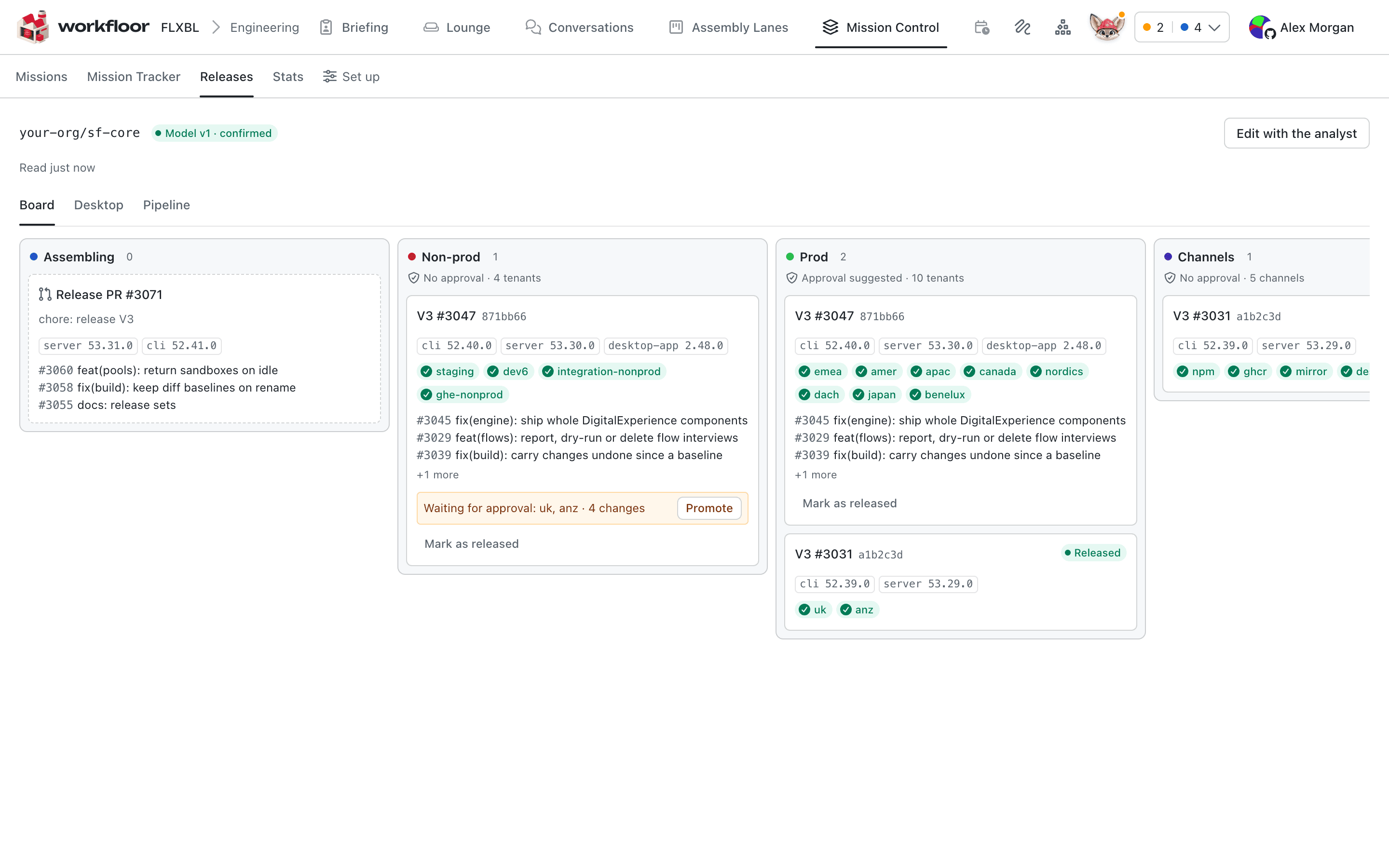
What the board shows
The header names the repository and the confirmed model version (Model v1 · confirmed). Each lane is a column in the order the model gives, and its header says how many releases it holds and how many destinations (tenants, environments, channels) it has, and whether it needs an approval.
A release card shows what the model's controls choose:
- the release's name and commit;
- its components and their versions;
- its destinations as chips, one for each place the release has reached, is deploying to, is waiting at or failed at;
- the first few changes it carries, with a count of the rest;
- the amber line Waiting for approval, with the destinations concerned, when a deployment is held.
A lane that follows the release pull request (Assembling on this board) holds the open release pull request with the versions and changes it will release. A release that has reached every destination of the lanes the model says it must reach moves to the Released column. Released cards fold away after the number the model sets. While the page is open, the board is read again regularly, so deployments move as they happen.
Promote a release
A project admin moves a release into the next lane with Promote on the card. The model records which of two things Promote does for each lane:
- Approve a deployment GitHub is holding for that lane. The confirmation reads "Approve the deployment to Prod?".
- Start a deployment, by running the workflow the model names, when none is held. The confirmation reads "Start a deployment to Prod?".
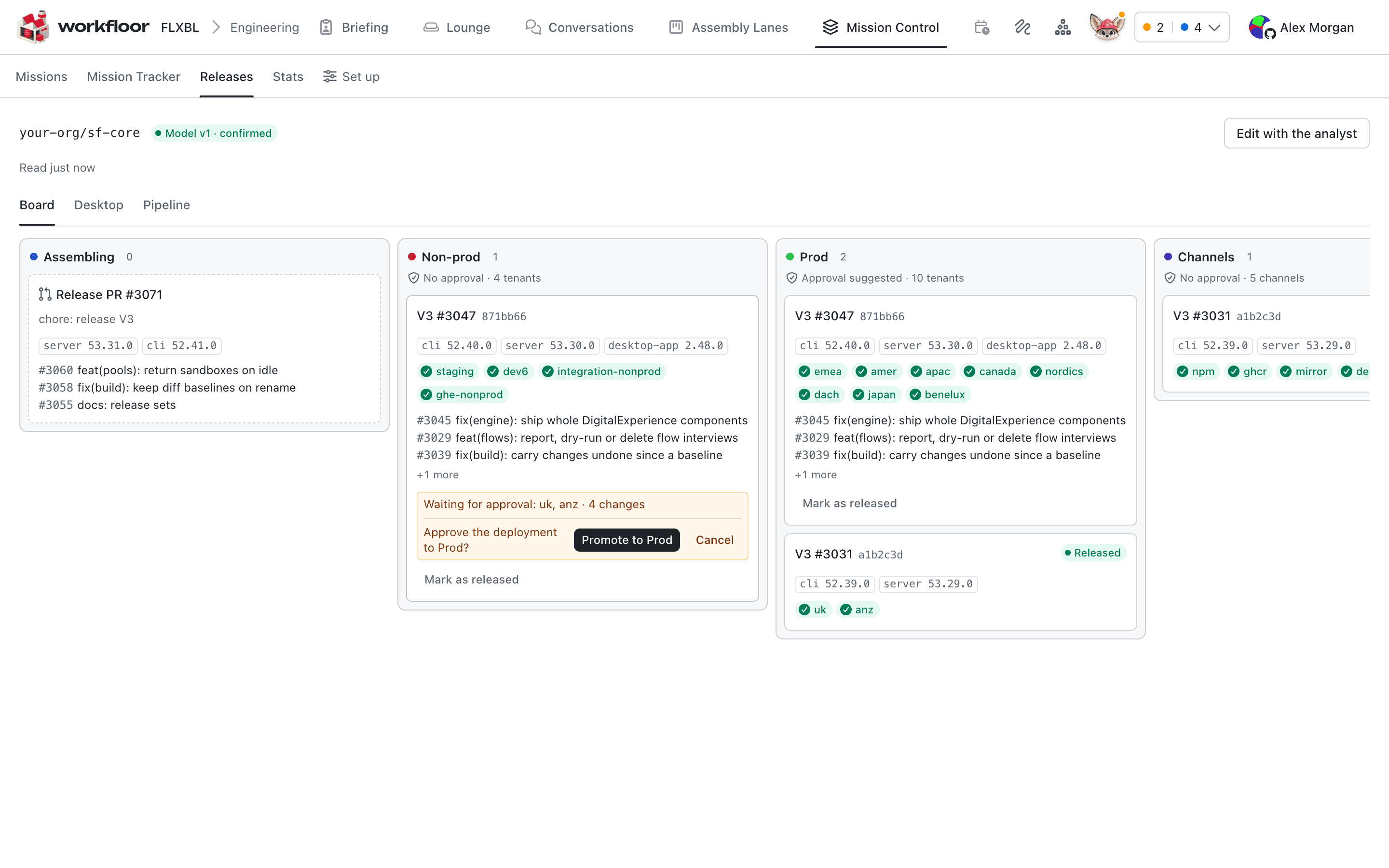
Promote acts with the admin's own GitHub link, not Workfloor's: it asks for one if the account has none. GitHub's own rules still decide. Approving a held deployment works only if GitHub lists the person as a reviewer of that environment, and a deployment Promote starts is still subject to the environment's protection rules. After a promotion the card shows the deployment as starting until the board reads it back.
Only the actions the confirmed model describes are offered, and only for what the board shows now. If the situation changed since the page loaded, Promote refuses and asks you to read the board again.
Mark a release as released
If a release went out although the board does not show it, because one of many tenants failed and was handled by hand, a project admin can use Mark as released on the card, with an optional reason. The card then reads who marked it and why, with Undo. Its pull requests move to released at the next sync, as if the model's own rule had released it.
What released means elsewhere
A confirmed model is the one rule for what went out. Other screens follow it.
- Tracker. In Mission Tracker, a pull request merged into a tracked branch is in Merged until a release carries it, and in Released once that release is out. A change that is merged and in a published release whose work has not gone out yet is shown as in that release (for example "in V3-3047") on its Merged card.
- Carried work. A release carries the pull requests it lists, plus changes its notes leave out, such as
ci:orchore:, that merged into its branch before it. - Missions. A mission's progress counts items that are merged or released, so a mission moves forward as its changes merge and its releases go out.
- Cards. A project can archive cards on release with Archive the card when its work is released, in its Mission Control settings, and a lane can choose otherwise with Archive cards (When their release is cut, When their release is released, Never for a release). Workfloor archives a card once each of its pull requests is released, or closed without merging, and at least one of them is released (or, for a lane that archives at the cut, is in a published release). If a pull request of a card archived this way is later merged with no release, the card comes back.
A pull request in a repository with no confirmed model is never released, so its card stays.
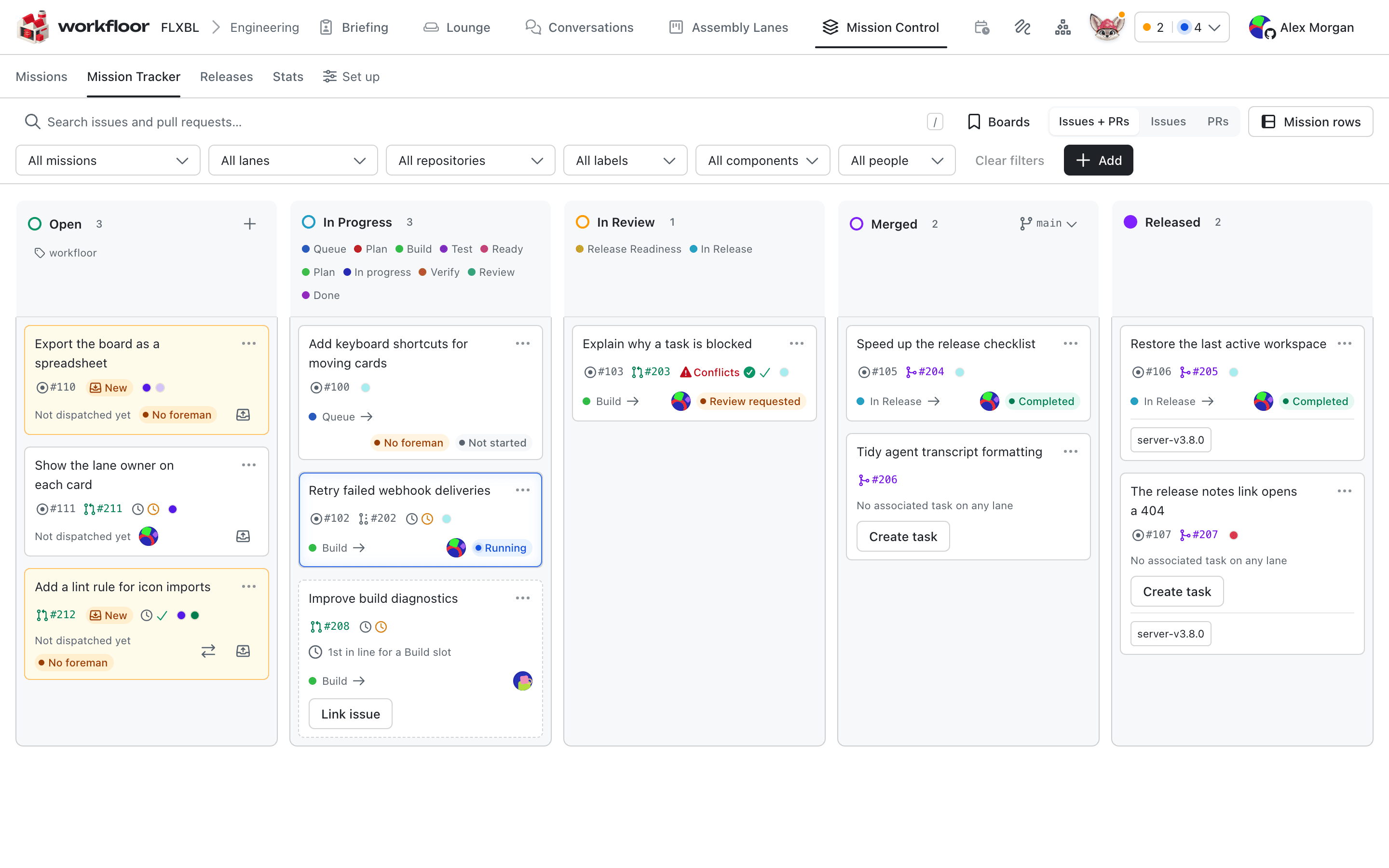
Next: Mission Control for the tracker and missions.
Modelling releases with the release analyst
Teach Workfloor how a repository releases. Flux, as the release analyst, reads the repository and drafts a release model, and a project admin confirms it.
Support triage
How Workfloor turns support messages in a Slack channel into triage cards, where Flux investigates a Salesforce issue and answers in the thread, and how a person opens the drafted GitHub issue.