Support triage
How Workfloor turns support messages in a Slack channel into triage cards, where Flux investigates a Salesforce issue and answers in the thread, and how a person opens the drafted GitHub issue.
Support triage turns the messages in a Slack channel into cards on a triage lane. (Flux in Slack covers asking Flux questions in Slack more generally.) Flux investigates each card, answers in the Slack thread, and a person decides what happens to the ticket. This page follows one ticket from the channel to a GitHub issue.
Take a ticket from a customer: a flow fails when a user closes a Case in production.
Bind a channel to a lane
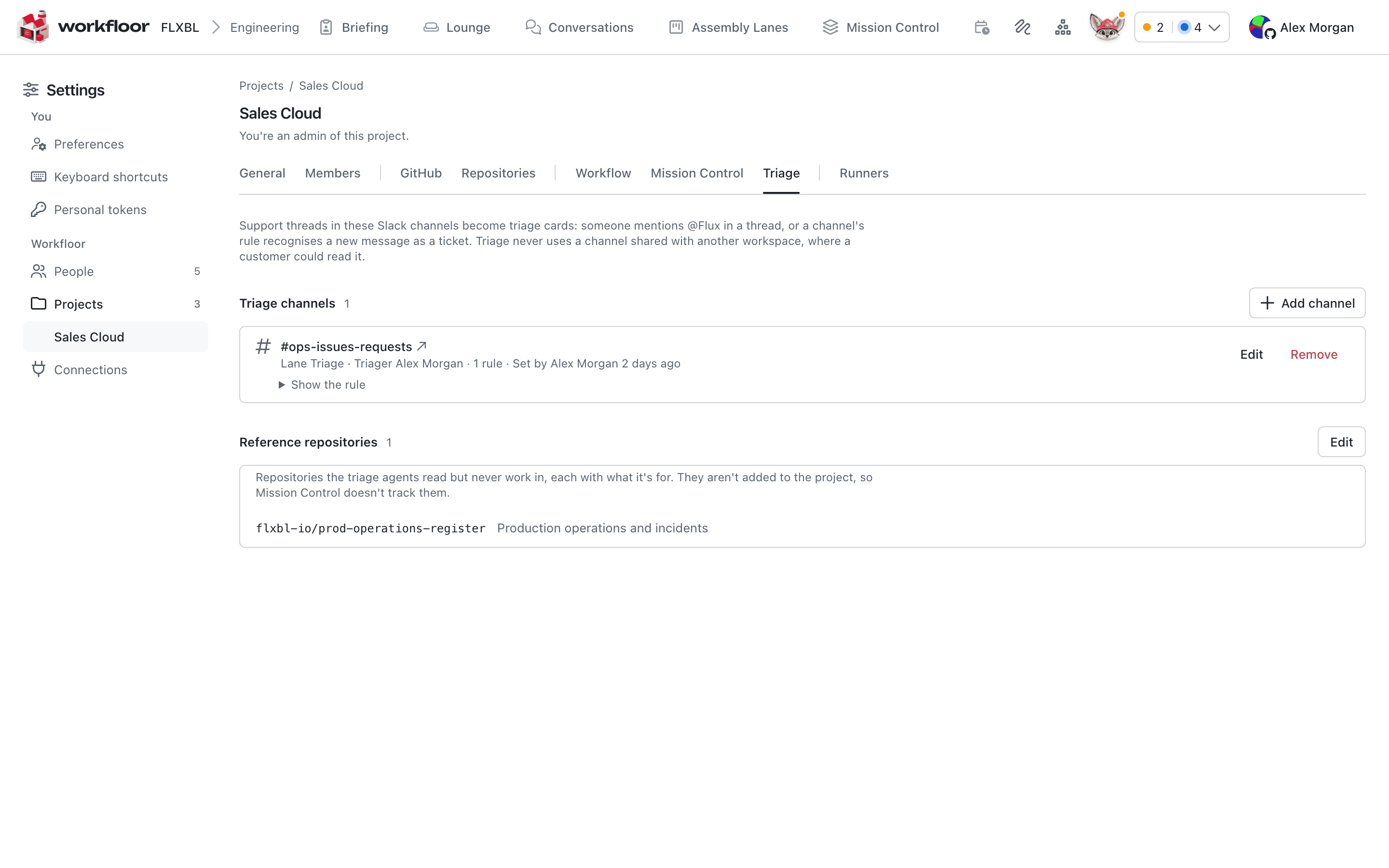
A project admin binds a Slack channel in Settings > Projects, on the project's Triage tab. Add channel asks for:
- Channel: the Slack channel where support requests arrive.
- Lane: the lane the cards go to. A triage lane is made from the Triage template with New lane on the Workflow tab.
- Triager: the person who has the card until review finds someone better placed.
- Operators: your team's names, as a support bot posts them, so a message under one counts as your team writing to the customer.
- Rules: patterns that start cards by themselves.
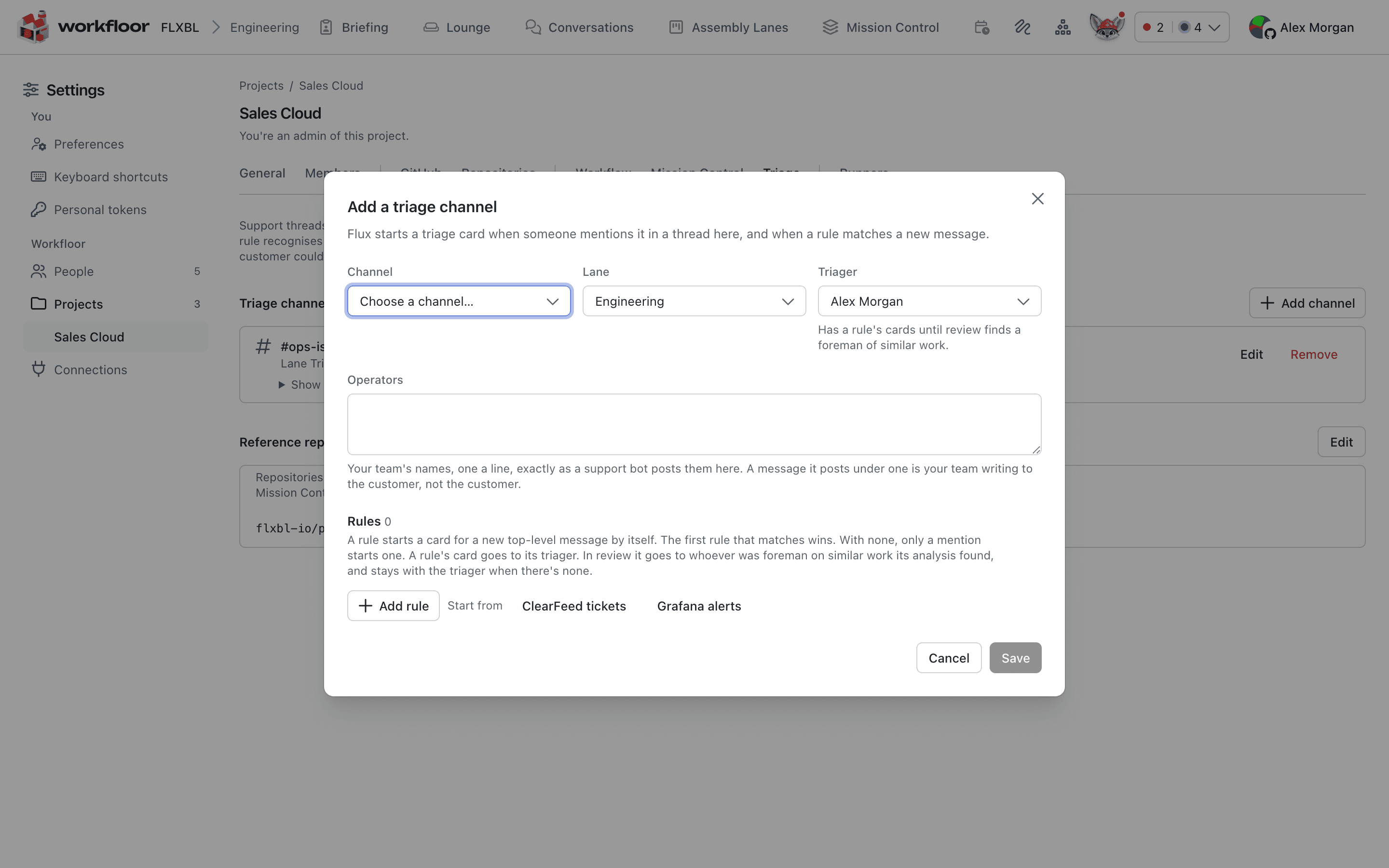
/invite @Flux.Workfloor never triages in a channel that is shared with another workspace, because a customer could read it.
How a card starts
A card starts in one of two ways:
- A person in the project mentions @Flux in a thread. A mention always makes a card.
- A rule matches a new top-level message. Flux then judges whether the message is a request. If it is not, no card is made and nothing is said in the channel.
Each rule has Match and Ignore patterns and can read the ticket, title, customer, priority and tenant from the message. Try it shows which of the channel's last 100 messages a draft rule would match.
What Flux does on the card
The template's stages are Intake, Investigate, Operate and Done. One session carries the card through them, so a follow-up in the thread reaches the session that knows the ticket.
For the failing flow, Flux reads the customer's files, the project's repositories, the wiki and earlier triage cards. If the stage gives it access, it reads the production org too. How agents get read and write access describes that step.
Flux acknowledges the ticket in the thread, tells the thread when the analysis starts, and posts the verdict when Investigate finishes. It also answers a team member's message in the thread and passes it to the session on the card.
The card's views
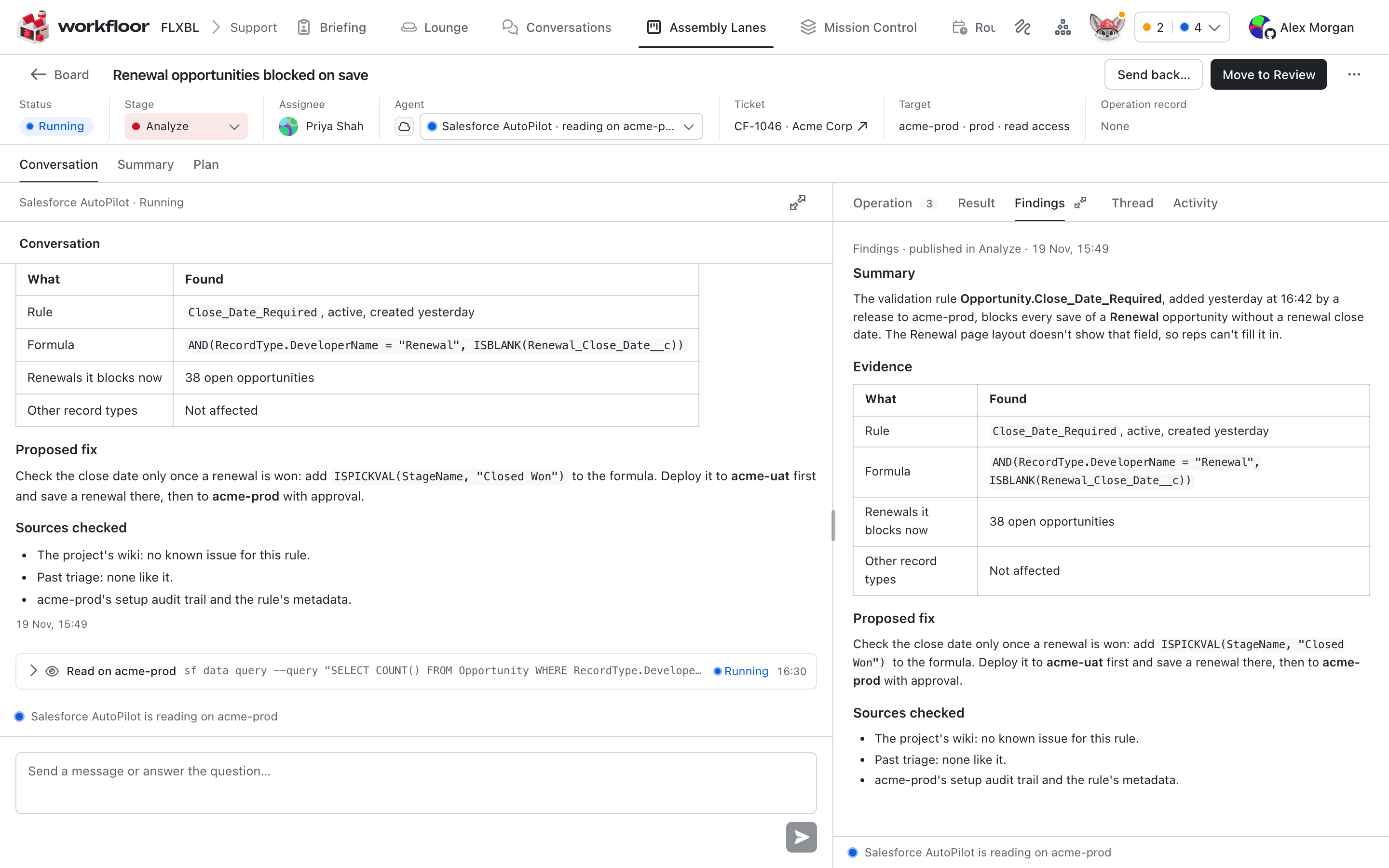
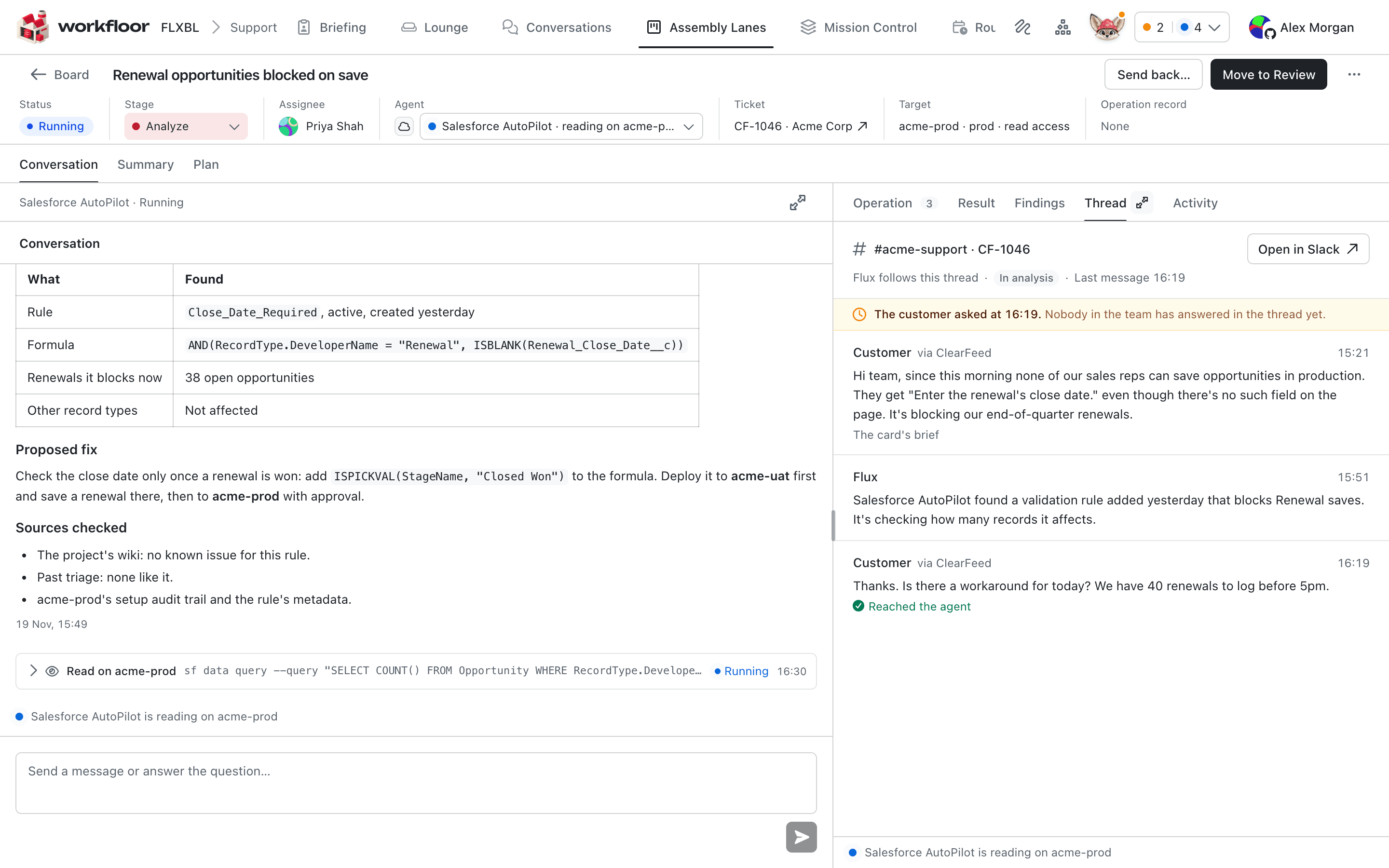
A triage card opens on its conversation. The header has a Ticket field with the thread's link and the customer, and a Target field once Flux has reached one. The rail has these tabs:
- Findings: the newest findings. They end with a verdict: bug, config, needs-info, duplicate or not-a-bug.
- Thread: the Slack thread as Flux hears it, with whether each message reached Flux. An amber line shows when the customer's newest message has had no answer from the team.
- Operation: each command run on a target.
Decide in review
When the findings carry a verdict, Flux posts the options in the thread. For a bug they are Open issue, when the findings hold an issue draft, and Close as not a bug; any other verdict is offered as a close with that verdict, such as Close as configuration. A click runs as the person who clicked, who must be a member of the project.
Open issue, in the thread or on the Findings tab, opens the findings' issue draft in the repository the draft names. The issue is opened as that person, with their linked GitHub account, and ends with a link to the card. It is added to Mission Control's Open column with them as foreman, and the card moves to Done. If the findings changed after the person saw the draft, the click is refused and Flux shows the new draft first.
For needs-info, Flux lists the questions for the customer. A person passes them on; Flux never writes to the customer. A triage card takes no issue or pull request link, so it stays off Mission Control.
In review, a rule's card moves to the person who was foreman on similar work, when Workfloor finds one, and stays with the triager otherwise. For bug, config and not-a-bug verdicts, Flux proposes a known-issue wiki entry in Done, which a person reviews, so the next ticket like it starts with that finding.
Next
Investigating a production org needs access to it. How agents get read and write access describes how it is granted and limited.
The release board
Read the Workfloor release board in Mission Control, promote or approve a release into the next lane, and see what released means on cards and missions.
How agents get read and write access
How AI agents get read and write access to a Salesforce org or other system in Workfloor, with a person's Run for every write, the access provider's own approval and a record of each command.