Briefing
Use the Workfloor Briefing to see the cards that need you, what is running, what was interrupted and what finished lately, with Flux's summary of your shift and of the whole project.
Briefing is the first page Workfloor opens. It answers what needs you now, for the project selected in the top bar.
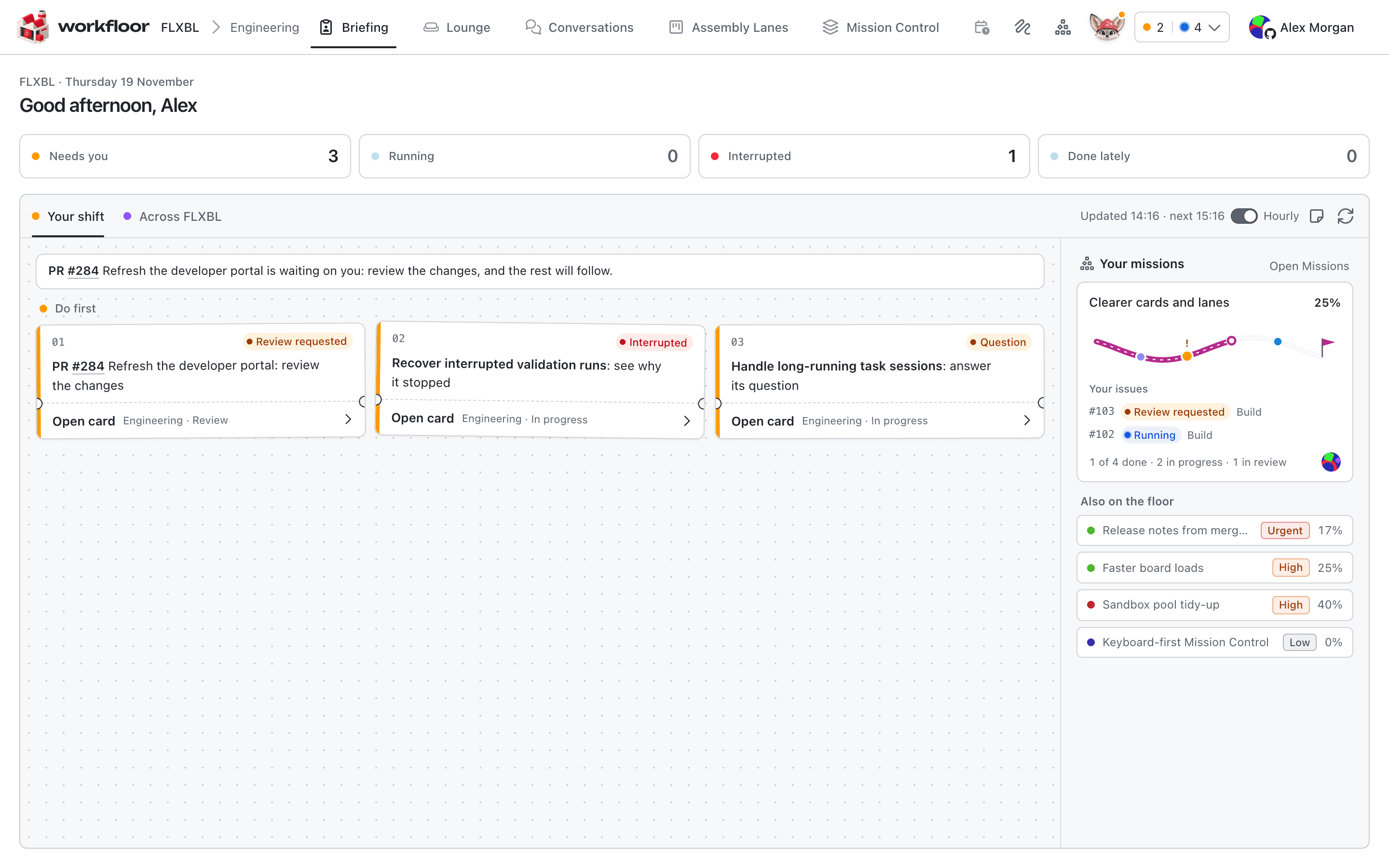
The four counts
Across the top are four counts of your cards:
- Needs you — cards waiting for a plan to be approved, a question to be answered or a review.
- Running — cards where Flux is working now.
- Interrupted — cards where Flux stopped before finishing.
- Done lately — cards whose agent has finished or that have reached a done stage.
Each count is a link to your cards in Assembly Lanes.
Your shift
Your shift is a short briefing Flux writes about your work. It opens with a sentence on what to do first, then lists the cards in the order to take them, each with the reason it is there (for example Review requested, Question or Interrupted), the lane and stage it is in, and Open card.
The briefing is refreshed every hour while the Hourly switch beside it is on. Check now asks Flux to look again straight away, and the line above the switch shows when it was last updated and when the next update is due.
Across the project
The second tab, Across followed by the project's name, gives the same kind of summary for the whole team rather than for you. It shows counts of what is running, waiting, interrupted and finished, a sentence from Flux on the state of the floor, and cards under the sections Flux writes, such as Waiting on people. It is updated hourly for everyone.
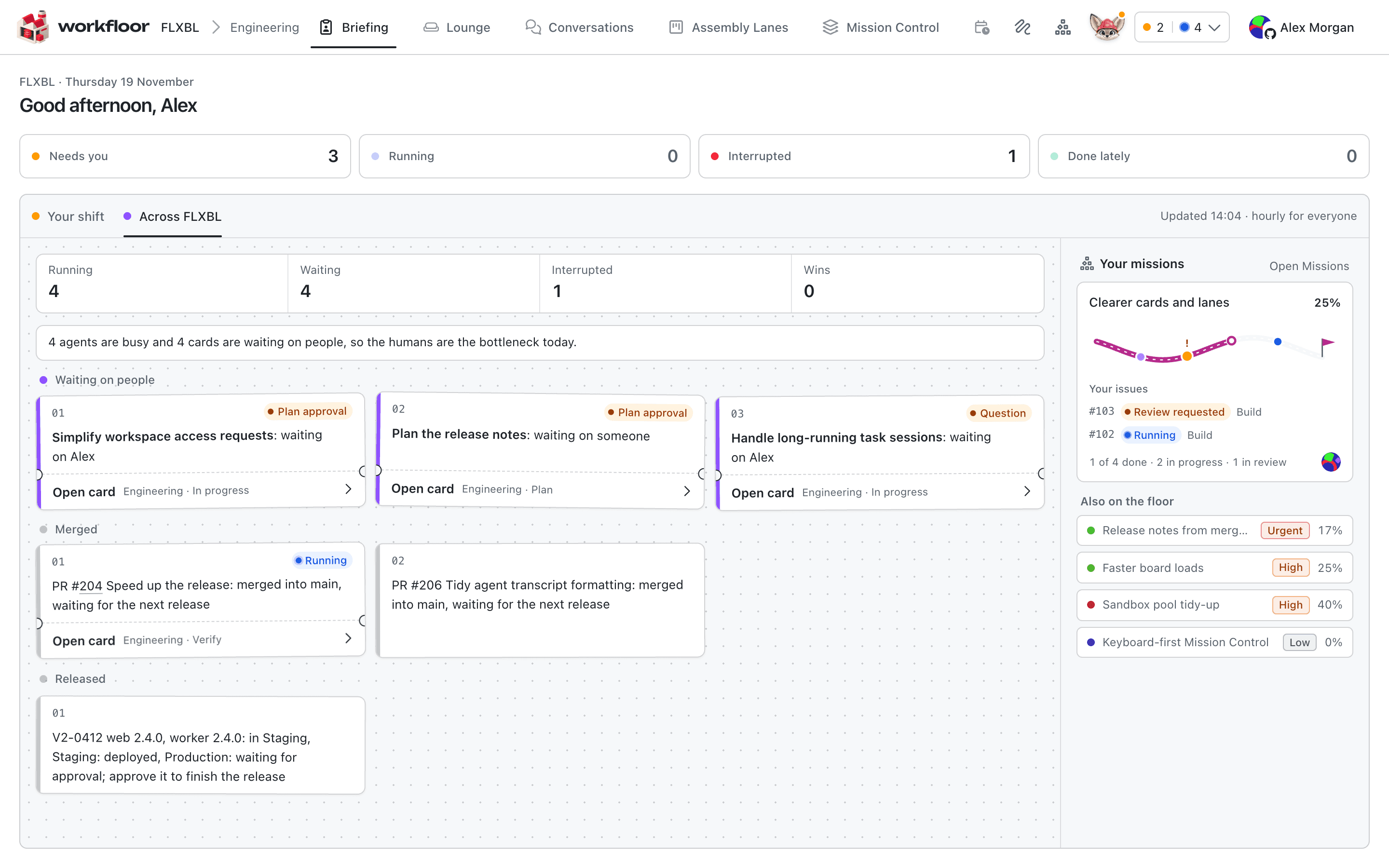
Your missions
The panel on the right lists the missions you have items in, each with its progress and your issues in it. Below it, Also on the floor lists other open missions with their priority and progress. Open Missions goes to the missions in Mission Control.
Next: Your first card.