From GitHub Actions
Mapping a self-run GitHub Actions pipeline — image-based build, deploy, and publish jobs — onto codev, one workflow at a time.
A GitHub Actions pipeline that builds Salesforce with sfp looks the same across teams: a push (or pull_request) trigger starts a job, the job runs in the sfp container, authenticates a Dev Hub, and calls sfp build, sfp install, sfp publish, or sfp release. This is a Build Your Own (BYO) workflow, so it runs sfp-pro. This page maps that shape onto codev, workflow by workflow: what the server takes over and what you stop running in CI.
Read Migrating to codev first for the overall approach — connect the repository, then hand over one capability at a time. This page is the GitHub-Actions-specific detail.
What your pipeline looks like today
A typical build-and-publish workflow triggers on push, runs each stage in a container pinned to the sfp image, authenticates on every job, and calls sfp directly:
# .github/workflows/build-deploy-publish.yml (self-run)
on:
  push:
    branches: [main]
  workflow_dispatch:

jobs:
  build:
    runs-on: ubuntu-latest
    container:
      image: ${{ vars.SFP_IMAGE }}       # you pin and upgrade this
      credentials: { username: ..., password: ${{ secrets.REGISTRY_TOKEN }} }
    steps:
      - uses: actions/checkout@v5
      - name: Authenticate Dev Hub
        run: sf org login sfdx-url -f ./authfile -a devhub -d
      - name: Create packages
        run: sfp build -v devhub --diffcheck --buildnumber ${GITHUB_RUN_ID} --branch ${GITHUB_REF#refs/heads/}
      - uses: actions/upload-artifact@v6
        with: { name: artifacts, path: artifacts }

  deploy:
    needs: build
    container: { image: '${{ vars.SFP_IMAGE }}' }
    steps:
      - name: Authenticate Salesforce
        run: sf org login jwt --client-id ... --jwt-key-file server.key --username ...
      - name: Deploy
        run: sfp install -o sit --skipifalreadyinstalled

  Publish:
    needs: build
    container: { image: '${{ vars.SFP_IMAGE }}' }
    steps:
      - name: Publish artifacts
        run: sfp publish -d artifacts --npm --scope my-org --gittag --pushgittag
Alongside it, teams usually have a set of per-environment release workflows (release-sit.yml, release-uat.yml, release-prod.yml, …) that each pin SFP_IMAGE and run sfp release -o <env>, and a set of pool-preparation workflows running sfp pool prepare.
Everything in this model is yours to operate: the image tag, the registry credentials, the Dev Hub and JWT auth on every job, the artifact hand-off between jobs, and one workflow file per environment.
What codev runs instead
Connecting the repository to sfp server (see Step 1) registers webhooks, so a merge notifies the server directly — no push-triggered workflow needed. The server then runs the build on its own image and produces a release candidate.
The three-job build → deploy → publish workflow above collapses into build-on-merge, which you turn on from Workflow Settings on the Builds page:
| Your workflow today | On codev |
|---|---|
push trigger + container: image: ${{ vars.SFP_IMAGE }} | Webhook from onboarding; the server runs on its own image — no tag to pin |
sf org login / JWT auth on every job | The server holds the org connections; no per-job auth in CI |
sfp build --diffcheck | Build on merge — the server detects impacted domains and builds only those |
upload-artifact / download-artifact between jobs | The server carries artifacts through to the release candidate |
sfp publish | The server publishes package metadata; builds appear on the Builds page |
sfp release -o sit, -o uat, -o prod (one workflow each) | Release candidates and releases — one flow, target environments chosen at release time |
sfp pool prepare workflows | Server-managed pools |
The work your build job did per merge shows up on the Builds page, grouped by domain, with no runner or image in your pipeline:
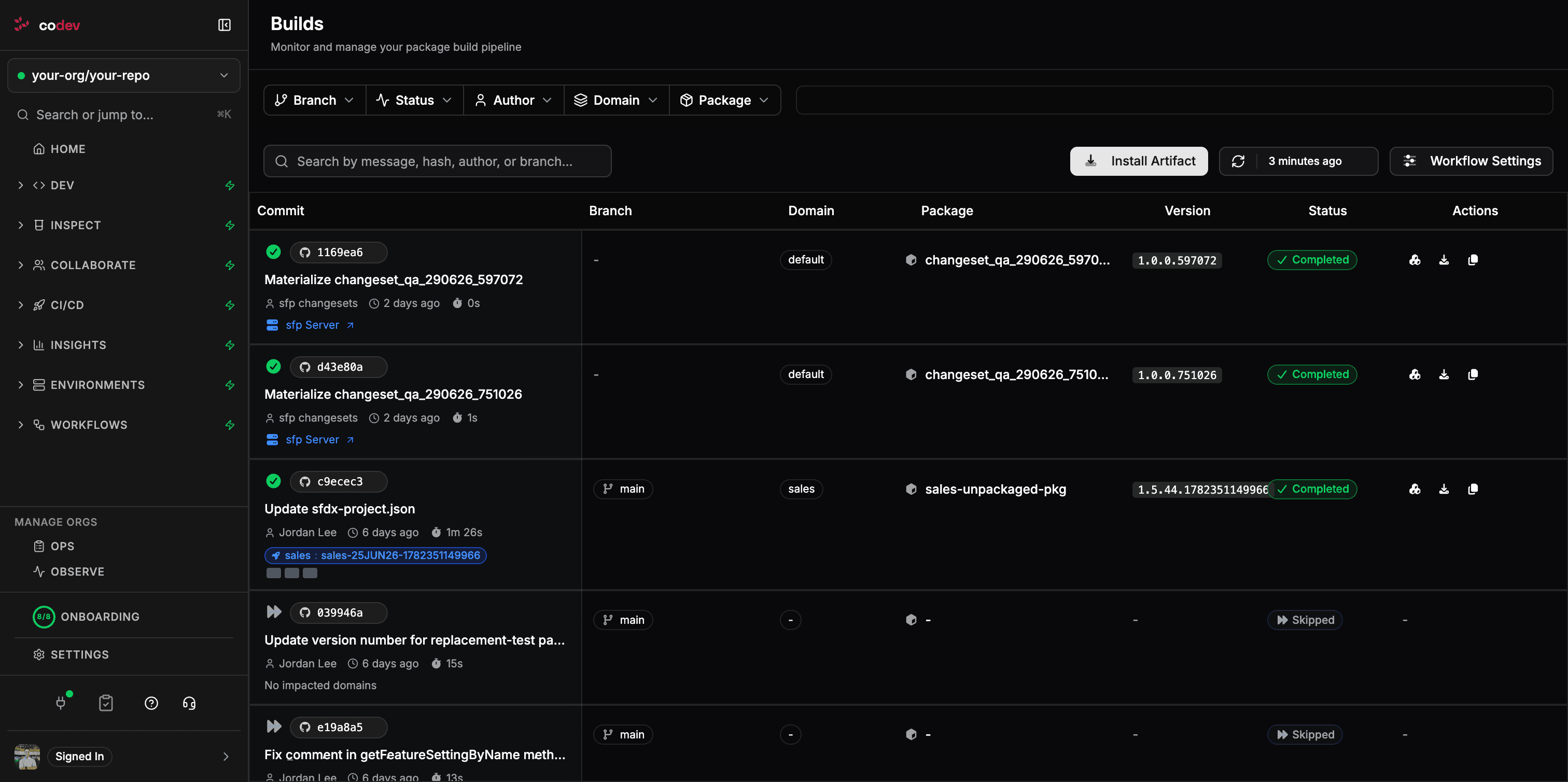
build job: each merge's impacted domains are built by the server and listed here. Builds your own pipeline still produces appear on the same page, so you can compare during the move.You do not convert all of this at once. Turn on build-on-merge for one branch or one domain, confirm the server's build lands on the Builds page next to your existing pipeline's, then retire the corresponding jobs.
Move one workflow at a time
A safe order for a live repository:
- Connect the repository and set up the GitHub integration. Nothing changes yet — the webhooks are registered but server builds are off.
- Enable server builds for one domain using Domain build scope (Step 2). Your
build-deploy-publish.ymlstill runs for everything else. - Compare. The server's build for that domain appears on the Builds page beside your workflow's. When you trust it, remove that domain's build from your workflow — or, once every domain is on the server, delete the
buildjob. - Hand over releases. Replace the per-environment
release-*.ymlworkflows with release candidates; target environments are chosen at release time instead of one workflow per environment. - Hand over pools and validation. Move
sfp pool prepareworkflows to server-managed pools and PR validation to review environments.
At each step the workflows you have not moved keep running exactly as before, and their builds still show on the Builds page — provided the sfp-pro CLI in those workflows is on the same release as the server (see While you still run some builds yourself). If your pipeline pins an old SFP_IMAGE, bring that image current before you connect, so the builds it still produces report correctly to the server.
Migrating to codev
How a team already running sfp in their own CI — on GitHub Actions, Buildkite, or any pipeline — moves those workflows onto codev, one capability at a time.
From Azure DevOps
Mapping a self-run Azure Pipelines setup — container-based build, deploy, and publish stages — onto codev, one pipeline at a time.