Pool monitoring and health
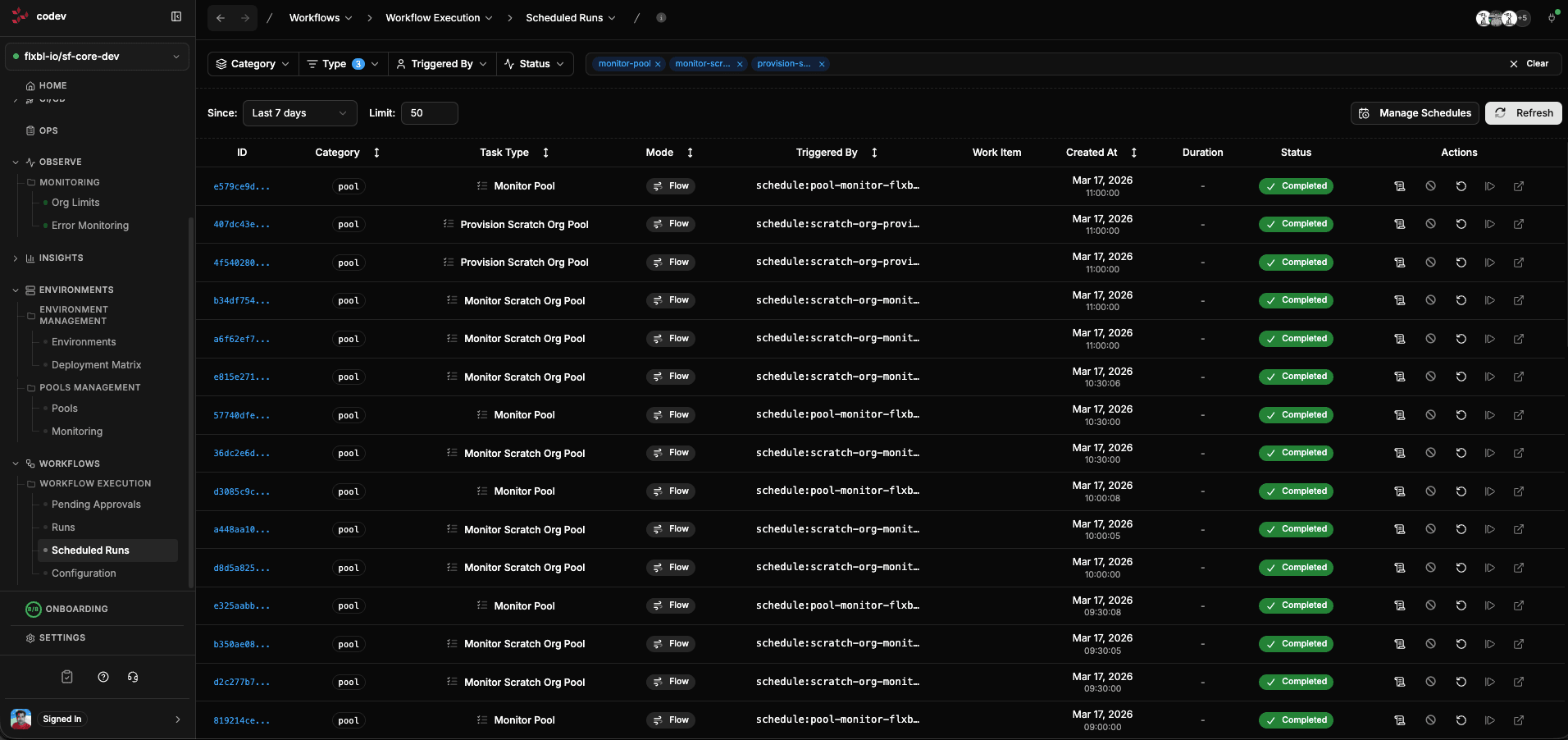
codev automatically monitors every pool on a recurring schedule. You do not need to set up cron jobs or run CLI commands — monitoring is built into the workflow engine and starts as soon as a pool is created.
What monitoring does
Each monitoring cycle performs three operations:
Reconciliation
codev checks every instance in the pool against Salesforce to make sure the local state matches reality. If an environment was deleted in Salesforce but still tracked in the pool, it is marked as orphaned. If an environment exists in Salesforce but is not tracked, it is discovered and added.
This prevents "ghost" environments from consuming your org limits and keeps the pool state accurate.
Lifecycle management
codev processes lifecycle transitions for every instance:
- Environments past their expiration are marked expired
- Expired environments are handled according to the pool's expiration strategy (delete, refresh, flag, or notify)
- Environments that were refreshed are returned to the available pool
Quota maintenance
If the number of available instances drops below the configured minimum, codev automatically provisions new environments to bring the pool back to capacity. For scratch org pools, this means cloning the repository and installing all packages. For sandbox pools, this means requesting new sandboxes from Salesforce.
Viewing monitoring jobs
The Monitoring page (linked from the Pools page sidebar under RELATED) shows all active monitoring jobs. Each job runs on a recurring schedule — typically every 30 minutes — and can be paused or resumed.
Inspecting a monitoring run
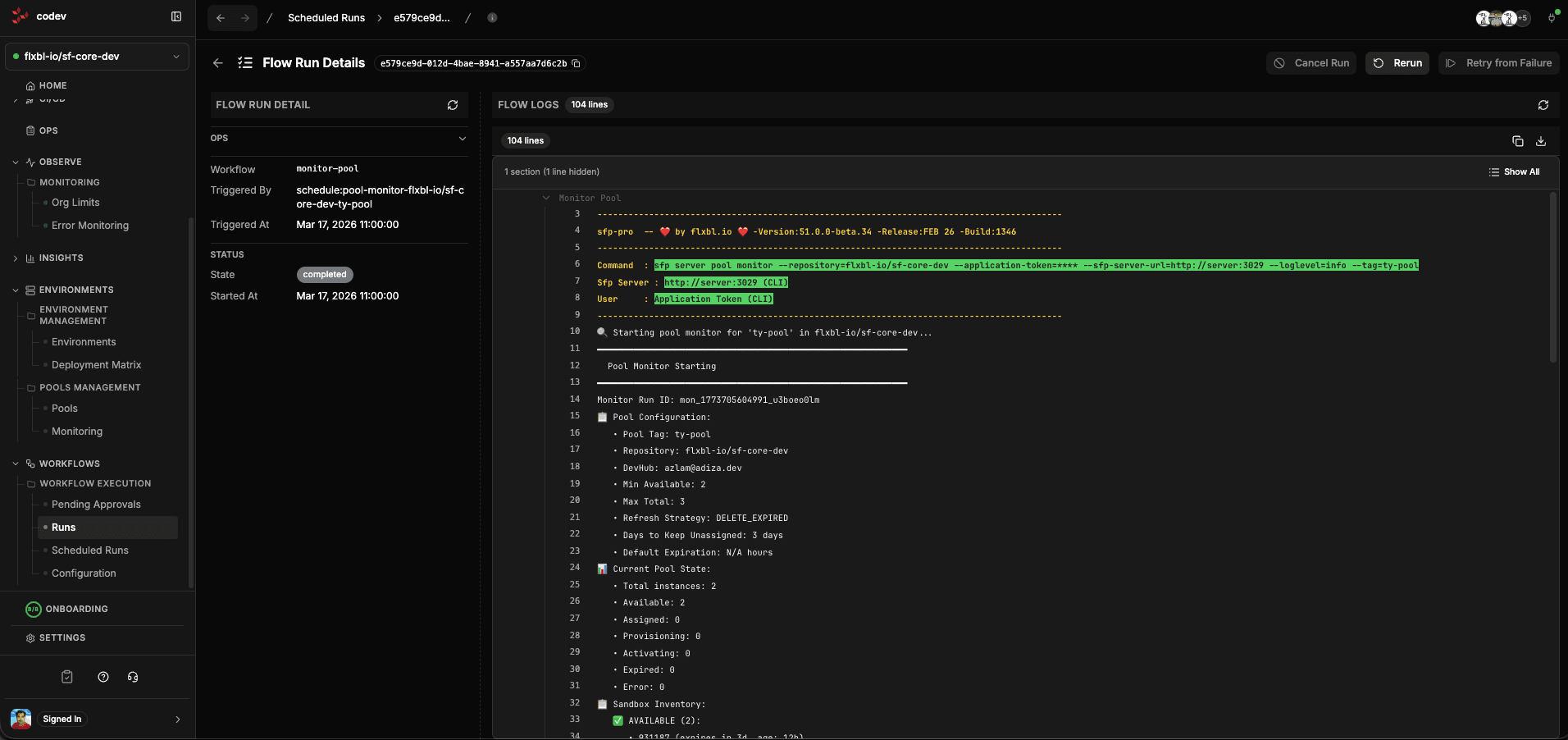
Click into any monitoring run from the Workflows > Runs page to see exactly what happened. The execution log shows:
- Pool inventory — total instances, how many are available, assigned, provisioning, or in error state
- Reconciliation results — how many instances were checked against Salesforce, any orphaned or expired ones detected
- Lifecycle actions — what was expired, returned to pool, or cleaned up
- Deficit — whether the pool is below minimum capacity and needs provisioning
Troubleshooting
If a pool is not replenishing or environments are stuck in a bad state, check the monitoring runs for errors. Common issues:
- Sandbox parent connection failed — check the production username selected on the sandbox pool. Restore that user's connection and sandbox-management permissions. The parent connection is needed for lifecycle operations and review-environment authentication, not just initial creation.
- Scratch DevHub connection failed — check the Dev Hub username selected on the scratch pool and re-authenticate that user. A sandbox or production connection without the required Dev Hub permissions cannot replace it.
- Instances marked orphaned — the environment exists in the pool but not in Salesforce (or vice versa). The next monitoring cycle will attempt cleanup.
- Provisioning stuck — scratch org creation can take time depending on Salesforce infrastructure load. Check the provisioning workflow run for timeout errors.