Releases
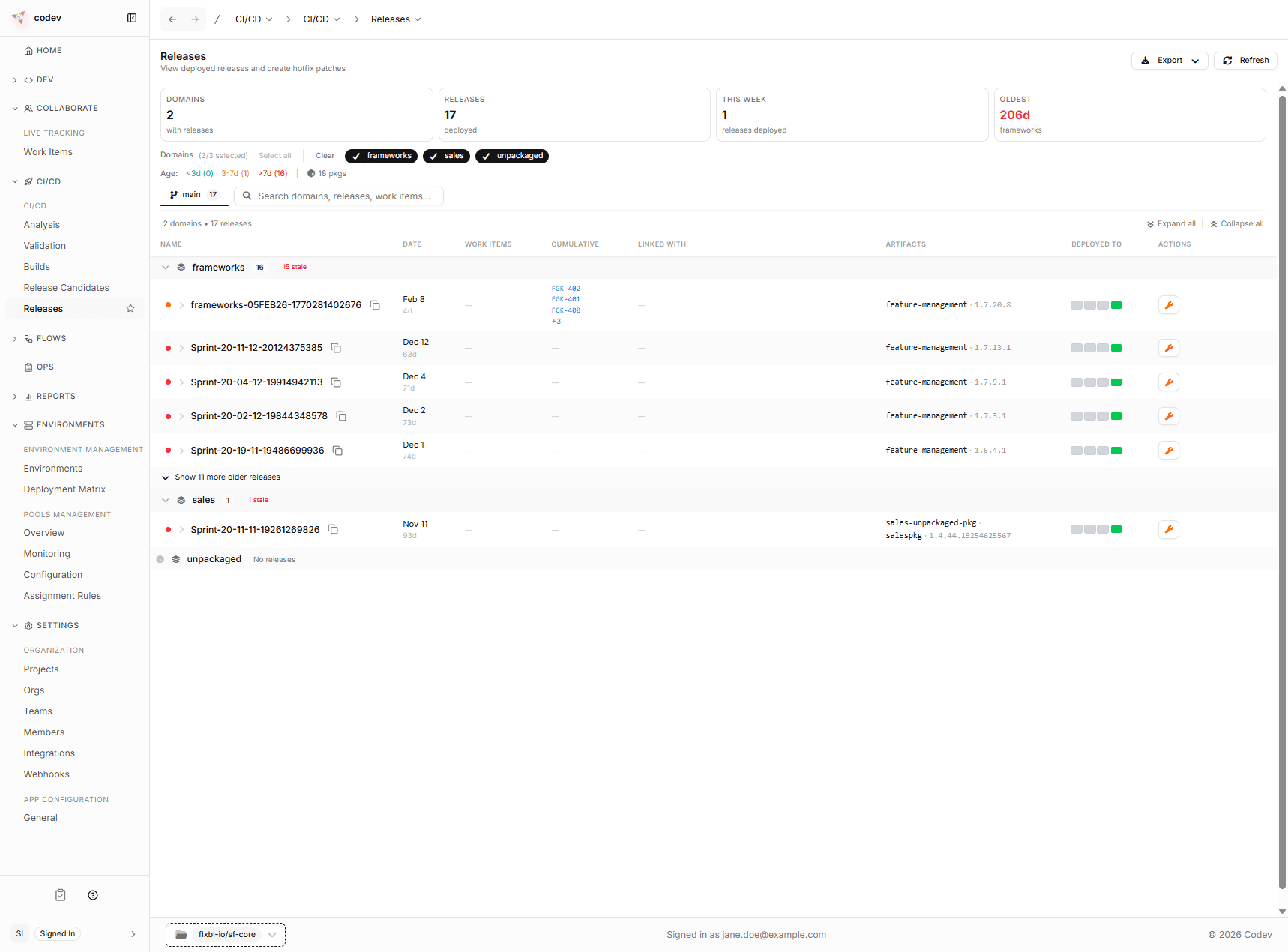
The Releases page is your record of what is actually deployed. Every release candidate that has been promoted through the Release action, approved, and deployed appears here.
Think of this as your deployment history — organized by domain and linked to the exact work items and package versions that were deployed.
What you see
Releases are grouped by domain, just like release candidates. For each release you can see:
- When it was deployed
- Which work items were included (with cumulative totals so you can see the full scope)
- The exact package versions that were deployed
- Which environments it was deployed to
The stats bar shows how many domains have releases, the total count, how many were deployed this week, and the age of the oldest release.
Releases vs. release candidates
Release candidates live on the Release Candidates page and represent what is ready to deploy. Releases live here and represent what has been deployed.
Once a release candidate is approved and deployed, it appears on this page. The release candidate itself remains visible on the Release Candidates page with an updated DEPLOYED TO indicator.
Creating a hotfix from a release
If you need to patch something that is already in production, click the patch action on the release row. This works the same way as patching from a release candidate — it creates a hotfix branch from the exact state of that release.
Rolling back to an earlier release
If a release caused a problem, you can return an environment to an earlier release using the rollback action on the release row. codev checks whether the rollback is cleanly reversible before re-deploying, and steers you to a forward patch when it isn't. See Rolling back a release.