Getting started with Inspect
Setting up Inspect for the first time — connect GitHub, configure webhooks, set up review environments, and see what runs on every pull request.
Inspect validates changes before they merge: code analysis on the diff, and change validation — a deployment of the changed packages to a review environment with Apex tests. This guide covers activating the feature and setting up review environments. Unfamiliar terms (GitHub App, Dev Hub, SFDX auth URL) are explained in the CI/CD getting started guide.
Step 1: Activate the feature
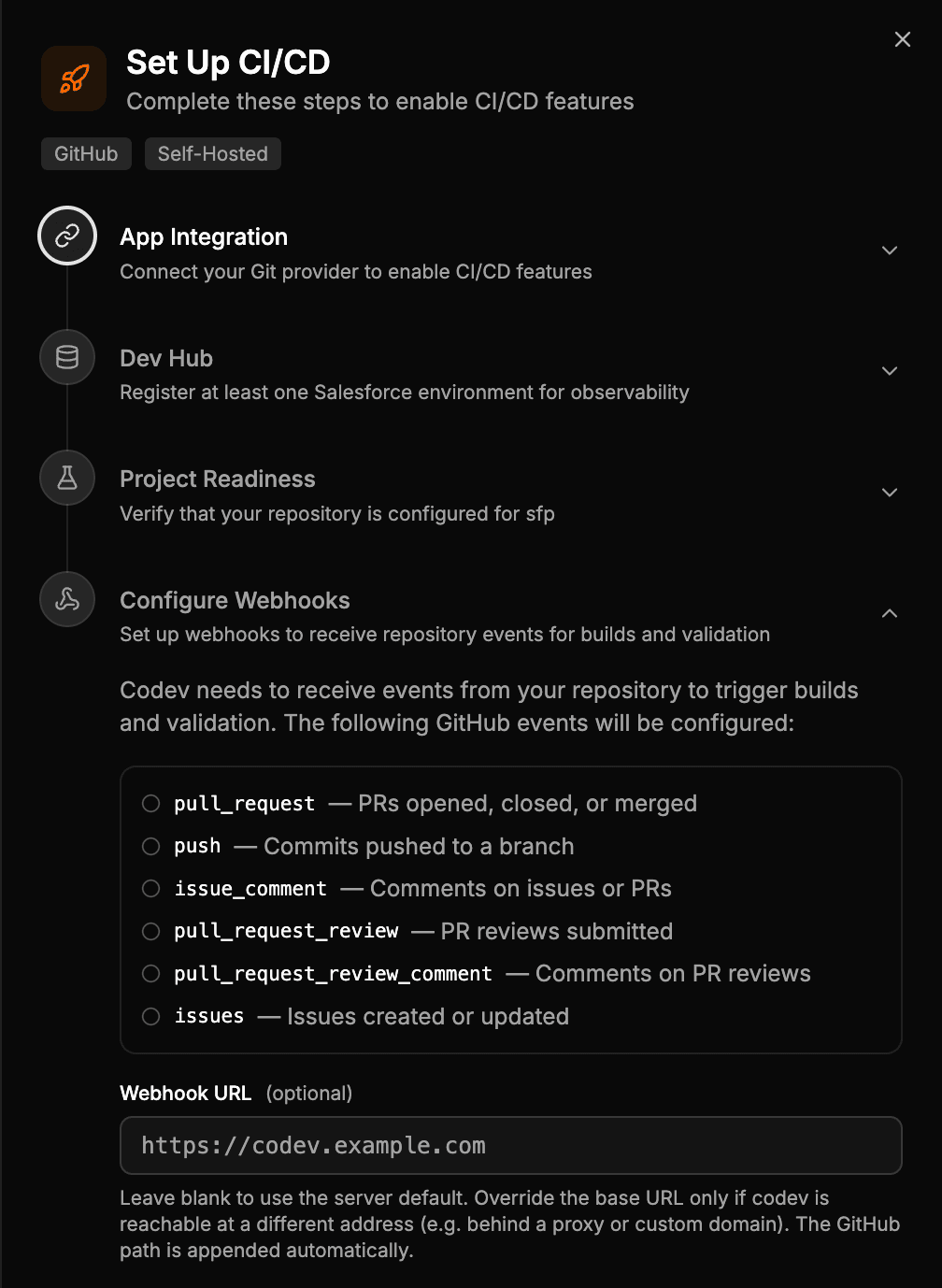
On the Activate Features page, open the Inspect card. Its setup wizard has two steps, both shared with other features:
- App Integration — connect GitHub, as in Step 3 of the CI/CD guide.
- Configure Webhooks — subscribe codev to the repository's pull request events, as in Step 5 of the CI/CD guide. Without this, codev does not hear about new pull requests.
Step 2: Set up review environments
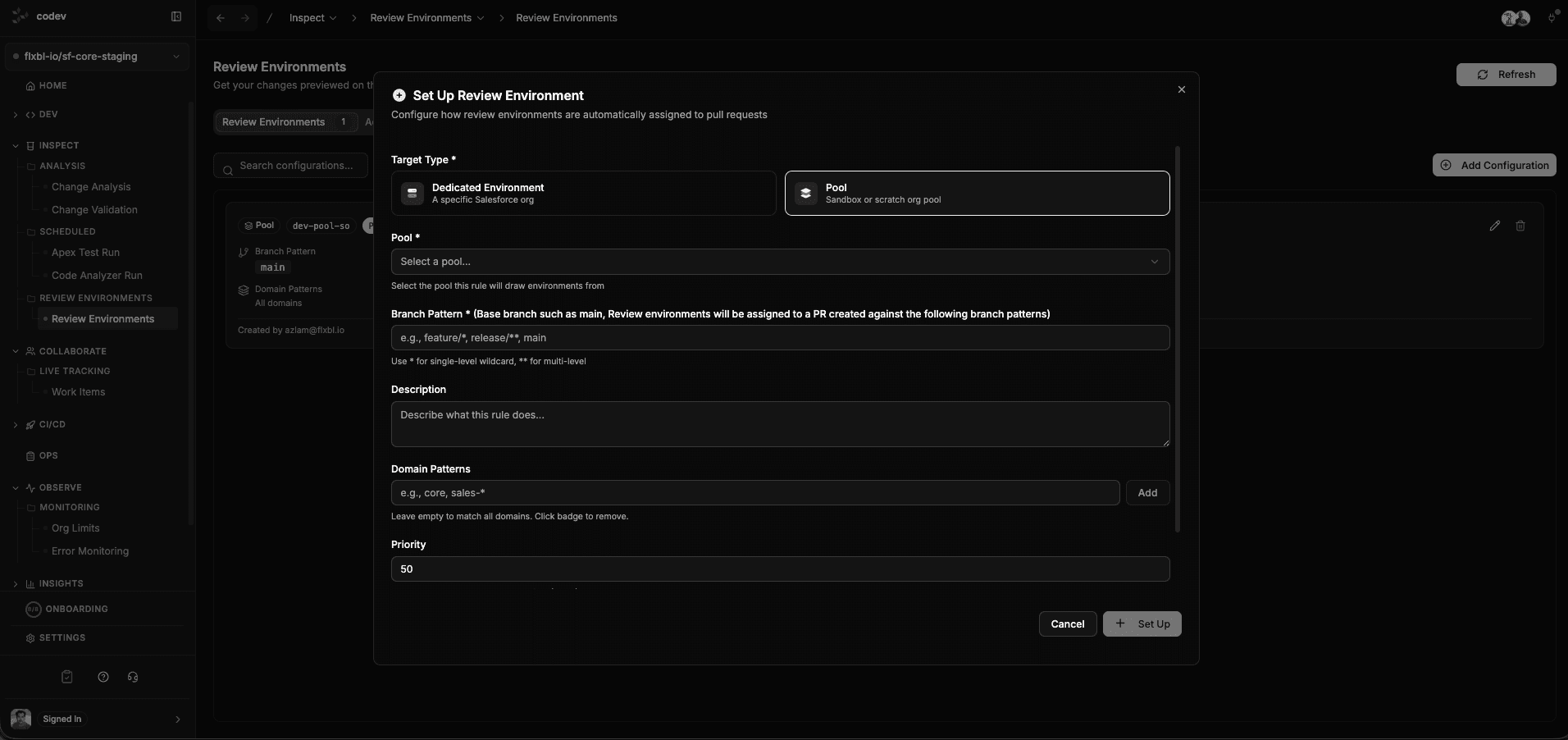
Change validation deploys to a review environment — an org assigned to the pull request for its lifetime. Assignment rules decide where those come from: under Inspect > Review Environments, create a rule mapping a branch pattern (and optionally domain patterns) to a target. The simplest target is a dedicated environment — a sandbox you register once, shared by the pull requests that match the rule. A pool gives each pull request its own environment, once you need that.
Step 3: Open a pull request
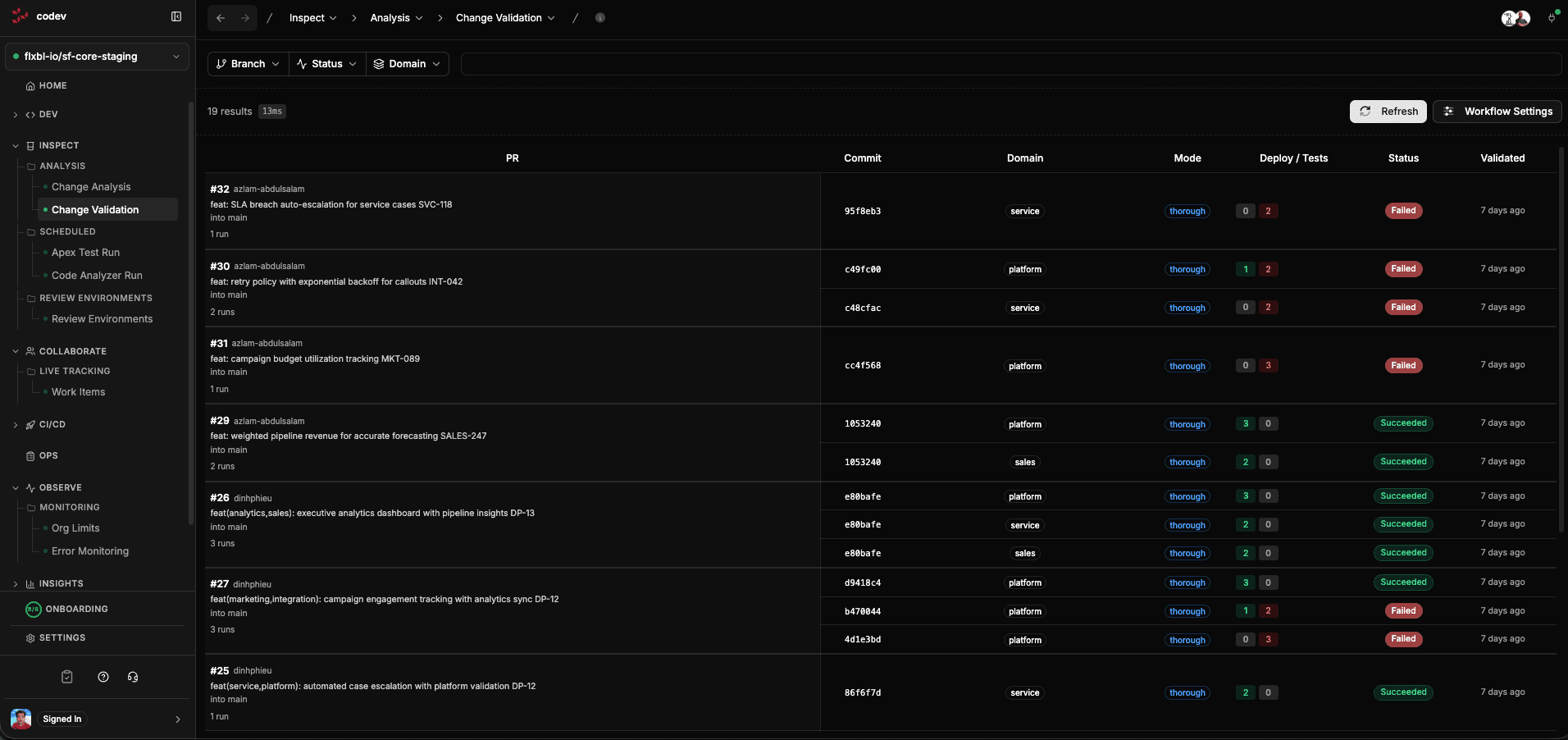
With webhooks and an assignment rule in place, every pull request is handled without anyone triggering it: codev detects the impacted domains, assigns a review environment, deploys the changed packages, runs the Apex tests, and posts the result back on the pull request as a check with pass/fail and coverage. The runs and their detail live under Inspect > Change Validation.