GitHub Copilot
Connect GitHub Copilot to power codev's AI features with a GitHub OAuth token.
Teams with a paid GitHub Copilot plan can use it as codev's AI provider. codev sends its AI requests to GitHub Copilot with a GitHub OAuth token (it starts with gho_), and each request counts against the Copilot plan of the account that owns the token.
GitHub's Copilot API accepts personal access tokens only from GitHub's own clients. Neither a classic token (ghp_…) nor a fine-grained token (github_pat_…) works in codev, even with the Copilot Requests permission: GitHub answers Personal Access Tokens are not supported for this endpoint. Use the OAuth token from Get a token.
Before you start
- A paid Copilot plan on the GitHub account you sign in with: Pro, Pro+, Business or Enterprise. Copilot Free does not serve codev's model. Check the plan at github.com/settings/copilot.
- The model you pick must be allowed for that account. On Business and Enterprise, the organization's Copilot policies decide which models are enabled.
- OpenCode, installed on your own computer. You use it once to sign in to GitHub and receive the token; codev does not need it.
Get a token
OpenCode's GitHub Copilot sign-in is a GitHub device login that GitHub supports for paid Copilot plans. It asks only to read your profile and returns an OAuth token that codev can use.
- Install OpenCode:
- macOS or Linux:
curl -fsSL https://opencode.ai/install | bash, orbrew install anomalyco/tap/opencode - Windows:
choco install opencodeorscoop install opencode - Any platform with Node.js:
npm install -g opencode-ai
- macOS or Linux:
- Run
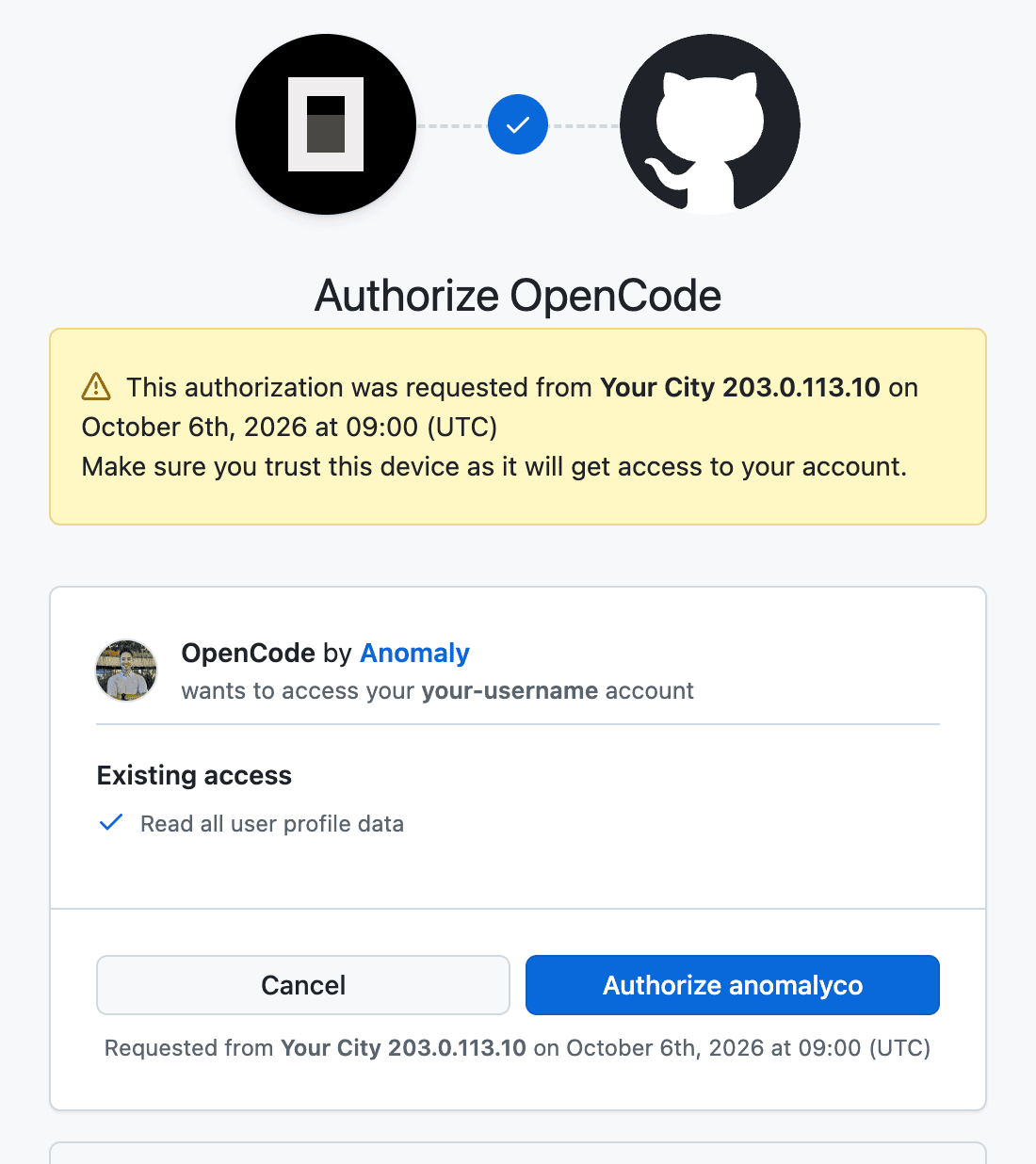
opencode auth login --provider github-copilotand pick GitHub.com. - OpenCode prints a code. Open github.com/login/device, enter the code, and click Authorize anomalyco (the publisher of OpenCode).
- Print the token.
opencode auth listshows where OpenCode saved it (~/.local/share/opencode/auth.jsonon macOS and Linux); the token is therefreshvalue undergithub-copilot:
jq -r '."github-copilot".refresh' ~/.local/share/opencode/auth.json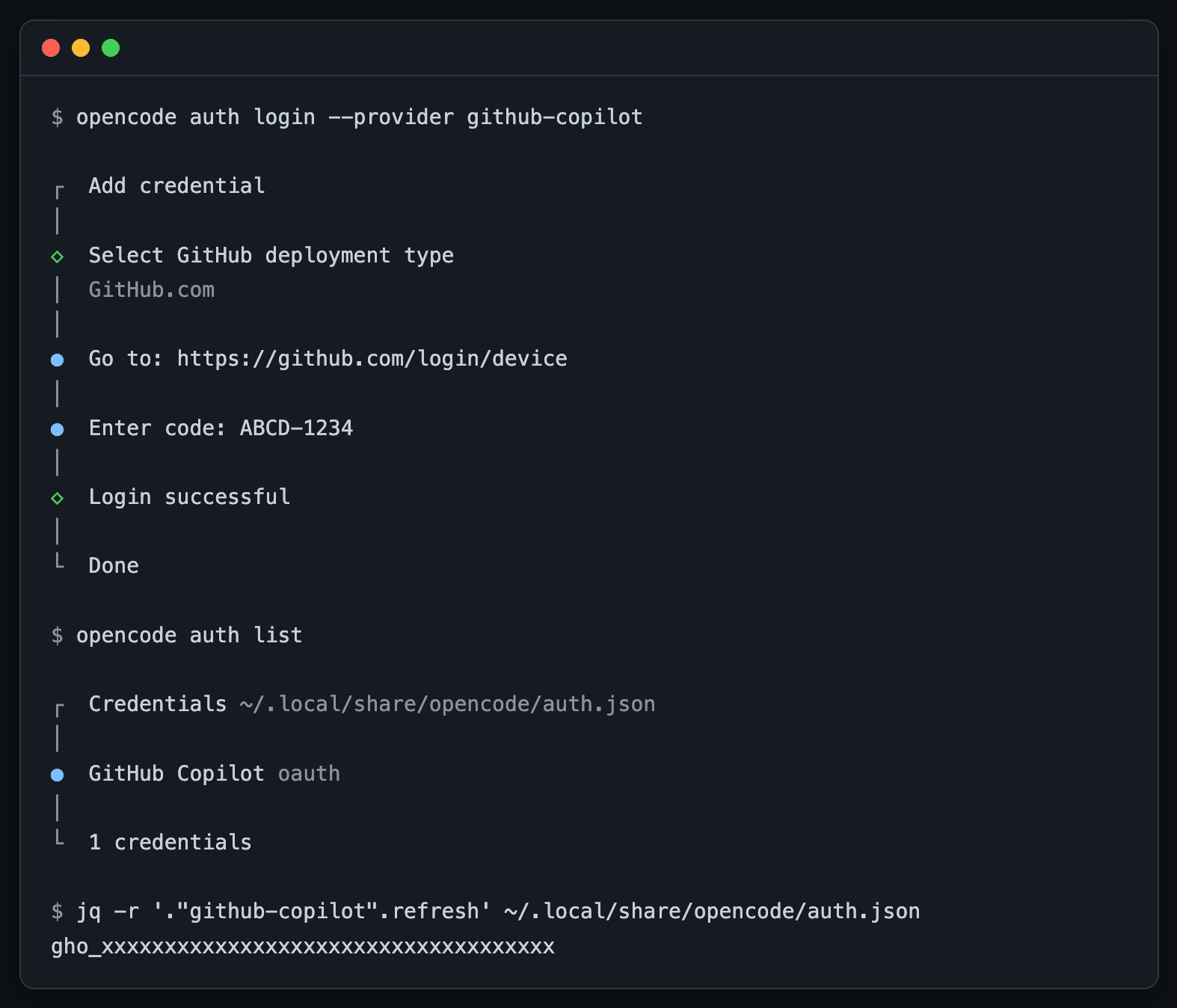
gho_ token.The token has no expiry date. It stops working when you revoke OpenCode under Settings > Applications > Authorized OAuth Apps, when the account's Copilot plan ends, or when GitHub revokes it after a year without use. Treat it like a password: it can read your GitHub profile and use your Copilot plan.
Connect it
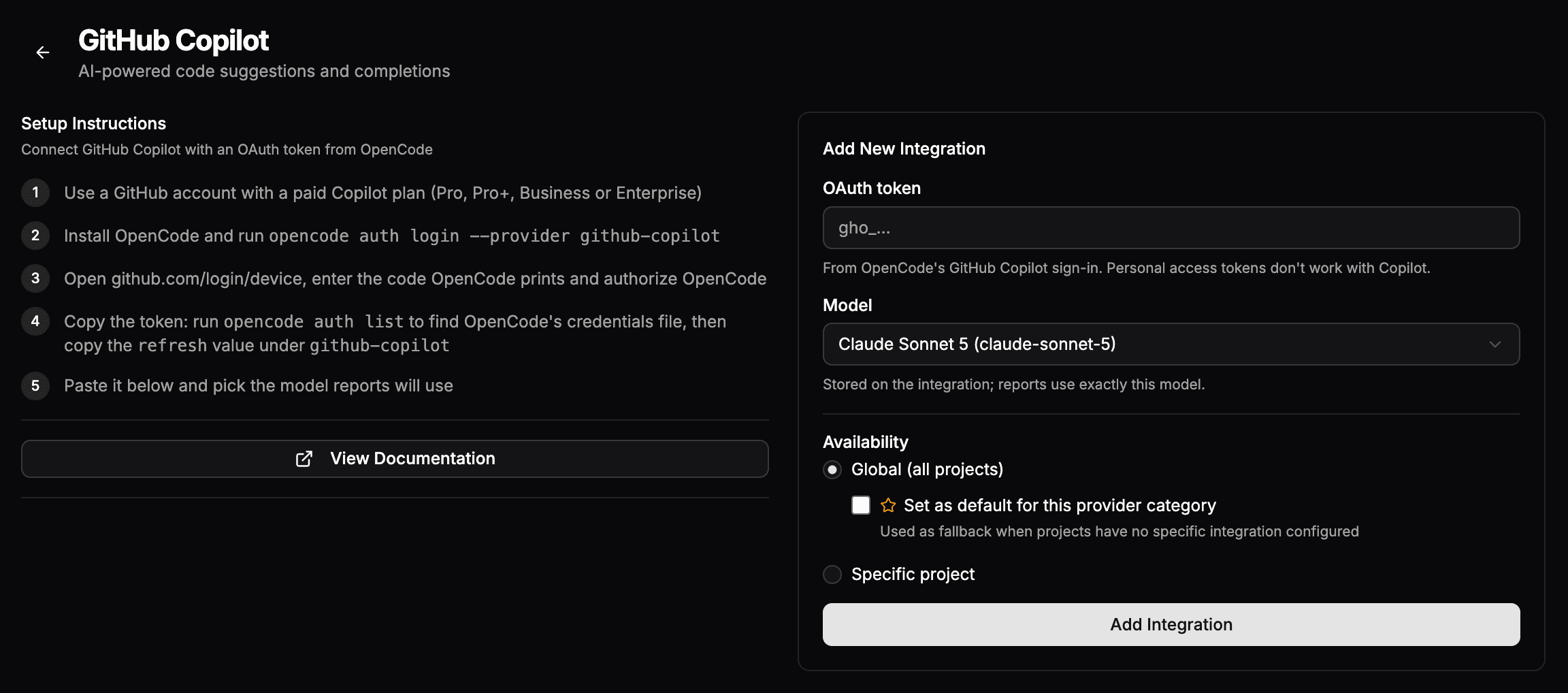
- Go to Settings > Organization > Integrations and open the GitHub Copilot card.
- Paste the
gho_…token into the OAuth token field. - Pick a Model (the default is Claude Sonnet 5) and set Availability to Global — optionally the default for AI — or a specific project.
- Click Add Integration. codev first checks the token with GitHub and saves it only when GitHub accepts it and offers the chosen model; otherwise the form shows why (see Troubleshooting).
For default models and how to verify the provider with sfp ai test --provider github-copilot, see Configuring LLM Providers.
Troubleshooting
| Message in codev | Cause | Fix |
|---|---|---|
| This token can't be used for GitHub Copilot. Paste an OAuth token from OpenCode's GitHub Copilot sign-in (see the setup steps). | The token is not a gho_ OAuth token: a classic (ghp_) or fine-grained (github_pat_) personal access token, or a GitHub App token (ghu_). | Paste an OAuth token from Get a token. |
| GitHub refuses personal access tokens for Copilot. Paste an OAuth token from OpenCode's GitHub Copilot sign-in. | GitHub refused the token as a personal access token. | Paste an OAuth token from Get a token. |
| This GitHub account has no Copilot plan. Use an account with Pro, Pro+, Business or Enterprise. | The token's account has no active Copilot plan. | Subscribe the account to a paid plan, or use a token from an account that has one. |
| Claude Sonnet 5 isn't available on this account's Copilot plan. | The account's plan or Copilot policy does not allow the selected model. Copilot Free does not include Claude Sonnet 5. | Move to a paid plan, or ask your Copilot administrator to enable the model. |
| GitHub doesn't accept this token. Run the OpenCode sign-in again and paste the new token. | The token was revoked or mistyped. | Sign in again with OpenCode and paste the new token. |
| GitHub refused this token: it was revoked or has expired. Repeat step 1 for a new one. | Shown in the edit dialog of an integration with an Unsupported token: the pasted token was revoked or has expired. | Repeat the OpenCode sign-in from step 1 and paste the new token. |
| Couldn't reach GitHub Copilot. Try again. | codev could not reach GitHub. | Try again; if it persists, check that the codev server can reach api.githubcopilot.com. |
Replace an unsupported token
An existing integration that still holds a personal access token or a GitHub App token shows an Unsupported token badge in the integrations list. To replace the token:
- Click Edit credentials on the integration. The dialog says the saved token is a personal access token and lists the three steps to get an OAuth token from OpenCode: sign in with
opencode auth login --provider github-copilot, authorize OpenCode at github.com/login/device, and copyrefreshundergithub-copilotfrom the fileopencode auth listshows. - Paste the token into New OAuth token, and click Save.
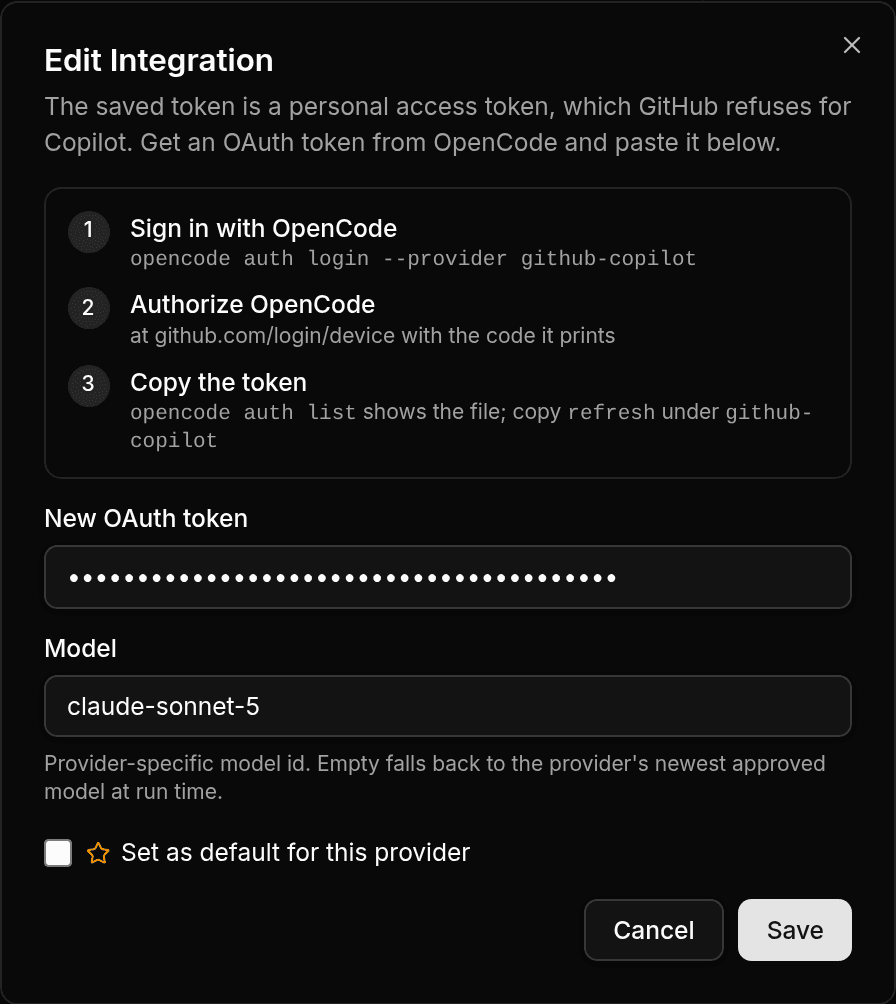
codev checks the new token with GitHub before it saves. If GitHub refuses it, the reason shows under the token field (see the table above) and the saved token stays as it was. When the reason is a token that needs replacing, such as a revoked one, step 1 is highlighted.