> For the complete documentation index, see [llms.txt](https://docs.flxbl.io/flxbl/llms.txt). Markdown versions of documentation pages are available by appending `.md` to page URLs; this page is available as [Markdown](https://docs.flxbl.io/flxbl/codev/ci-cd/linked-releases.md).

# Linked releases

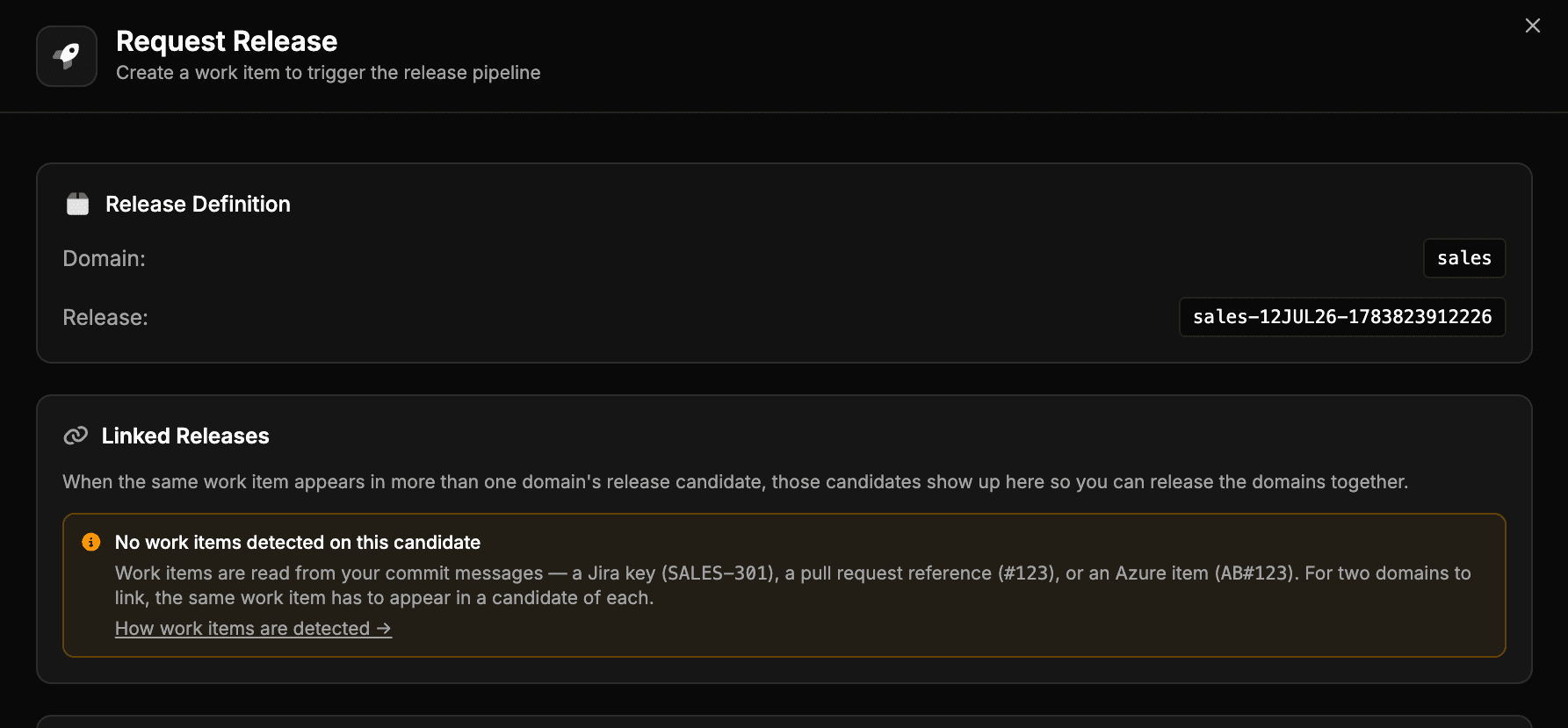
<figure><img src="/files/tHrr4tz4GAR9bJgCdZlp" alt="The Linked Releases section in the Request Release dialog"><figcaption><p>The Request Release dialog explains linked releases and, when the candidate has no work items, how to make them appear</p></figcaption></figure>

In most projects a change to one [domain](/flxbl/codev/development/domains.md) is released on its own. Some changes span more than one domain — the same work item touches packages that belong to different domains — and those domains need to be released together for the work item to deploy fully.

codev detects this from [work items](/flxbl/codev/ci-cd/work-items.md). When the same work item appears in more than one domain's release candidate, those candidates are **linked**. The Request Release dialog surfaces the linked candidates so you can release the domains together.

## When linked releases appear

Linked releases are computed from the work items on each candidate. A work item links two domains when it appears in a release candidate of each — which happens when commits that reference it are merged into packages belonging to different domains.

When you open **Request Release** on a candidate whose work items also appear in another domain's candidate, that domain's candidate is offered for selection alongside the one you are releasing. The **indicative work items** list marks each item:

* **Green** — releasing this candidate fully deploys the work item.
* **Orange** — releasing this candidate is a partial deployment; another domain still needs releasing for the work item to be complete.
* A **link** marker — the work item is also on a release candidate in a different domain.

Selecting a linked candidate includes it in the same release request.

## When there are no linked releases

The Request Release dialog always shows a **Linked Releases** section, which explains why nothing is linked in two cases.

* **No work items detected on this candidate.** Linked releases are computed from work items, so a candidate with none cannot link to another domain. Work items are read from commit messages — a Jira key (`SALES-301`), a pull request reference (`#123`), or an Azure DevOps item (`AB#123`). For two domains to link, the same work item has to appear in a candidate of each. See [Work items](/flxbl/codev/ci-cd/work-items.md) for the exact forms that are recognised.
* **Work items are present, but none appear in another domain.** The change is contained to one domain, so there is nothing to link. This is expected for a single-domain release.

## Related

{% content-ref url="/pages/oCGJeQytN9WpcDMSqOA2" %}
[Managing Release Candidates](/flxbl/codev/ci-cd/managing-release-candidates.md)
{% endcontent-ref %}

{% content-ref url="/pages/EaEqKP4eZhO5DCoR1v9F" %}
[Work items](/flxbl/codev/ci-cd/work-items.md)
{% endcontent-ref %}

{% content-ref url="/pages/PKBMRPH1mNmtDAuxXqGP" %}
[Release Candidates](/flxbl/codev/ci-cd/overview-2.md)
{% endcontent-ref %}


---

# Agent Instructions
This documentation is published with GitBook. GitBook is the documentation platform designed so that both humans and AI agents can read, navigate, and reason over technical content effectively. Learn more at gitbook.com.

## Querying This Documentation
If you need additional information that is not directly available in this page, you can query the documentation dynamically by asking a question.

Perform an HTTP GET request on the current page URL with the `ask` query parameter, and the optional `goal` query parameter:

```
GET https://docs.flxbl.io/flxbl/codev/ci-cd/linked-releases.md?ask=<question>&goal=<endgoal>
```

`ask` is the immediate question: it should be specific, self-contained, and written in natural language.
`goal` is optional and describes the broader end goal you are ultimately trying to accomplish on behalf of the user. GitBook uses it to tailor the answer towards what is most useful for that goal.

The response will contain a direct answer to the question and relevant excerpts and sources from the documentation.

Use this mechanism when the answer is not explicitly present in the current page, you need clarification or additional context, or you want to retrieve related documentation sections.
