Syncing to a Named Environment
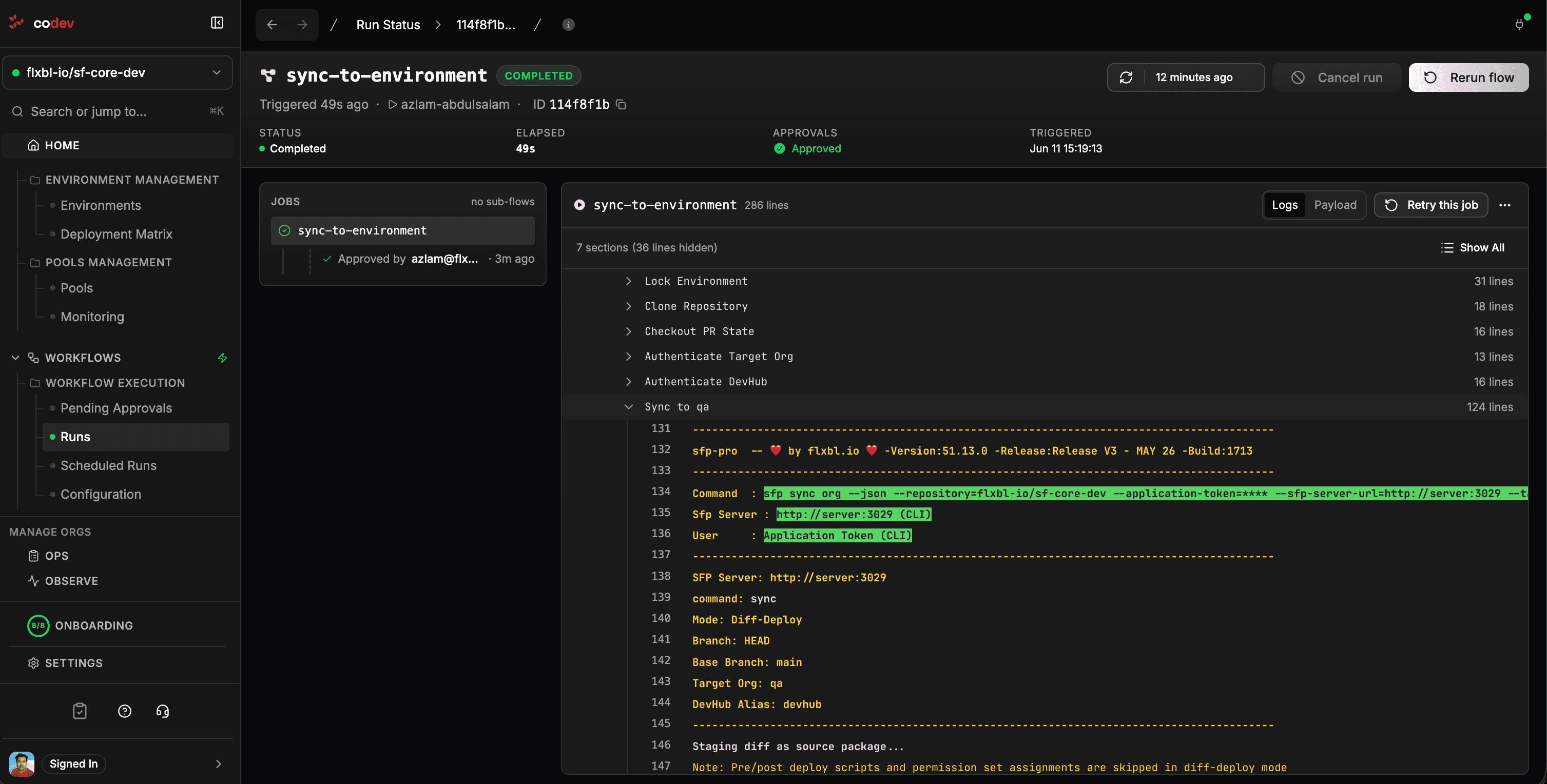
sfp sync qaCommenting this on a pull request deploys the PR's changes to the named environment. Because the target is a shared environment, the sync is approval-gated: codev posts an approval request on the PR, and an owner must approve before anything is deployed.
Use this sparingly. A named environment is shared — pushing unmerged code into it puts changes in front of testers that may never merge in that form, and makes the environment drift from what the release process says is deployed there. For day-to-day iteration, sync your review environment instead; it needs no approval and affects nobody else. See which one should I use?
What happens
- You comment
sfp sync qaon the pull request. - codev asks for approval — a comment explains what is about to happen and who can approve. An owner replies
/codev approve qa(or/codev reject qa). - The environment is locked so nothing else deploys to it mid-sync.
- The PR's merge state is checked out — what your branch will look like after merging, not just the branch by itself.
- The changes are deployed, and the lock is released.
- A completion comment tells you exactly what was deployed.
Changed files or full packages?
By default, sfp sync uses diff-deploy: it takes only the files your PR changed and deploys them directly. The tests it runs depend on the target org; see Choosing which tests run. This is the fastest way to get a change onto an environment for a look.
sfp sync qa                 # changed files only (diff-deploy) — fast
sfp sync qa --full-build    # build and install the affected packages properly
Diff-deploy is deliberately lightweight — it leaves no trace in tracking: no artifact records, no version history, no package registry entries. It's for iterating, not for promoting. When you want the environment to reflect properly built and tracked package versions, use --full-build — or merge and let the normal build and release flow take over.
Pre/post deployment scripts and permission set assignments are skipped in diff-deploy mode. If your change relies on them, use --full-build.
Narrowing the sync
sfp sync staging --domain sales          # only the sales domain's packages
sfp sync uat --packages pkg-a,pkg-b      # only specific packages
Choosing which tests run
Without a test option, a diff-deploy reads the target org's type:
| Target org | Apex tests |
|---|---|
| Sandbox or scratch org | None (RunNoTests) |
| Production org | RunRelevantTests |
| Org type can't be read | RunRelevantTests, with a warning in the run's log |
The run's log shows the level and the reason, for example Test level: RunNoTests (sandbox default). A --full-build sync runs no tests unless --testlevel is given.
To choose the tests yourself, add a test option to the comment:
sfp sync qa --testlevel RunRelevantTests
sfp sync qa --testlevel RunSpecifiedTests --apextests AccountServiceTest,OpportunityTriggerTest
sfp sync qa --testsuite sales-smoke
sfp sync qa --testsuite sales-smoke,core-regression --apextests QuoteBuilderTest| Option | Effect |
|---|---|
--testlevel <level> | Deploys with RunNoTests, RunSpecifiedTests, RunLocalTests, RunRelevantTests or RunAllTestsInOrg |
--apextests <classes> | Comma-separated test classes. Required with --testlevel RunSpecifiedTests unless --testsuite is given. With --testsuite, the classes are added to the suites' classes |
--testsuite <suites> | Comma-separated names of suites in the PR branch's config/sfp_testsuites.yaml. Their test classes run with RunSpecifiedTests. Diff-deploy only |
codev replies with an error and starts no sync when the options don't fit together: an unknown test level, RunSpecifiedTests without classes or suites, --testsuite with a different --testlevel or with --full-build, or a suite that isn't in config/sfp_testsuites.yaml on the PR branch. The error lists the suites that are available. The reply to an accepted command shows the tests that will run.
A diff-deploy deploys the changed files as one synthetic package, so deploy_with bindings in the suites file don't apply to it. To run a bound suite's tests in a sync, name the suite with --testsuite.
On a production org, Salesforce requires 75% coverage of every deployed Apex class from the specified tests alone. If a suite doesn't cover a changed class, the deployment fails and names the class. Choose a wider suite or --testlevel RunRelevantTests.
When it's the right tool
- A stakeholder demo that must show a fix on a known environment today, ahead of the release.
- Verifying a hotfix against an environment's exact shape before merging it.
- An urgent investigation where reproducing on the review environment isn't possible.
If your team is syncing to named environments routinely, that's usually a sign the review-environment setup or the release cadence needs attention — not that more syncs are needed.