Syncing Environments
Sometimes you want an environment to reflect a pull request right now — without waiting for a merge, a build and a release. Sync deploys the state of a pull request to an environment on demand, straight from a comment on the PR.
There are two ways to sync, for two different situations:
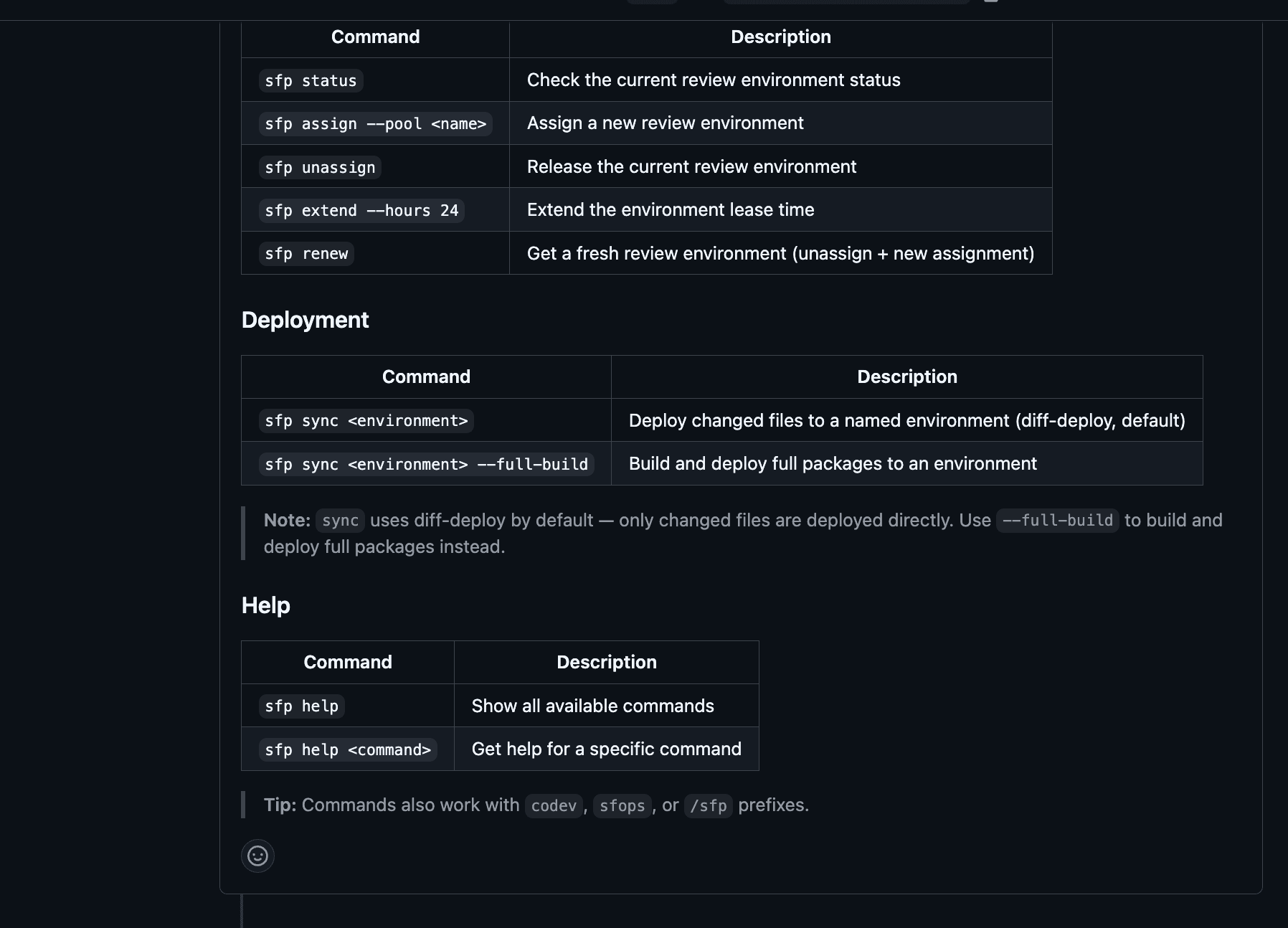
| Command | What it does | Approval | Use it… |
|---|---|---|---|
sfp sync-review-env | Brings this PR's assigned review environment up to the full PR branch state | Not required | Freely — it's your PR's own environment |
sfp sync <environment> | Deploys this PR's changes to a named, shared environment (e.g. qa, staging) | Required | Sparingly — see below |
Type either as a comment on the pull request. Commands also work with the codev, sfops or /sfp prefixes.
Which one should I use?
Reach for the review environment first. It exists precisely for this: an isolated environment assigned to your PR, where you can deploy, test and iterate without affecting anyone else. Syncing it requires no approval because the blast radius is your own PR.
Treat syncing to a named environment as the exception. A named environment like qa or staging is shared — other people's testing, sign-offs and release verification happen there. Pushing unmerged code into it:
- puts changes in front of testers that may never merge in that form (or at all),
- makes the environment drift from what the release process says is deployed there,
- and can mask or collide with work that arrived through the proper release flow.
That's why it sits behind an approval gate. Legitimate uses are the genuinely exceptional ones — a stakeholder demo that must show a fix today, or verifying a hotfix against an environment's exact shape before merging. If you find your team syncing to named environments routinely, that's usually a sign the review-environment setup or release cadence needs attention, not that more syncs are needed.
A sync is not a release. It creates no release candidates and no version history. Whatever you sync, the durable record of an environment still comes from merging and releasing — expect synced changes to be overwritten by the next release.
Knowing what happened
Every sync reports back on the pull request:
- When it starts — which environment, which branch, and a link to follow the run live.
- When it finishes — what was deployed: the package list with component counts, or for diff-deploy, the changed files that were applied. Failures arrive with the error, not a generic message.
You can also watch any sync step-by-step under Workflows > Runs, and pending approvals under Workflows > Pending Approvals.
Good to know
- Syncs honour your workflow gates. If a flow is excluded for a branch via your project's webhook filters, a PR comment can't bypass that — the sync politely declines.
- Environments are reserved while syncing, so two syncs (or a sync and a release) can't trample each other. The reservation is always released, even when a sync fails.