Gating releases on pre-deployment steps
Make a release to an environment wait until its pre-deployment steps are completed there — enabling the gate, what a waiting release does, and how long it waits.
Declaring and completing steps works in every environment. Holding a release until its pre-deployment steps are done is a per-environment setting: the manual steps gate. It is off by default.
Enabling the gate
The gate is part of the same per-environment policy that decides whether a release needs a human approval. Open your project's settings, edit the configuration, and add manual-steps to the environment's gates under releaseApprovalGates:
{
  "releaseApprovalGates": {
    "environments": {
      "uat": { "gates": ["human", "manual-steps"] },
      "production": { "gates": ["human", "servicenow", "manual-steps"] }
    }
  }
}
manual-steps combines with the other gates. ["human", "manual-steps"] requires a person to approve and then waits for the steps; ["manual-steps"] alone waits for the steps with no approval. Environments that are not listed keep the default, a human approval only. See Configuring approval gates for the rest of the policy.
Enable the gate on the environments a release is promoted to — staging, UAT, production. Do not enable it on Test or Snapshot environments that receive builds automatically on merge: every build's deployment to such an environment would then wait on manual steps, and a build does not wait that long.
When the gate is enabled, the environment's next release waits on every open pre-deployment step whose change is in the candidate and not yet deployed there. Steps for changes that were already deployed before the gate was enabled are not included.
What a gated release does
A release to a gated environment runs in this order:
- The dry run validates the release.
- If the environment requires it, the request waits for human approval.
- codev checks the environment's pre-deployment steps. If none are outstanding, the deployment starts. Otherwise the release waits.
- Once every outstanding step is completed in the environment, the deployment starts, locks the environment, installs the packages, and unlocks it.
The steps are checked after approval, so an approver approves a release whose steps may still be outstanding; the deployment itself does not start until they are done.
While the release waits
- The release run in Workflows > Runs shows a Deployment Steps button with the number of outstanding steps. It opens the checklist the release recorded, with Mark complete on each step, the activity recorded in the environment, and the run's deadline.
- If the release was requested from a source control issue, pull request or work item, codev posts the checklist in that thread: the outstanding steps with their ids, the command to complete each one, and links that open the candidate's Pre/Post Steps with the environment already selected. A further comment is posted when steps are added to the outstanding set, for example after a reopen.
- The run's log records the wait when it starts and again whenever the outstanding set changes.
A completion, reopen, withdrawal or candidate association saved anywhere in codev wakes the waiting release immediately, and it rechecks. It also rechecks on a fallback interval in case a change was missed.
When the wait runs out
A release does not wait forever. If steps are still outstanding when the wait timeout is reached, the environment's release ends as expired and nothing is deployed, the same outcome as an approval nobody resolved. The run reports which steps were still outstanding. Completing the steps afterwards does not resume the expired release; request the release again once they are done.
Each target environment of a release request waits and expires independently. An expired wait for uat has no effect on the same request's release to production.
If codev cannot evaluate the steps — for example because the source control provider is unavailable — it keeps retrying until the timeout and then expires the release rather than deploying with the steps unverified.
Wait timeout and recheck interval
Two settings control the wait, per environment:
| Setting | Range | Default | Meaning |
|---|---|---|---|
Wait timeout (timeoutHours) | 1 to 90 hours | 72 | How long the release waits for outstanding pre-deployment steps after approval before it expires. |
Recheck interval (pollIntervalMinutes) | 1 to 60 minutes | 10 | The fallback interval between checks when no step change has woken the release. |
Open Workflow Settings from the environment's Pre/Post Steps panel or from a run's Deployment Steps dialog. Only owners can save the settings, and the gate must already be enabled for the environment.
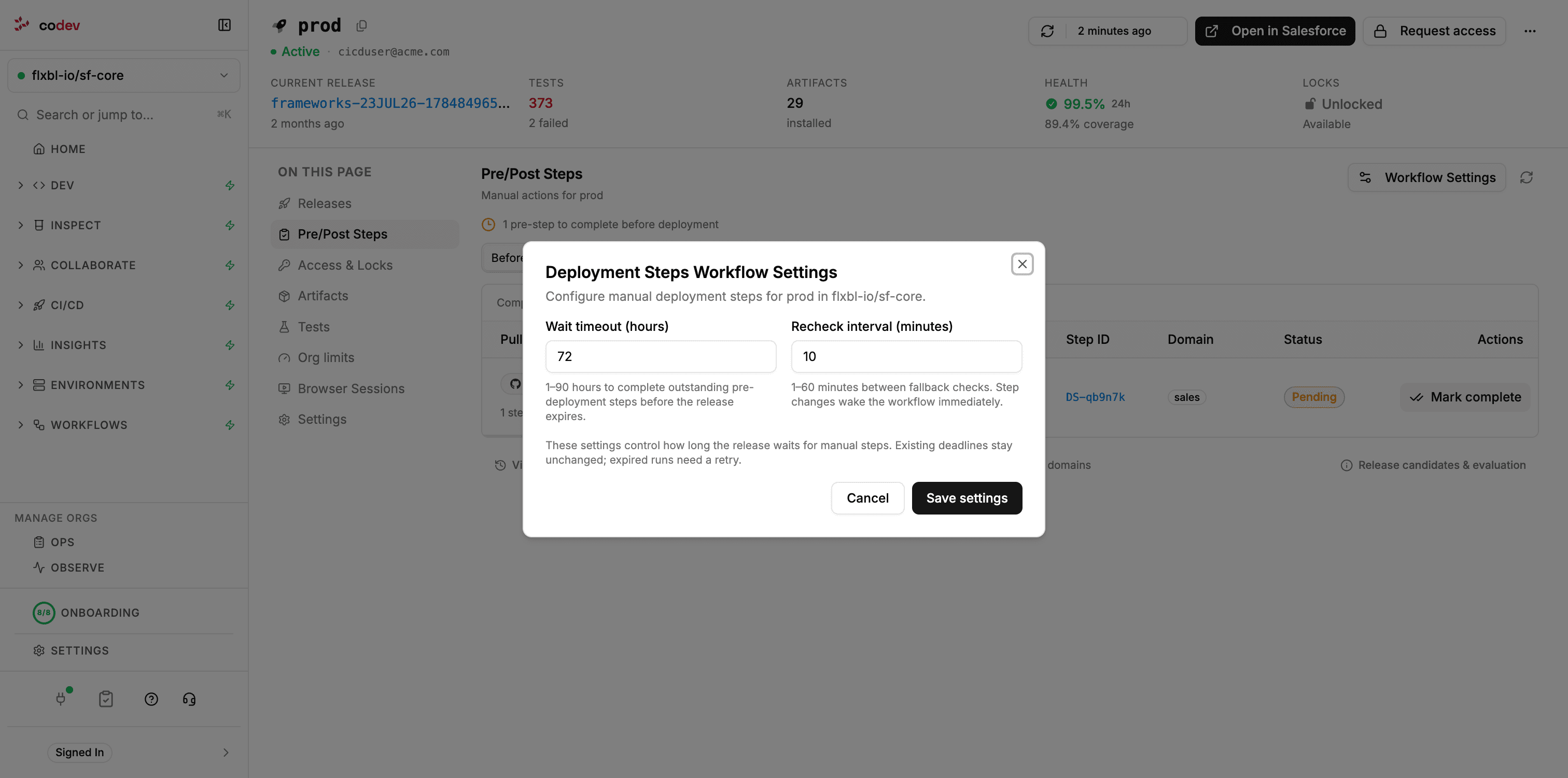
The same values can be set in the project configuration next to the gate:
{
  "releaseApprovalGates": {
    "environments": {
      "production": {
        "gates": ["human", "manual-steps"],
        "manualSteps": { "timeoutHours": 48, "pollIntervalMinutes": 5 }
      }
    }
  }
}
Changing the settings does not extend the deadline of a release that is already waiting. The new values apply to the next release.
Post-deployment steps after a release
Post-deployment steps are not gated. When a release to an environment succeeds, the post-deployment steps for that change become due in that environment:
- They appear under After in the environment's Pre/Post Steps and in the candidate's preview.
- codev comments on each pull request that declared one, listing the due steps and the command to complete them.
Nothing waits for them, and they do not affect the next release. They are completed the same way as pre-deployment steps, and the completion is recorded in the same history.
Completing steps in an environment
See which steps an environment is waiting on, mark them complete with a note and evidence, reopen them, and review the completion history.
Managing steps
The step detail page, including or excluding a step for a release candidate, withdrawing a step, and how steps behave with unbundle, cherry-to, rollback and reverts.